Category: Finance

  • Beginner’s Guide to Kubernetes for Developers

    Beginner’s Guide to Kubernetes for Developers

    Developer working on Kubernetes in a modern workspace with coding elements

    Beginner’s Guide to Kubernetes for Developers: Mastering Container Orchestration and GKE Fundamentals

    Kubernetes has emerged as a pivotal technology in the realm of container orchestration, enabling developers to manage applications seamlessly across various environments. This guide aims to provide a comprehensive understanding of Kubernetes, its architecture, and its benefits for developers. By exploring the fundamentals of Kubernetes, you will learn how it automates container management, enhances deployment efficiency, and integrates with cloud services like Google Kubernetes Engine (GKE). Many developers face challenges in deploying and scaling applications effectively, and Kubernetes offers a robust solution to these issues. This article will cover the basics of Kubernetes, its architecture, setup processes, GKE features, common challenges, and resources for further learning.

    What is Kubernetes and Why Should Developers Use It?

    Kubernetes is an open-source platform designed to automate the deployment, scaling, and management of containerized applications. It orchestrates containers across a cluster of machines, ensuring high availability and efficient resource utilization. By abstracting the underlying infrastructure, Kubernetes allows developers to focus on writing code rather than managing servers. The primary benefit of using Kubernetes is its ability to streamline application deployment and scaling, making it easier for developers to manage complex applications.

    How Does Kubernetes Automate Container Orchestration?

    Kubernetes automates container orchestration through several key features. It manages the lifecycle of containers, ensuring they are deployed, scaled, and maintained according to specified configurations. Kubernetes uses a declarative approach, allowing developers to define the desired state of their applications, which the system then works to achieve. This includes automatic scaling based on demand, self-healing capabilities to replace failed containers, and rolling updates to minimize downtime during deployments.

    What Are the Benefits of Kubernetes for Developers?

    The benefits of Kubernetes for developers are numerous:

    1. Improved Deployment Speed: Kubernetes enables rapid deployment of applications, allowing developers to push updates frequently and reliably.
    2. Resource Efficiency: By optimizing resource allocation, Kubernetes ensures that applications run efficiently, reducing costs associated with underutilized resources.
    3. Scalability: Kubernetes can automatically scale applications up or down based on traffic, ensuring optimal performance during peak loads.

    These advantages make Kubernetes an essential tool for modern software development.

    How Does Kubernetes Architecture Work?
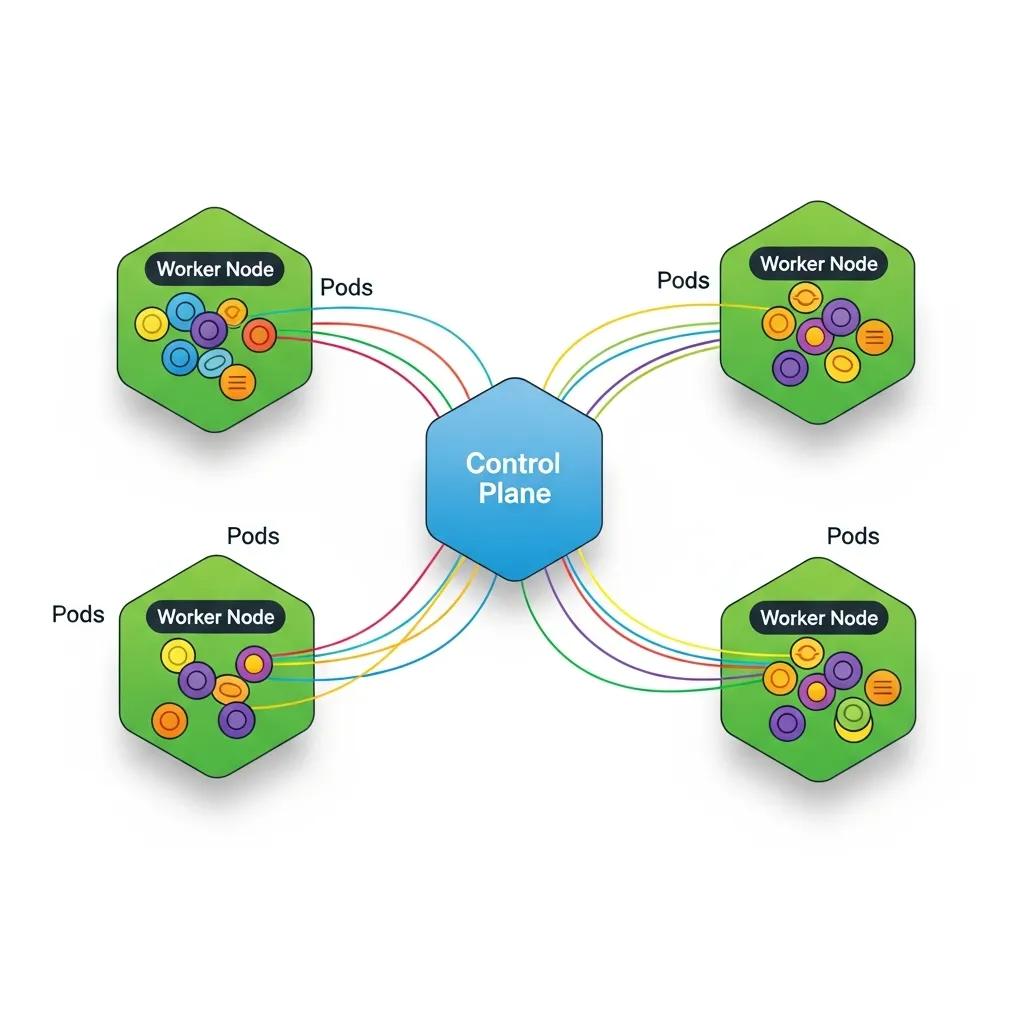
    Illustration of Kubernetes architecture highlighting control plane and worker nodes

    Understanding Kubernetes architecture is crucial for leveraging its full potential. The architecture consists of a control plane and worker nodes, each playing a vital role in managing containerized applications.

    This architectural foundation is key to Kubernetes’ ability to provide a robust and scalable platform for container orchestration.

    Kubernetes Architecture & Scalable Container Orchestration

    In conclusion, this paper underscores the significance of Kubernetes as a scalable container orchestration platform, particularly in edge environments. It elucidates the architectural


    Enhancing Edge Environment Scalability: Leveraging Kubernetes for Container Orchestration and Optimization, K Aruna, 2024

    What Are the Roles of Control Plane and Worker Nodes?

    The control plane is responsible for managing the Kubernetes cluster, making decisions about scheduling, scaling, and maintaining the desired state of applications. It includes components like the API server, etcd (a key-value store), the controller manager, and the scheduler. Worker nodes, on the other hand, run the actual applications in containers. Each worker node contains a container runtime, kubelet, and kube-proxy, which facilitate communication and management of containers.

    How Do Pods, Deployments, and Services Interact in Kubernetes?

    In Kubernetes, a Pod is the smallest deployable unit, representing one or more containers that share storage, network, and specifications on how to run them. Deployments manage the desired state of Pods, ensuring that the specified number of replicas is running at all times. Services provide a stable endpoint for accessing Pods, enabling load balancing and service discovery. This interaction between Pods, Deployments, and Services allows Kubernetes to manage applications effectively and ensure high availability.

    How to Get Started with Kubernetes: Setup and First Deployment

    Developer deploying first application on Kubernetes with a laptop and cloud background

    Getting started with Kubernetes involves setting up a cluster and deploying your first application. There are several options available for setting up a Kubernetes cluster, each catering to different needs and environments.

    What Are the Options for Setting Up a Kubernetes Cluster?

    Developers can choose from various methods to set up a Kubernetes cluster:

    1. Minikube: Ideal for local development, Minikube runs a single-node Kubernetes cluster on your machine.
    2. Managed Kubernetes Services: Cloud providers like Google Cloud offer managed Kubernetes services, simplifying cluster management and maintenance.
    3. Kubernetes on Bare Metal: For advanced users, deploying Kubernetes on bare metal provides maximum control and performance.

    Each option has its advantages, depending on the use case and resource availability.

    The integration of Kubernetes with cloud platforms like Google Cloud’s managed services is a significant advantage for developers seeking simplified cluster management.

    Google Kubernetes Engine (GKE) Fundamentals

    In this chapter we will use the Google Compute Engine to create a virtual machine instance, except that Google Container Engine API also needs to be enabled.

    Kubernetes Management Design Patterns, 2017

    How to Deploy Your First Application Using kubectl and YAML?

    To deploy an application in Kubernetes, you typically use , the command-line tool for interacting with the Kubernetes API. The deployment process involves creating a YAML file that defines the desired state of your application, including the container image, replicas, and service configurations. Once the YAML file is ready, you can apply it using the command:

    This method of deployment using and declarative YAML files is central to Kubernetes’ powerful container orchestration capabilities.

    Kubernetes Container Orchestration & Deployment with Kubectl

    kubernetes is for orchestration of containers. We can deploy containers using kubectl as well deploying

    Building modern clouds: using docker, kubernetes &


    Google cloud platform, J Shah, 2019

    Frequently Asked Questions

    What are the common challenges developers face when using Kubernetes?

    Developers often encounter several challenges when using Kubernetes, including complexity in setup and configuration, managing stateful applications, and understanding networking within clusters. Additionally, debugging issues can be difficult due to the distributed nature of Kubernetes. Resource management and cost control are also concerns, especially when scaling applications. To mitigate these challenges, developers can leverage community resources, documentation, and tools designed to simplify Kubernetes management and enhance observability.

    How does Kubernetes handle security for containerized applications?

    Kubernetes employs multiple layers of security to protect containerized applications. It uses Role-Based Access Control (RBAC) to manage permissions and restrict access to resources. Network policies can be implemented to control traffic between Pods, enhancing security. Additionally, Kubernetes supports secrets management, allowing sensitive information like passwords and API keys to be stored securely. Regular updates and security patches are essential to maintain a secure Kubernetes environment, as vulnerabilities can arise over time.

    Can Kubernetes be used for both microservices and monolithic applications?

    Yes, Kubernetes is versatile enough to support both microservices and monolithic applications. For microservices, Kubernetes excels in managing multiple, independently deployable services, allowing for efficient scaling and resource allocation. Monolithic applications can also benefit from Kubernetes by simplifying deployment and management, although they may not fully utilize Kubernetes’ capabilities for scaling individual components. Developers can gradually refactor monolithic applications into microservices as needed, leveraging Kubernetes throughout the transition.

    What is the role of Helm in Kubernetes?

    Helm is a package manager for Kubernetes that simplifies the deployment and management of applications. It allows developers to define, install, and upgrade even the most complex Kubernetes applications using Helm charts, which are pre-configured packages of Kubernetes resources. Helm streamlines the process of managing application dependencies and configurations, making it easier to deploy applications consistently across different environments. This tool is particularly useful for managing applications with multiple components and configurations.

    How can I monitor and troubleshoot applications running on Kubernetes?

    Monitoring and troubleshooting applications in Kubernetes can be achieved through various tools and practices. Popular monitoring solutions include Prometheus and Grafana, which provide insights into application performance and resource usage. For troubleshooting, developers can use Kubernetes’ built-in commands like and to gather information about Pods and deployments. Additionally, integrating logging solutions like ELK Stack or Fluentd can help centralize logs for easier analysis and debugging.

    What are the best practices for managing Kubernetes resources?

    Managing Kubernetes resources effectively involves several best practices. First, use namespaces to organize resources and isolate environments. Implement resource requests and limits to ensure fair resource allocation among Pods. Regularly review and clean up unused resources to optimize cluster performance. Additionally, automate deployments using CI/CD pipelines to enhance consistency and reduce human error. Finally, keep your Kubernetes version up to date to benefit from the latest features and security improvements.

    Conclusion

    Embracing Kubernetes empowers developers to streamline application deployment and management, enhancing efficiency and scalability. By understanding its architecture and leveraging tools like GKE, you can overcome common challenges and optimize resource utilization. The insights provided in this guide reinforce the value of mastering Kubernetes for modern software development. Start your journey today by exploring our resources and tutorials to elevate your Kubernetes skills.

  • Robots and AI

    Robots and AI

    Futuristic AI robot collaborating with humans in a modern workspace

    AI Robotics Solutions: A Practical Guide to Intelligent Machines and Emerging AI

    AI and robotics are reshaping industries—boosting efficiency, cutting costs, and changing how people and machines work together. In this guide we break down how AI-powered robots operate, the technologies that enable them, and the ways organisations are using them today. You’ll find practical explanations of machine learning, computer vision, and natural language tools, plus a look at how platforms like Google Cloud AI accelerate real-world deployments. We also cover common use cases, emerging trends, and the challenges teams face when adopting these systems.

    This article is written for technical leaders, engineers, and operational managers who are evaluating or building AI-enabled robotic systems. It balances conceptual background with practical considerations—such as integration patterns, data pipelines, and safety practices—so you can map ideas to implementation choices in your environment.

    What are artificial intelligence robots, and how do they work?

    Artificial intelligence robots combine mechanical systems with software that senses, decides, and acts. Depending on their design, they operate autonomously or alongside people—using machine learning, computer vision, and natural language processing to interpret inputs, make choices, and respond to changing conditions. The main advantage is clear: AI robots increase throughput and consistency across tasks from factory floors to clinical settings.

    Practically speaking, an AI robot system ties together sensors (cameras, LiDAR, force sensors), actuators (motors, grippers), a real-time control loop, and one or more AI models. Safety systems and supervisory controls run in parallel to ensure predictable behaviour. Teams building these systems design for different autonomy levels—teleoperated, semi-autonomous, and fully autonomous—each with distinct testing and verification needs.

    Defining AI robotics: concepts and core technologies

    AI robotics is an umbrella for technologies that give machines situational awareness and decision-making ability. Core elements include:

    1. Machine Learning: Algorithms that let robots improve with data—adapting behavior over time without explicit reprogramming.
    2. Computer Vision: Systems that translate camera and sensor input into usable scene understanding for navigation, inspection, and interaction.
    3. Natural Language Processing: Tools that let robots parse and generate human language for more natural interactions.

    Together these building blocks let robots handle complex tasks and adjust to new conditions without constant human intervention.

    Under the hood, most AI-robotics stacks include perception modules (for sensing), state estimation and mapping, planning and decision modules, and execution controllers. These components communicate through middleware or message buses and are often wrapped with monitoring, logging, and health-check services so teams can observe performance and diagnose faults in production.

    How machine learning and computer vision enable intelligent automation

    Machine learning and computer vision are central to smarter automation. ML models spot patterns and predict outcomes from large datasets, enabling real-time optimisations—like scheduling maintenance before a failure. Computer vision adds a visual layer, letting robots inspect parts, detect defects, and verify quality with precision. When combined, these technologies reduce downtime, improve accuracy, and unlock automation that adapts as conditions change.

    Implementing ML and vision in robotics requires attention to data quality, annotation consistency, and model lifecycle management. Many teams use simulated environments for initial training and then refine models with real-world telemetry collected during controlled runs. Continuous evaluation and retraining pipelines keep models robust as lighting, wear, and operational profiles evolve.

    How does Google Cloud AI support robotics innovation?

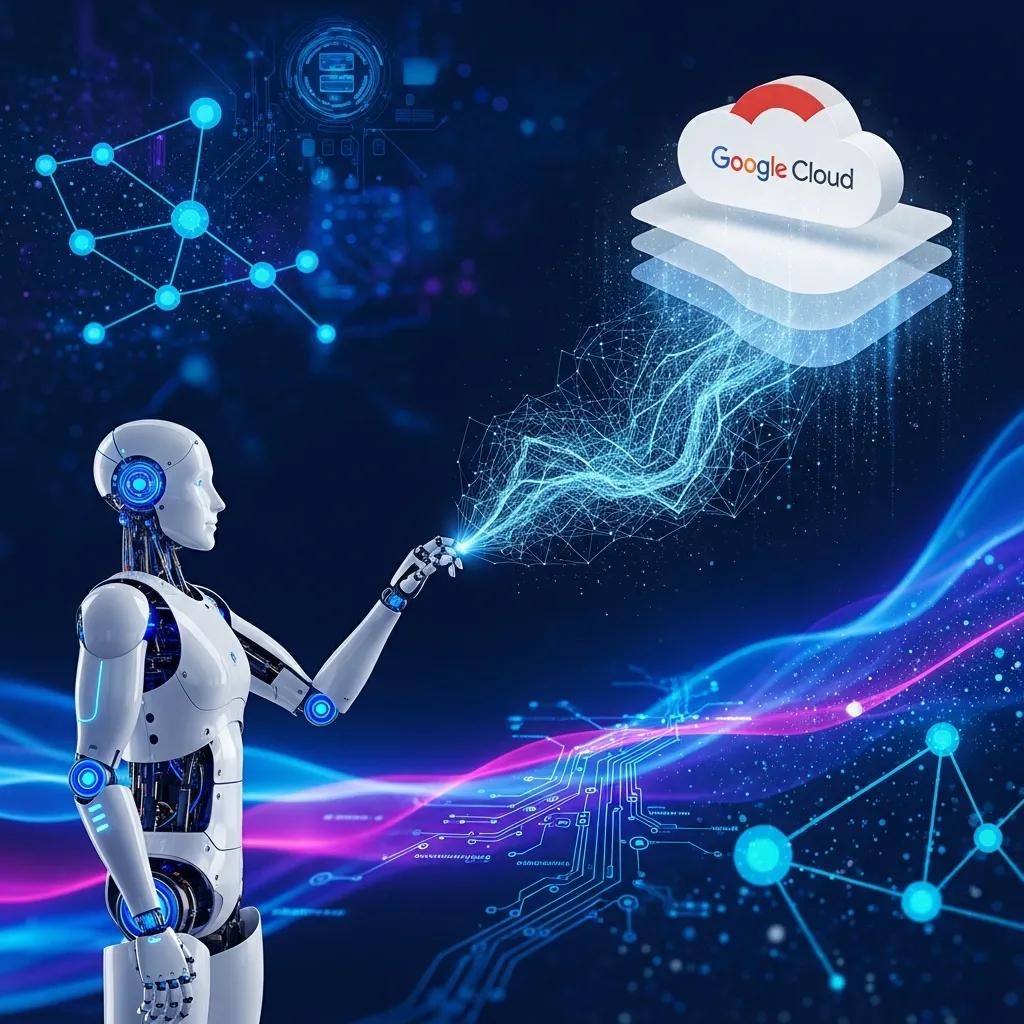
    Illustration of Google Cloud services supporting robotics innovation

    Google Cloud AI offers a set of managed tools and APIs that help teams build, train, and deploy the machine learning components robots rely on. From model training to scalable inference and prebuilt vision and language APIs, these services shorten development cycles and simplify production deployments.

    In practice, teams combine cloud-hosted model training and experiment tracking with on-device or edge inference for low-latency decision-making. Cloud services handle heavy compute and versioned model artifacts, while edge nodes or gateways run optimised runtimes that meet real-time constraints. Secure data flows, access controls, and encryption are typical concerns when moving telemetry and models between robot fleets and cloud infrastructure.

    Exploring Google Cloud AI services for robotics development

    • AI Platform: A managed environment to build, train, and serve ML models at scale.
    • Vision AI: Image analysis and object detection services that help robots interpret visual scenes reliably.
    • Natural Language AI: Tools for parsing and generating text, enabling more intuitive voice or chat interactions.

    These services let developers focus on robot behaviour while offloading heavy lifting—training, scaling, and model serving—to a cloud platform.

    When choosing which services to use, consider latency, privacy, and update cadence. For example, perception models that require millisecond responses are often deployed at the edge, while analytical models that aggregate fleet-wide telemetry run in the cloud. Proper CI/CD for models, canary deployments, and rollback paths are important best practices when iterating on production robot behaviours.

    Case studies: successful AI robotics solutions using Google Cloud

    Organisations across sectors have leveraged Google Cloud AI to deliver measurable results. One logistics operator used the AI Platform to build predictive maintenance for delivery drones, cutting operational costs by roughly 20–30% and improving schedule reliability. A healthcare provider applied Vision AI to patient-monitoring workflows, boosting early detection and streamlining staff workflows. These examples show how cloud-backed AI accelerates practical robotics deployments.

    Across these projects common success factors emerge: clear problem definition, close collaboration between ML engineers and domain experts, robust data collection processes, and phased rollouts that de-risk production behaviour. Teams that combine cloud-hosted experimentation with strong on-device safety checks tend to scale their fleets with fewer interruptions.

    Building on predictive maintenance and autonomous systems, recent research demonstrates how robotics can transform solar-panel upkeep.

    AI Robotics for Solar Panel Maintenance & Predictive Analytics

    This study presents an AI-integrated autonomous robotic system that combines continuous monitoring, predictive analytics, and intelligent cleaning to improve solar-panel performance. The authors developed a hybrid approach using CNN-LSTM models for fault detection, DQN-based reinforcement learning to guide robotic cleaning, and Edge AI analytics for low-latency decisions. Thermal and LiDAR-equipped drones identify panel faults while ground robots perform cleaning based on real-time dust and temperature data. By integrating AI, robotics, and edge computing, the system increases energy yield, lowers manual labour, and offers a scalable model for resilient solar infrastructure.


    AI-Integrated autonomous robotics for solar panel cleaning and predictive maintenance using drone and ground-based systems, I Kishor, 2025

    What are the leading applications of AI-powered robots across industries?

    AI-powered robots are already delivering value in many sectors—improving throughput, accuracy, and safety. Their use cases span manufacturing lines, warehouses, clinics, and farms, each tailored to specific operational goals.

    While applications differ by domain, many share architectural patterns: perception pipelines that fuse multiple sensors, planners that balance efficiency and safety, and remote monitoring consoles for human operators. Reusable components and modular software help organisations adapt solutions to new tasks without rebuilding core logic.

    AI robots in manufacturing, logistics, and autonomous vehicles

    In manufacturing, robots handle assembly, welding, and inspection with high repeatability, increasing production speed and reducing defects. In logistics, autonomous vehicles and mobile robots navigate warehouses to move goods efficiently, optimise inventory flow, and cut manual handling. These systems also reduce exposure to hazardous tasks, improving workplace safety.

    A typical quality-inspection workflow uses a vision model to detect surface defects and a downstream classifier to prioritise rework. Integrating that pipeline with production scheduling systems ensures that flagged parts are routed appropriately without human delay, demonstrating how perception and orchestration combine to deliver operational value.

    Healthcare robotics and service robots powered by AI

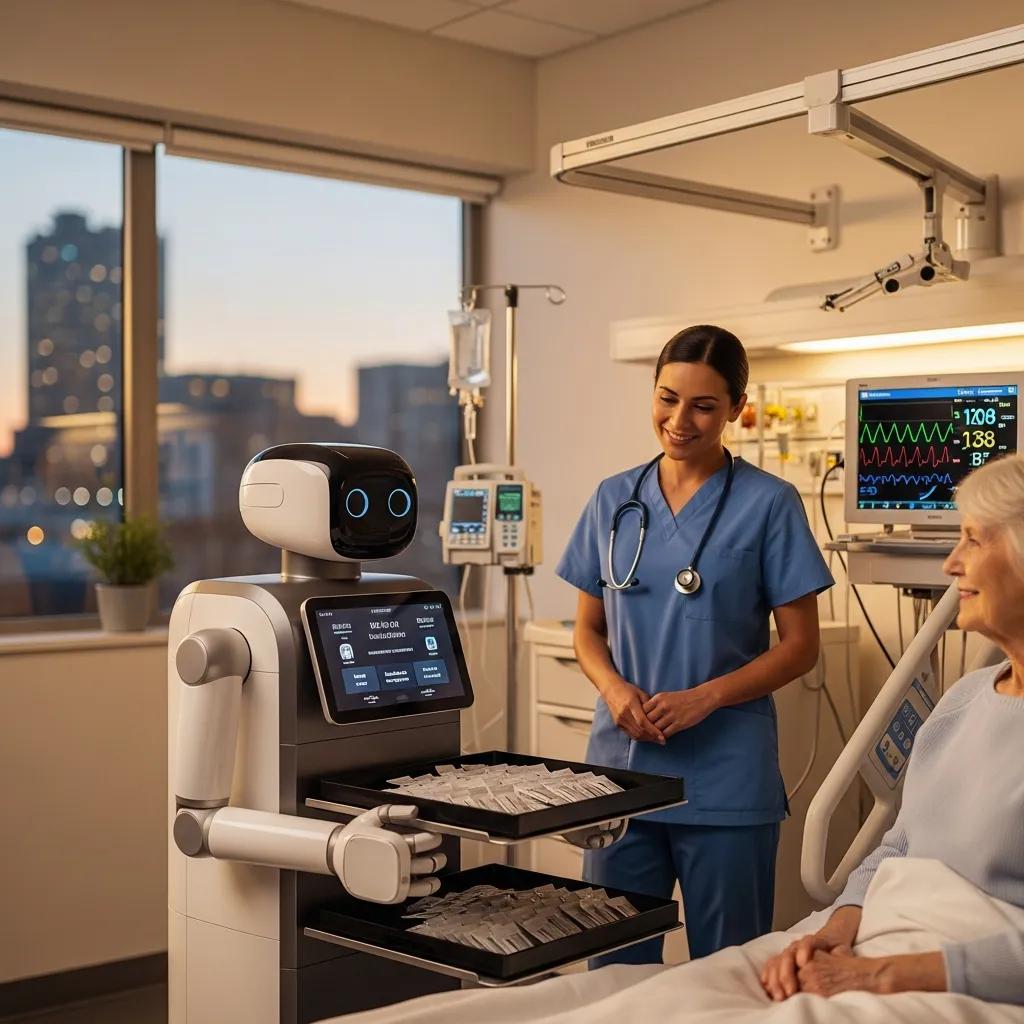
    AI-powered robot assisting in a healthcare setting, delivering medication

    Healthcare robotics range from surgical systems that increase precision to service robots that deliver medication and monitor patients. These technologies help clinicians work more effectively, shorten recovery times for patients, and free staff for higher-value clinical tasks.

    Deployments in clinical environments add layers of regulatory, privacy, and integration concerns. Systems must interoperate with electronic health records, respect patient consent and data minimisation principles, and follow local clinical governance processes. Trial phases with clinician feedback loops help refine behaviour and user experience before broad rollouts.

    What is the future of AI in robotics and intelligent automation systems?

    The trajectory for AI in robotics points toward more capable, collaborative, and context-aware machines. Advances in materials, sensing, and learning algorithms will expand where and how robots operate.

    Looking ahead, modularity and standardised interfaces will make it easier to assemble capabilities from different vendors, while advances in low-power compute will extend on-device intelligence. Progress will be incremental: systems will gain new skills through improved perception, safer planning, and better humanrobot interaction primitives.

    Emerging trends in physical AI and humanoid robot development

    Physical AI and humanoid platforms are maturing: better actuators and sensors yield smoother motion and richer interactions. Expect growth in customer-facing roles, collaborative assistants, and robots that can interpret basic human cues. As capabilities improve, robots will participate in more everyday tasks while partnering with humans in shared workflows.

    Developers are investing in more natural interaction models and safety-aware motion planning so robots can work closer to people. These trends lower barriers for deployment in retail, hospitality, and services where human comfort and predictable behaviour are paramount.

    Ethical considerations and societal impact of AI robotics

    Wider adoption brings questions about jobs, privacy, and algorithmic fairness. Addressing potential displacement, ensuring transparent data practices, and mitigating bias in models are essential steps. Policymakers, technologists, and organisations need to collaborate so benefits are broad and harms are minimised.

    Practical measures include stakeholder engagement, impact assessments, and audits of training data and model outputs. Workforce transition plans that include retraining, role redesign, and clear communication help organisations realise productivity gains while supporting affected employees.

    How do intelligent automation systems enhance productivity and safety?

    Intelligent automation—where AI informs robotic action—boosts both output and safety. By automating repetitive or dangerous tasks, these systems let people focus on complex, creative, or supervisory work.

    Measured improvements typically follow a lifecycle: pilot an automation for a clearly scoped process, validate safety and performance under controlled conditions, integrate with operations, and iterate on edge cases. Over time this approach reduces incidents and stabilises throughput while enabling staff to work on higher-value activities.

    Integration of AI and robotics for smart factory automation

    Smart factories connect sensors, machines, and analytics to continuously optimise production. Real-time data and AI-driven control reduce waste, balance throughput, and enable predictive maintenance so equipment runs reliably at peak efficiency.

    Orchestration layers and digital twins help teams simulate changes before applying them to live lines. By modelling equipment behaviour and control flows, organisations can test scheduling strategies, validate safety constraints, and forecast the production impact of software updates without disrupting ongoing operations.

    Improving worker safety and precision with AI-driven robotics

    Robots take on heavy, hazardous, or ergonomically risky tasks, lowering injury rates. At the same time, AI increases precision in operations like assembly and inspection—leading to fewer defects and safer end products.

    Safety systems often combine hard stops, geofencing, force limits, and vision-based person detection. These layered protections ensure that when unexpected conditions arise, the system defaults to a safe state and alerts human supervisors for intervention.

    What are the key challenges and innovations in robotics innovation AI?

    Despite rapid progress, several obstacles remain. Technical limitations, governance gaps, and deployment complexity must be addressed before robotics reach their full potential.

    Operationalising research prototypes into resilient, maintainable systems requires investments in tooling, observability, and processes that support long-term model maintenance. Organisations that plan for data drift, hardware lifecycle, and cross-team ownership are better positioned to scale robotics initiatives.

    Technical challenges in developing advanced AI robotics

    Key technical hurdles include improving model robustness, increasing sensor fidelity, and ensuring resilient, low-latency communication between robots and control systems. Solving these challenges is critical for dependable operation in unpredictable environments.

    Other practical hurdles include latency budgeting for perception-to-action loops, calibration and synchronization of heterogeneous sensors, and designing fail-safe behaviours that are understandable to operators. Good engineering practices—such as modular testing, hardware-in-the-loop simulations, and staged rollouts—help reduce deployment risk.

    Breakthroughs from Google AI and DeepMind in robotics research

    Groups like Google AI and DeepMind are advancing reinforcement learning, transfer learning, and simulation-to-reality techniques that speed up robot learning and decision-making. Their research is helping robots learn complex behaviors with less human supervision and greater adaptability.

    Translating lab advances into products typically involves engineering work to constrain models, provide interpretability, and integrate with real-time control systems. Open collaborations between research teams and engineering groups accelerate this process by sharing benchmarks, tooling, and simulation environments.

    Frequently Asked Questions

    What industries are most impacted by AI robotics?

    AI robotics is reshaping manufacturing, healthcare, logistics, and agriculture most visibly. Manufacturers gain speed and quality control; health systems benefit from surgical and service automation; logistics uses autonomous vehicles and mobile robots to streamline supply chains; and agriculture applies robotics for planting, harvesting, and crop monitoring—raising yields while lowering labour costs. Each sector adapts these tools to its own operational needs.

    Smaller sectors and niche operations also see gains when solutions are tailored to specific workflows. The common thread is that repetitive physical tasks with measurable KPIs are prime candidates for early automation.

    How do AI robots ensure safety in the workplace?

    AI robots improve safety by taking on hazardous tasks and continuously monitoring conditions. They can lift heavy loads, handle toxic materials, or operate in dangerous environments—while sensors and software detect unsafe conditions and alert human supervisors. The result is fewer accidents and a safer environment for workers.

    Safety is achieved through both design and runtime controls: rigorous hazard analysis during development, redundant sensing, conservative motion planning, and clear operator interfaces for intervention. Regular drills and maintenance schedules keep safety features reliable.

    What role does data play in the effectiveness of AI robotics?

    Data is the foundation of AI-driven robots. Large, well-labelled datasets enable models to recognise patterns, predict failures, and adapt behaviour. Continuous telemetry from machines and sensors helps robots refine their performance over time, making operations more efficient and reliable.

    Effective data practices include consistent labelling standards, versioned datasets, and synthetic data augmentation when real-world examples are rare. Observability pipelines that capture inputs, model outputs, and outcomes are essential for diagnosing failures and improving models iteratively.

    What are the ethical concerns surrounding AI robotics?

    Ethical concerns include potential job displacement, privacy risks from pervasive sensing, and bias in algorithmic decisions. Addressing these issues requires clear governance, transparent data practices, and inclusive design to ensure systems serve broad societal interests.

    Governance measures can include independent audits, clear accountability for decisions made by automated systems, and mechanisms for human oversight and contestability. Engaging affected communities during design helps surface risks early and build trust.

    How can businesses implement AI robotics solutions effectively?

    Start with clear objectives and a process audit to identify high-value automation opportunities. Partner with experienced providers (for example, platforms like Google Cloud AI) for infrastructure and tooling, invest in workforce training, and deploy incrementally so you can learn and adjust from real-world feedback.

    Operational guidance: prototype quickly on a narrow use case, validate performance under realistic conditions, define success metrics, and plan phased rollouts. Include maintenance and data pipelines in your budget and roadmap so models remain accurate and hardware stays serviceable.

    What future trends should we expect in AI robotics?

    Look for advances in physical AI, more capable humanoid and collaborative robots (cobots), and tighter integration with IoT ecosystems. These trends will enable robots to operate more autonomously and work more closely with humans across a wider range of tasks.

    Expect improved tooling for end-to-end development, stronger safety standards, and wider availability of pre-trained models that teams can adapt to their domains. Together these developments will lower barriers to entry and accelerate practical deployments.

    Conclusion

    AI robotics is transforming how organisations operate—delivering higher efficiency, better quality, and safer workplaces. By combining machine learning, computer vision, and cloud services, businesses can unlock new levels of automation. If you’re exploring adoption, start with targeted pilots, measure outcomes, and scale what works. Explore our resources to find practical next steps for bringing AI robotics into your organisation.

    Checklist to get started: identify a bounded high-impact use case, collect and label representative data, run a controlled pilot with clear safety protocols, instrument observability for models and hardware, and plan incremental scaling with training for staff. Adopting these practices helps teams turn prototypes into reliable, maintainable systems that deliver measurable value.

  • How SEO-Friendly Content Helps IT Companies Grow Online

    How SEO-Friendly Content Helps IT Companies Grow Online

    Elevate IT Growth with SEO Content

    Elevate IT Growth with SEO Content

    In the digital landscape, SEO-friendly content is crucial for IT companies aiming to enhance their online presence and drive growth. This article explores how effective content marketing strategies can significantly impact organic traffic, lead generation, and overall visibility. By understanding the mechanisms behind SEO-friendly content, IT companies can leverage these strategies to address common challenges such as low website traffic and poor conversion rates. We will delve into the key benefits of SEO-friendly content, explore effective content marketing strategies, and discuss the importance of technical SEO. Additionally, we will examine how to measure SEO ROI and the role of local SEO in enhancing online presence.

    What Are the Key Benefits of SEO-Friendly Content for IT Companies?

    SEO-friendly content offers several advantages that are particularly beneficial for IT companies. By optimizing content for search engines, businesses can increase their organic visibility, enhance credibility, and generate qualified leads. These benefits are essential for establishing a strong online presence in a competitive market.

    How Does SEO Content Increase Organic Traffic and Website Visibility?

    SEO content increases organic traffic by utilizing keyword optimization, which helps search engines understand the relevance of the content. High-quality content that incorporates relevant keywords and phrases attracts more visitors, improving website visibility. Additionally, backlinks from reputable sources further enhance this visibility, as they signal to search engines that the content is trustworthy and valuable.

    In What Ways Does SEO Content Enhance Lead Generation and Conversion Rates?

    SEO content enhances lead generation by targeting the right audience through strategic keyword usage and compelling calls to action. By creating content that addresses the specific needs and pain points of potential customers, IT companies can nurture leads effectively. Case studies and data-driven insights can further support claims, demonstrating the value of the services offered and encouraging conversions.

    Which Content Marketing Strategies Best Support IT Company Growth Online?

    IT team brainstorming content marketing strategies in a collaborative setting

    To maximize online growth, IT companies should adopt effective content marketing strategies that resonate with their target audience. These strategies include creating diverse content types, maintaining a content calendar, and leveraging social media for distribution.

    What Types of SEO-Friendly Content Are Most Effective for Tech Businesses?

    Effective SEO-friendly content types for tech businesses include blogs, whitepapers, and videos. Each format serves a unique purpose: blogs can provide timely insights, whitepapers can offer in-depth analysis, and videos can engage audiences visually. By diversifying content formats, IT companies can cater to different audience preferences and improve engagement metrics.

    How Can IT Companies Develop a Content Calendar to Maximize SEO Impact?

    Developing a content calendar is essential for maintaining a consistent publishing schedule. IT companies should align their content with business goals, ensuring that topics are relevant and timely. Tracking performance over time allows for adjustments based on audience engagement and SEO effectiveness, optimizing the overall impact of the content strategy.

    How Does Technical SEO Complement SEO-Friendly Content for IT Companies?

    Technical SEO plays a vital role in supporting SEO-friendly content by ensuring that websites are optimized for search engines. Key elements such as site speed, mobile-friendliness, and crawlability directly influence user experience and search rankings.

    What Technical SEO Elements Improve Crawlability and User Experience?

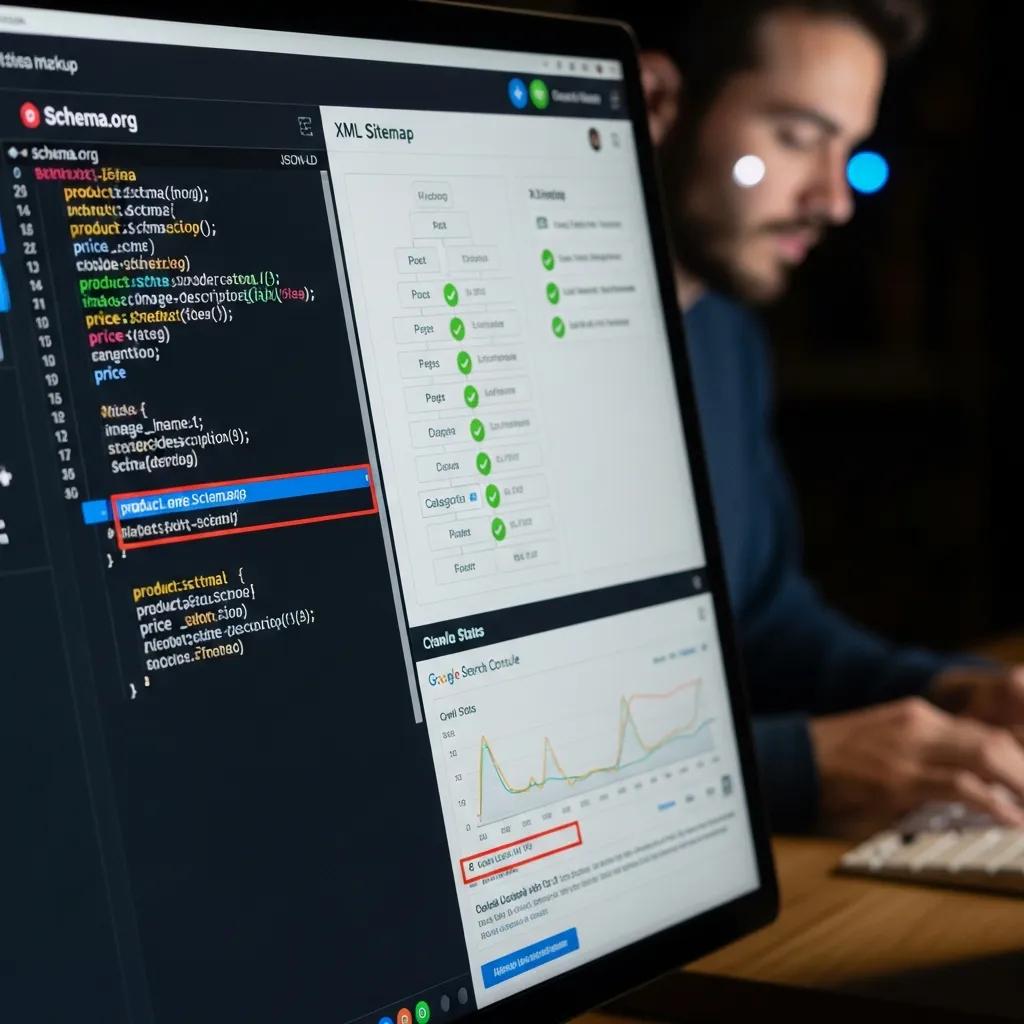
    Close-up of a computer screen showcasing technical SEO elements for improved user experience

    Technical SEO elements that enhance crawlability include structured data implementation, XML sitemaps, and proper robots.txt configuration. These components help search engines index content more effectively, improving visibility and user experience. A well-structured website allows users to navigate easily, leading to longer visit durations and lower bounce rates.

    Why Is Mobile-Friendliness and Site Speed Crucial for IT SEO Success?

    Mobile-friendliness and site speed are critical factors for SEO success, as user behavior trends indicate that a significant portion of web traffic comes from mobile devices. Slow-loading pages can lead to high bounce rates, negatively impacting search rankings. Ensuring that websites are optimized for mobile use and load quickly can significantly enhance user experience and retention.

    How Can IT Companies Measure and Optimize SEO ROI and Online Growth?

    Measuring SEO ROI is essential for understanding the effectiveness of content strategies. By identifying key performance indicators (KPIs), IT companies can track their progress and make informed decisions to optimize their strategies.

    Which KPIs Best Reflect SEO Performance for IT Businesses?

    Key performance indicators that reflect SEO performance for IT businesses include organic traffic metrics, conversion rates, and engagement metrics such as average session duration and bounce rate. Monitoring these KPIs allows companies to assess the effectiveness of their content and make necessary adjustments to improve results.

    What Tools Help Track Organic Traffic, Rankings, and Lead Generation?

    Several tools can assist IT companies in tracking SEO metrics, including Google Analytics, SEMrush, and Ahrefs. Google Analytics provides insights into user behavior and traffic sources, while SEMrush and Ahrefs offer comprehensive tools for tracking keyword rankings and backlink profiles. Utilizing these tools can help companies refine their SEO strategies and enhance lead generation efforts.

    What Role Does Local SEO Play in Growing IT Companies’ Online Presence?

    Local SEO is crucial for IT companies looking to enhance their online presence within specific geographic areas. By optimizing for local search, businesses can attract targeted leads and improve visibility in local search results.

    How Can IT Support Services Leverage Local SEO for Targeted Lead Generation?

    IT support services can leverage local SEO by targeting local keywords and building local citations. Engaging with local communities through events and partnerships can also enhance visibility and credibility. By focusing on local SEO strategies, IT companies can effectively reach potential customers in their area.

    What Are Best Practices for Optimizing Google Business Profiles for IT Firms?

    Optimizing Google Business Profiles involves completing all profile information, encouraging customer reviews, and using posts to engage customers. A well-optimized profile can significantly improve local search visibility, making it easier for potential clients to find and connect with IT services.

    How Do IT Companies Build Authority and Trust Through SEO-Friendly Content?

    Building authority and trust is essential for IT companies, and SEO-friendly content plays a significant role in this process. By demonstrating expertise and providing valuable insights, companies can establish themselves as thought leaders in their industry.

    What Is E-E-A-T and Why Is It Important for Tech Content?

    E-E-A-T, which stands for Experience, Expertise, Authoritativeness, and Trustworthiness, is a critical framework for evaluating content quality. For tech content, demonstrating E-E-A-T can enhance credibility and improve search rankings. Companies that showcase their expertise through well-researched content are more likely to gain the trust of their audience.

    How Can Case Studies and Expert Insights Enhance SEO Credibility?

    Incorporating case studies and expert insights into content can significantly enhance SEO credibility. By showcasing real-world results and engaging storytelling, IT companies can illustrate the effectiveness of their solutions. Leveraging expert opinions can further validate claims, building trust with potential clients and improving overall content quality.

    Frequently Asked Questions

    What are the common challenges IT companies face with SEO content?

    IT companies often encounter challenges such as low website traffic, poor conversion rates, and difficulty in reaching their target audience. These issues can stem from a lack of understanding of SEO best practices, ineffective keyword strategies, or insufficient content quality. Additionally, competition in the tech industry can make it harder to stand out. Addressing these challenges requires a comprehensive approach that includes optimizing content, improving technical SEO, and regularly analyzing performance metrics to adapt strategies accordingly.

    How often should IT companies update their SEO content?

    IT companies should aim to update their SEO content regularly, ideally every 3 to 6 months, to ensure it remains relevant and optimized for search engines. This frequency allows businesses to incorporate new keywords, address changing industry trends, and refresh outdated information. Additionally, updating content can improve search rankings and user engagement. Companies should also monitor performance metrics to identify which pieces of content require updates based on traffic and engagement levels.

    What role does user experience play in SEO for IT companies?

    User experience (UX) is crucial for SEO as it directly impacts how visitors interact with a website. Factors such as site speed, mobile-friendliness, and intuitive navigation can influence bounce rates and session durations, which are important ranking signals for search engines. A positive UX encourages users to stay longer and engage with content, leading to higher conversion rates. IT companies should prioritize UX design alongside SEO strategies to enhance overall performance and visibility in search results.

    How can IT companies effectively use social media to boost their SEO efforts?

    IT companies can leverage social media to enhance their SEO efforts by sharing high-quality content that drives traffic back to their websites. Engaging with followers through informative posts, discussions, and industry news can increase brand visibility and encourage shares, which can lead to valuable backlinks. Additionally, social media platforms can serve as a channel for promoting blog posts, case studies, and other content types, helping to reach a broader audience and improve overall search engine rankings.

    What is the significance of keyword research in SEO content strategy?

    Keyword research is fundamental to an effective SEO content strategy as it helps identify the terms and phrases potential customers are using to search for services. By understanding these keywords, IT companies can create targeted content that addresses user intent, improving the chances of ranking higher in search results. Effective keyword research also uncovers long-tail keywords that may have less competition, allowing companies to capture niche audiences and drive qualified traffic to their websites.

    How can IT companies measure the success of their SEO content?

    IT companies can measure the success of their SEO content through various key performance indicators (KPIs) such as organic traffic, conversion rates, and engagement metrics like bounce rate and average session duration. Tools like Google Analytics can provide insights into user behavior and traffic sources, while ranking tools can track keyword performance. Regularly analyzing these metrics allows companies to assess the effectiveness of their content strategies and make data-driven adjustments to improve results.

  • Future of Remote Work in the Software Industry

    Future of Remote Work in the Software Industry

    Diverse software developers collaborating in a modern workspace, illustrating the future of remote work

    Future of Remote Work in the Software Industry: Trends, Challenges, and Solutions for 2025

    Remote and hybrid work in the software industry refers to distributed development and collaboration models where teams blend office time with remote contributions, and 2025 marks a pivotal phase as AI, cloud tooling, and new policies converge to reshape workflows. This article explains which trends are accelerating change, the operational and security challenges teams encounter, and practical solutions software companies can adopt to maintain velocity and quality. Readers will learn the dominant trends for 2025, common productivity and cybersecurity pitfalls, the technology stack that enables distributed software work, and actionable best practices for hybrid operations. The piece also examines Google’s hybrid approach and Workspace capabilities as a case study that illustrates enterprise-grade tooling, AI assistance, and security patterns relevant to distributed engineering teams. Throughout, the focus is on developer-centric guidance — from code collaboration and CI/CD to cultural rituals and outcome-based performance — so engineering leaders and remote-first teams can make informed choices. The sections that follow unpack trends, challenges, enabling tools, optimization tactics, Google’s experience, and future innovations beyond 2025.

    What Are the Key Remote Work Trends in the Software Industry for 2025?

    Remote work trends in 2025 center on hybrid-first operating models, broad AI adoption in developer workflows, globalized hiring, and early-stage adoption of immersive collaboration tools like VR/AR that supplement existing communication platforms. These trends arise because cloud infrastructure, more sophisticated collaboration suites, and AI assistants reduce friction for distributed teams and expand the talent pool beyond local geographies. The result is faster staffing cycles for specialized roles, more asynchronous workflows, and a premium on secure, integrated tooling that supports both synchronous design reviews and async documentation. The next paragraphs list the top trends and then offer a compact comparison table to show adoption attributes and expected impacts.

    Below are the top trends shaping the remote work software industry in 2025:

    1. Hybrid-first operations: Companies balance in-office collaboration with remote flexibility to optimize deep work and team cohesion.
    2. AI-augmented development: AI tools are embedded in code review, testing, and documentation to boost developer productivity.
    3. Global talent pipelines: Remote hiring widens candidate pools and increases role diversity across time zones.
    4. Immersive collaboration emergence: VR/AR prototypes appear for design reviews and spatial whiteboarding in specialized workflows.

    These trends together emphasize a shift from location-based productivity to capability-enabled outcomes, which leads into a comparison of their attributes and likely hiring impacts.

    Different trends have distinct adoption characteristics and effects for software teams in 2025.

    TrendAdoption ProfileImpact on Hiring & Outcomes
    Hybrid-first operationsWidespread among large and mid-size firmsIncreases retention, requires flexible scheduling policies
    AI-augmented developmentRapid uptake in tooling and assistantsShortens review cycles, increases demand for AI-literate engineers
    Global talent pipelinesHigh adoption for niche rolesGreater role diversity, need for async collaboration skills
    Immersive collaboration (VR/AR)Early adoption in design-heavy teamsEnhances certain interactions, limited by hardware availability

    This table clarifies how each trend translates into organizational change and sets the stage for how hybrid models and hiring patterns are reshaping company practices in the next subsection.

    How Are Hybrid Work Models Shaping Software Companies?

    Hybrid work environment with in-office and remote employees collaborating through video calls

    Hybrid work models for software companies describe structured combinations of in-office and remote time designed to preserve team cohesion while enabling distributed work. Organizations adopt variants such as fixed in-office days, role-based office presence, or remote-first approaches with optional hubs, and these choices change meeting cadences, onboarding flows, and workspace planning.

    The primary benefit is access to broader talent while retaining moments of synchronous collaboration that accelerate design alignment and complex problem solving. Companies must therefore redesign rituals, schedule predictable overlap windows, and invest in documentation norms to ensure remote contributors are included. Understanding these model types leads directly to examining which remote IT roles are most sought after in 2025.

    Which Remote IT Jobs Are Most In-Demand in 2025?

    Demand in 2025 concentrates on roles that sustain cloud-native operations, security, and AI-driven product features, including software engineers, DevOps engineers, cloud architects, data scientists, and cybersecurity analysts. These roles support distributed systems, continuous integration and deployment, and the secure handling of data across remote endpoints, driving prioritized hiring in cloud and automation skillsets. Employers increasingly value candidates capable of async communication, infrastructure-as-code, and familiarity with cloud development environments and DevOps toolchains. Hiring trends therefore favor engineers who can both write production-quality code and operate robust pipelines for remote delivery, which frames the industry’s move toward tooling and practices that support these responsibilities.

    What Are the Main Challenges of Remote Software Development?

    Remote software development brings clear advantages but also introduces persistent challenges in coordination, developer well-being, security posture, and maintaining code and deployment quality across distributed teams. Communication friction and misaligned expectations are common when teams rely heavily on async channels without shared norms or clear documentation. These operational gaps can cascade into slower feature cycles or increased defects if code review and CI/CD governance are not strictly maintained. The next paragraphs analyze productivity and well-being impacts and enumerate cybersecurity risks that require targeted controls.

    1. Communication friction: Asynchronous handoffs and time-zone gaps can delay decision-making without clear protocols.
    2. Well-being and burnout: Blurred work-life boundaries increase the risk of fatigue and turnover if not actively managed.
    3. Security and compliance complexity: Distributed endpoints and cloud services expand attack surface and governance needs.

    Addressing these challenges requires combining policy, tooling, and cultural practices to maintain velocity and safety for remote engineering teams.

    Below is a concise comparison of core challenge areas and mitigation focus.

    Challenge AreaKey RiskMitigation Priority
    CommunicationAsync gaps, lost contextDocumentation standards, overlap windows
    Well-beingBurnout, isolationManager training, rituals, workload limits
    SecurityUnsecured endpoints, misconfigMFA, device management, zero-trust policies

    This table frames where to focus investments and paves the way to concrete tactics that improve productivity, culture, and security in remote software development.

    How Does Remote Work Impact Software Developer Productivity and Well-being?

    Remote work changes productivity dynamics: some teams report improved focus and fewer office interruptions, while others face coordination overhead and blurred boundaries that reduce sustainable output. Developers often gain deep-work time but may struggle with isolation and longer working hours when async signals are poorly managed. Practical mitigations include establishing clear overlap windows, synchronous rituals for complex planning, regular one-on-ones focused on workload and career development, and proactive well-being programs that normalize disconnecting. Implementing these tactics helps balance the productivity gains of remote work with the human support systems necessary to retain engineers, which leads into the security challenges that distributed teams must also address.

    What Cybersecurity Risks Do Remote Software Teams Face?

    Developer in a home office surrounded by cybersecurity icons, highlighting risks in remote software development

    Distributed development increases exposure to endpoint vulnerabilities, insecure home or public networks, and accidental data leakage via ad-hoc file sharing, creating a stronger need for centralized access control and policy enforcement. Recommended controls include enforcing multi-factor authentication, device management, and applying zero-trust principles to cloud resources and collaboration platforms to limit lateral movement. Equally important is integrating security into developer workflows — for example, automated dependency scanning, policy-as-code in CI/CD, and consistent secrets management. Paired with training and incident response processes, these measures reduce risk and support secure remote operations, leading naturally into the technology stack that enables those protections.

    The rapid adoption of remote work has transformed organizational operations, introducing complex cybersecurity vulnerabilities that demand rigorous scholarly investigation.

    Cybersecurity Risks of Remote Work: Vulnerabilities and Mitigation Strategies

    The rapid adoption of remote work has transformed organizational operations, introducing complex cybersecurity vulnerabilities that demand rigorous scholarly investigation. This systematic literature review (SLR) critically examines cybersecurity risks in remote work environments by synthesizing findings from 20 peer-reviewed studies published between 2010 and 2024. Employing the PRISMA framework for transparency and rigor, the review integrates both qualitative and quantitative evidence using a convergent thematic synthesis approach. The analysis reveals a multifaceted threat landscape encompassing human factors, technical vulnerabilities, and organizational shortcomings. Key risks include phishing, social engineering, device misuse, insecure Wi-Fi and VPN usage, and policy non-compliance. Human behavior emerges as a predominant risk vector, exacerbated by limited training, misuse of remote autonomy, and blurred personal-professional boundaries. Organizational challenges—such as rushed digital transitions, shadow IT practices, and poor communication of cybersecurity protocols—further aggravate the threat matrix. The review also incorporates critical appraisal using MMAT, CASP, and JBI tools to ensure methodological soundness and bias mitigation. Synthesis tables distill findings into thematic clusters, providing actionable insights into risk categories and mitigation strategies. Proposed recommendations emphasize cybersecurity training, device and network hygiene, policy alignment, zero-trust frameworks, and continuous monitoring. This study contributes a comprehensive evidence base for scholars and practitioners navigating remote work cybersecurity. It advocates for adaptive, behavior-aware strategies to strengthen digital resilience, highlighting the need for future research on quantum, AR/VR, and blockchain technologies in remote settings. As remote work persists, cybersecurity must evolve accordingly to safeguard organizational integrity and continuity.

    Investigating the cybersecurity risks of remote work: a systematic literature review of organizational vulnerabilities and mitigation strategies: M. Nizamuddin, 2025

    Which Technologies and Tools Enable Effective Remote Software Work?

    Effective remote software work depends on an integrated stack: collaboration suites, video conferencing, project management systems, cloud development environments, CI/CD pipelines, and AI-assisted tools that accelerate routine tasks. Collaboration platforms centralize planning and documentation while cloud IDEs and remote CI/CD let engineers run builds and tests without local environment constraints. Security and compliance tooling must be embedded into those workflows so policy enforcement becomes part of the developer pipeline rather than an extra step. The section that follows lists key categories of tools, presents a compact comparison table (including Workspace as a case study), and then explains how Workspace maps to software team workflows.

    Key categories of tools supporting distributed software teams include:

    1. Collaboration suites for docs, chat, and meetings that centralize knowledge and enable async work.
    2. Project management and issue tracking systems that orchestrate work across time zones.
    3. Cloud dev environments and CI/CD pipelines that decouple development from local machines.
    4. AI-assisted code and documentation tools that reduce routine effort and accelerate reviews.

    These tool categories interlock to provide consistent environments for code, tests, and communication, which is illustrated in the comparison table below.

    Tool CategoryPrimary Use CaseRepresentative Features
    Collaboration SuitesAsync docs, meetings, chatReal-time editing, threaded chat, meeting recordings
    Project ManagementWork orchestrationIssue tracking, sprint planning, backlog prioritization
    Cloud Dev & CI/CDBuild and test automationRemote builds, automated tests, deployment pipelines
    AI AssistantsCode review and docsSummarization, code suggestions, test generation

    This comparison highlights how each class of tool contributes to reliable remote software delivery and introduces a focused case-study on Google Workspace’s role for software teams.

    After the general comparison, consider Google Workspace as an illustrative solution used by many enterprises for seamless collaboration, AI-driven assistance, and enterprise-grade security. Google Workspace offers integrated apps such as Google Meet for video meetings, Google Chat for group communication, and collaborative document apps like Docs, Sheets, and Slides that map directly to engineering tasks: Docs for specifications and design documents, Sheets for lightweight tracking, Chat for rapid clarification, and Meet for design reviews and retrospectives. Workspace’s AI-assisted features help summarize documents and meetings, reducing time spent on administrative follow-ups and improving asynchronous handoffs. Enterprise security and compliance attributes from Workspace support access control and reduce risky ad-hoc sharing, making it practical for remote software teams that require both collaboration and governance. This practical mapping shows how a unified collaboration suite supports developer workflows while reinforcing security and AI augmentation.

    How Does Google Workspace Support Remote Software Development Teams?

    Google Workspace supports remote software teams through integrated apps that align to planning, code review, and documentation workflows, enabling stable knowledge capture and synchronous review sessions. Google Meet facilitates distributed design reviews and sprint demos, while Google Chat provides threaded context for feature discussions and quick decisions across time zones. Collaborative Docs, Sheets, and Slides let teams co-author specifications, design notes, and release plans with revision history to preserve context and reduce duplication. As noted in industry analyses, Workspace also includes AI assistance to summarize lengthy documents and meeting notes, streamlining follow-ups and reducing coordination overhead. These features combined with enterprise-grade security and accessibility create a consistent environment for remote teams to document, iterate, and ship software together.

    What Role Does AI Play in Enhancing Remote Software Development?

    AI enhances remote software development by automating mundane tasks, surfacing relevant code suggestions, generating test cases, and summarizing long meetings or documents to reduce cognitive load on engineers. In practice, AI can accelerate code review cycles by highlighting potential bugs or style inconsistencies and can create first-pass documentation drafts that subject-matter experts refine. This productivity lift shortens feedback loops and enables smaller, more focused synchronous sessions while increasing the effectiveness of asynchronous handoffs. However, governance and human oversight remain essential: teams must verify AI outputs, manage bias in suggestions, and maintain test-and-review standards to ensure automation improves quality rather than undermining it.

    The integration of AI into development workflows is rapidly transforming the landscape of software engineering, creating new paradigms for team collaboration and productivity.

    AI-Augmented Software Engineers: Next-Gen Development Teams

    Managing AI-augmented workflows effectively is especially critical in.

    AI-Augmented Software Engineers: The Next Generation of Development Teams

    How Can Software Companies Optimize Hybrid and Remote Work Models?

    Optimizing hybrid and remote work requires policy clarity, cultural rituals that include distributed contributors, outcome-based performance metrics, and technology choices that embed security and usability into everyday developer workflows. Policies should define overlap hours, expectations for in-office vs remote work, and role-specific requirements while preserving flexibility for individual circumstances. Cultural investments — such as structured onboarding, regular asynchronous retrospectives, and inclusive meeting norms — keep distributed teams aligned and reduce attrition. Finally, measuring outcomes with objective KPIs tied to product delivery helps shift evaluations from hours worked to value delivered. The next subsections list best practices and propose measurable implementation steps with expected outcomes.

    Effective optimization centers on a set of practical best practices:

    1. Establish clear hybrid policies and predictable overlap windows to reduce coordination friction.
    2. Create onboarding flows and rituals that accelerate remote hires’ productivity and social integration.
    3. Use outcome-based KPIs (lead time, deployment frequency, incident response) to align performance with product goals.

    Adopting these practices leads to measurable improvements in delivery predictability and team satisfaction, as shown in the following implementation table.

    PracticeImplementation StepExpected Outcome / KPI
    Asynchronous communication normsDocument templates and response SLAsReduced meeting load, faster async resolution
    Outcome-based metricsOKRs and feature lead-time trackingImproved deployment frequency and predictability
    Inclusive ritualsVirtual coffee, async retrospectivesHigher engagement and lower churn

    This table provides a clear mapping from practice to measurable outcome, and now the article examines concrete culture and performance tactics in more depth.

    What Are Best Practices for Fostering a Strong Remote Software Team Culture?

    Building a robust remote culture begins with structured onboarding that pairs newcomers with mentors, establishes documentation for codebases and workflows, and provides early, small-scope projects to build confidence. Regular rituals — such as asynchronous standup summaries, virtual social hours, and documented retrospectives — create predictable touchpoints for collaboration and recognition. Managers should prioritize psychological safety, encourage time-zone-aware scheduling, and use engagement surveys to detect early signs of burnout or disconnect. These steps accelerate team cohesion and set expectations for collaboration, which naturally supports clearer performance management practices described next.

    How Can Performance and Outcomes Be Managed in Distributed Software Teams?

    Performance management in distributed teams should emphasize outcomes rather than hours, using metrics like feature lead time, deployment frequency, mean time to recovery, and customer-impact indicators to assess effectiveness. Implementing lightweight dashboards and regular async reviews helps teams iterate on processes without imposing synchronous overhead. Code review quality, CI pass rates, and incident response timelines serve as engineering-specific KPIs that align individual contributions with product health. Coupled with regular feedback conversations and career development planning, these measures ensure distributed engineers are evaluated fairly on value delivered and growth potential.

    How Is Google’s Hybrid Work Model Influencing the Future of Remote Software Work?

    Google’s hybrid approach, which includes a common pattern of in-office days combined with remote flexibility and options for broader “work from anywhere” arrangements, serves as a prominent example for large software organizations balancing collaboration and flexibility. This policy influences industry expectations by demonstrating how scheduled co-location days can be paired with robust remote tooling to preserve both innovation and inclusion. Google’s internal needs have also driven product choices and features in collaboration tooling, emphasizing seamless integration among communication apps and support for AI-assisted workflows.

    Organizations examining Google’s approach can draw lessons about predictable in-person collaboration, investment in integrated tooling that reduces switching costs, and the role of AI in easing asynchronous work burdens. These observations make the Google case study relevant for companies defining their own hybrid experiments and tooling roadmaps.

    What Are Google Workspace’s Security Features for Remote Software Teams?

    Workspace’s enterprise-grade security and compliance capabilities, as reported in industry analyses, include centralized access controls and features that limit risky ad-hoc sharing while enabling governed collaboration across distributed teams. These controls help mitigate common remote risks such as unsecured endpoints and uncontrolled file distribution by providing administrative policies for device management and access permissions. When paired with organization-level policies — like enforced multi-factor authentication and strict sharing rules — Workspace’s integration reduces friction for secure collaboration and lowers the chance of accidental data exposure. Combining product-level controls with developer-oriented security practices, such as secrets management and CI/CD scanning, gives remote software teams a layered defense.

    How Does Google Integrate AI to Boost Remote Software Team Productivity?

    Google’s collaboration tools incorporate AI assistance for tasks like summarizing documents and meetings, which reduces time spent on administrative follow-ups and helps teams maintain clear asynchronous context. These AI features automatically distill meeting notes and long documents into actionable items, enabling faster handoffs and fewer repetitive clarifications among distributed contributors. For software teams, document summarization and meeting highlights accelerate onboarding to discussions and help reviewers catch up quickly, thereby improving throughput. As with any AI augmentation, outputs require human validation and governance to ensure accuracy and alignment with engineering standards.

    What Are the Future Innovations Impacting Remote Software Collaboration?

    Looking beyond 2025, the most significant innovations likely involve deeper AI integration, more capable cloud-native development environments, and selective use of VR/AR for interactions that currently rely on rich spatial cues. AI will continue to automate repetitive parts of the development lifecycle — from test generation to more advanced code synthesis — while cloud IDEs and remote build systems reduce friction in contributor setup. Immersive tools will mature for niche use-cases like complex design reviews and collaborative whiteboarding where presence and spatial layout matter. The following bullets summarize short, medium, and long-range impacts to watch.

    1. AI maturation leads to stronger automation of testing, code suggestion, and documentation, streamlining reviews and reducing manual overhead.
    2. Cloud-native dev environments and improved CI/CD abstractions enable near-instant onboarding and reproducible builds across contributors.
    3. Targeted VR/AR adoption enhances interaction quality for design and architecture sessions while remaining limited by hardware and accessibility constraints.

    These forecasts point toward a future where tooling largely removes environment friction and augments human creativity, and the last two subsections explore immersive collaboration and broader predictions beyond 2025.

    How Will VR and AR Transform Remote Software Team Interaction?

    VR and AR can provide richer social cues and spatial collaboration for specific developer tasks such as system architecture workshops, immersive whiteboarding, and product walkthroughs that benefit from shared spatial reasoning. Use-cases include virtual war rooms for incident response, collaborative diagrams in three-dimensional space, and proximity-based interactions that mimic informal office drop-bys. Benefits include improved engagement during complex problem solving and more natural hand-offs during design discussions, while limitations remain around hardware adoption, access equity, and the maturity of UX patterns. Realistic adoption will likely be incremental and task-specific rather than universal in the near term.

    What Are the Predictions for Remote Work Trends Beyond 2025?

    Predictions beyond 2025 include continued hybrid prevalence with more nuanced role-based policies, deeper AI integration across developer workflows, and the gradual emergence of specialized immersive collaboration tools for tasks that require richer interaction. Hiring will continue to globalize with more cross-border teams and emphasis on async communication skills, and platform consolidation may favor suites that combine collaboration, security, and AI assistance into cohesive developer experiences. These changes will push organizations to invest in governance, developer tooling, and cultural rituals that sustain long-term productivity in distributed environments.

    1. Continued hybrid prevalence will standardize predictable in-office collaboration days for cross-functional alignment.
    2. Greater AI integration will automate more testing and documentation tasks, increasing per-engineer throughput.
    3. Specialized immersive tools will emerge for high-value, interaction-heavy activities while mainstream collaboration remains document- and chat-centric.

    These short forecasts reflect current trajectories and suggest practical areas for engineering leaders to prioritize investments in tooling, culture, and governance as remote work evolves.