
Author: raza

  • Beginner’s Guide to Kubernetes for Developers

    Beginner’s Guide to Kubernetes for Developers

    Developer working on Kubernetes in a modern workspace with coding elements

    Beginner’s Guide to Kubernetes for Developers: Mastering Container Orchestration and GKE Fundamentals

    Kubernetes has emerged as a pivotal technology in the realm of container orchestration, enabling developers to manage applications seamlessly across various environments. This guide aims to provide a comprehensive understanding of Kubernetes, its architecture, and its benefits for developers. By exploring the fundamentals of Kubernetes, you will learn how it automates container management, enhances deployment efficiency, and integrates with cloud services like Google Kubernetes Engine (GKE). Many developers face challenges in deploying and scaling applications effectively, and Kubernetes offers a robust solution to these issues. This article will cover the basics of Kubernetes, its architecture, setup processes, GKE features, common challenges, and resources for further learning.

    What is Kubernetes and Why Should Developers Use It?

    Kubernetes is an open-source platform designed to automate the deployment, scaling, and management of containerized applications. It orchestrates containers across a cluster of machines, ensuring high availability and efficient resource utilization. By abstracting the underlying infrastructure, Kubernetes allows developers to focus on writing code rather than managing servers. The primary benefit of using Kubernetes is its ability to streamline application deployment and scaling, making it easier for developers to manage complex applications.

    How Does Kubernetes Automate Container Orchestration?

    Kubernetes automates container orchestration through several key features. It manages the lifecycle of containers, ensuring they are deployed, scaled, and maintained according to specified configurations. Kubernetes uses a declarative approach, allowing developers to define the desired state of their applications, which the system then works to achieve. This includes automatic scaling based on demand, self-healing capabilities to replace failed containers, and rolling updates to minimize downtime during deployments.

    What Are the Benefits of Kubernetes for Developers?

    The benefits of Kubernetes for developers are numerous:

    1. Improved Deployment Speed: Kubernetes enables rapid deployment of applications, allowing developers to push updates frequently and reliably.
    2. Resource Efficiency: By optimizing resource allocation, Kubernetes ensures that applications run efficiently, reducing costs associated with underutilized resources.
    3. Scalability: Kubernetes can automatically scale applications up or down based on traffic, ensuring optimal performance during peak loads.

    These advantages make Kubernetes an essential tool for modern software development.

    How Does Kubernetes Architecture Work?
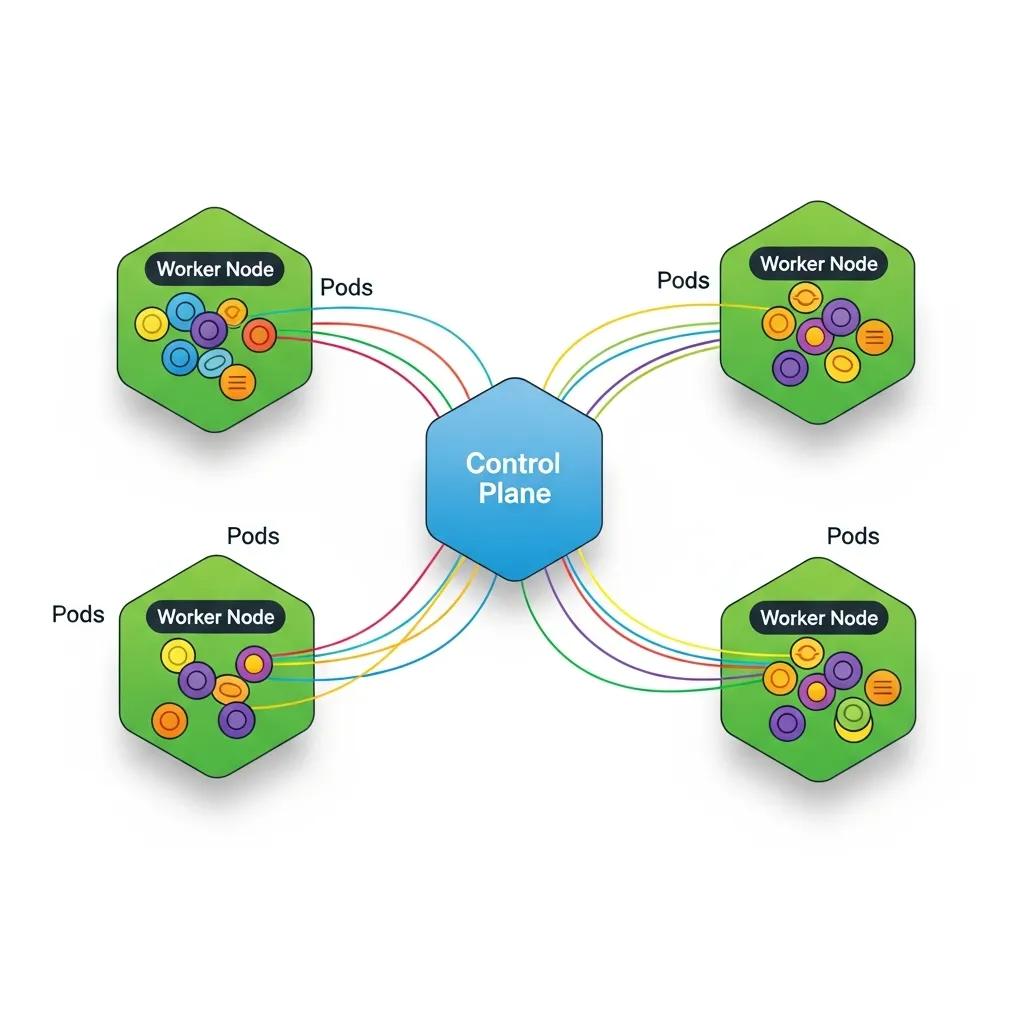
    Illustration of Kubernetes architecture highlighting control plane and worker nodes

    Understanding Kubernetes architecture is crucial for leveraging its full potential. The architecture consists of a control plane and worker nodes, each playing a vital role in managing containerized applications.

    This architectural foundation is key to Kubernetes’ ability to provide a robust and scalable platform for container orchestration.

    Kubernetes Architecture & Scalable Container Orchestration

    In conclusion, this paper underscores the significance of Kubernetes as a scalable container orchestration platform, particularly in edge environments. It elucidates the architectural


    Enhancing Edge Environment Scalability: Leveraging Kubernetes for Container Orchestration and Optimization, K Aruna, 2024

    What Are the Roles of Control Plane and Worker Nodes?

    The control plane is responsible for managing the Kubernetes cluster, making decisions about scheduling, scaling, and maintaining the desired state of applications. It includes components like the API server, etcd (a key-value store), the controller manager, and the scheduler. Worker nodes, on the other hand, run the actual applications in containers. Each worker node contains a container runtime, kubelet, and kube-proxy, which facilitate communication and management of containers.

    How Do Pods, Deployments, and Services Interact in Kubernetes?

    In Kubernetes, a Pod is the smallest deployable unit, representing one or more containers that share storage, network, and specifications on how to run them. Deployments manage the desired state of Pods, ensuring that the specified number of replicas is running at all times. Services provide a stable endpoint for accessing Pods, enabling load balancing and service discovery. This interaction between Pods, Deployments, and Services allows Kubernetes to manage applications effectively and ensure high availability.

    How to Get Started with Kubernetes: Setup and First Deployment

    Developer deploying first application on Kubernetes with a laptop and cloud background

    Getting started with Kubernetes involves setting up a cluster and deploying your first application. There are several options available for setting up a Kubernetes cluster, each catering to different needs and environments.

    What Are the Options for Setting Up a Kubernetes Cluster?

    Developers can choose from various methods to set up a Kubernetes cluster:

    1. Minikube: Ideal for local development, Minikube runs a single-node Kubernetes cluster on your machine.
    2. Managed Kubernetes Services: Cloud providers like Google Cloud offer managed Kubernetes services, simplifying cluster management and maintenance.
    3. Kubernetes on Bare Metal: For advanced users, deploying Kubernetes on bare metal provides maximum control and performance.

    Each option has its advantages, depending on the use case and resource availability.

    The integration of Kubernetes with cloud platforms like Google Cloud’s managed services is a significant advantage for developers seeking simplified cluster management.

    Google Kubernetes Engine (GKE) Fundamentals

    In this chapter we will use the Google Compute Engine to create a virtual machine instance, except that Google Container Engine API also needs to be enabled.

    Kubernetes Management Design Patterns, 2017

    How to Deploy Your First Application Using kubectl and YAML?

    To deploy an application in Kubernetes, you typically use , the command-line tool for interacting with the Kubernetes API. The deployment process involves creating a YAML file that defines the desired state of your application, including the container image, replicas, and service configurations. Once the YAML file is ready, you can apply it using the command:

    This method of deployment using and declarative YAML files is central to Kubernetes’ powerful container orchestration capabilities.

    Kubernetes Container Orchestration & Deployment with Kubectl

    kubernetes is for orchestration of containers. We can deploy containers using kubectl as well deploying

    Building modern clouds: using docker, kubernetes &


    Google cloud platform, J Shah, 2019

    Frequently Asked Questions

    What are the common challenges developers face when using Kubernetes?

    Developers often encounter several challenges when using Kubernetes, including complexity in setup and configuration, managing stateful applications, and understanding networking within clusters. Additionally, debugging issues can be difficult due to the distributed nature of Kubernetes. Resource management and cost control are also concerns, especially when scaling applications. To mitigate these challenges, developers can leverage community resources, documentation, and tools designed to simplify Kubernetes management and enhance observability.

    How does Kubernetes handle security for containerized applications?

    Kubernetes employs multiple layers of security to protect containerized applications. It uses Role-Based Access Control (RBAC) to manage permissions and restrict access to resources. Network policies can be implemented to control traffic between Pods, enhancing security. Additionally, Kubernetes supports secrets management, allowing sensitive information like passwords and API keys to be stored securely. Regular updates and security patches are essential to maintain a secure Kubernetes environment, as vulnerabilities can arise over time.

    Can Kubernetes be used for both microservices and monolithic applications?

    Yes, Kubernetes is versatile enough to support both microservices and monolithic applications. For microservices, Kubernetes excels in managing multiple, independently deployable services, allowing for efficient scaling and resource allocation. Monolithic applications can also benefit from Kubernetes by simplifying deployment and management, although they may not fully utilize Kubernetes’ capabilities for scaling individual components. Developers can gradually refactor monolithic applications into microservices as needed, leveraging Kubernetes throughout the transition.

    What is the role of Helm in Kubernetes?

    Helm is a package manager for Kubernetes that simplifies the deployment and management of applications. It allows developers to define, install, and upgrade even the most complex Kubernetes applications using Helm charts, which are pre-configured packages of Kubernetes resources. Helm streamlines the process of managing application dependencies and configurations, making it easier to deploy applications consistently across different environments. This tool is particularly useful for managing applications with multiple components and configurations.

    How can I monitor and troubleshoot applications running on Kubernetes?

    Monitoring and troubleshooting applications in Kubernetes can be achieved through various tools and practices. Popular monitoring solutions include Prometheus and Grafana, which provide insights into application performance and resource usage. For troubleshooting, developers can use Kubernetes’ built-in commands like and to gather information about Pods and deployments. Additionally, integrating logging solutions like ELK Stack or Fluentd can help centralize logs for easier analysis and debugging.

    What are the best practices for managing Kubernetes resources?

    Managing Kubernetes resources effectively involves several best practices. First, use namespaces to organize resources and isolate environments. Implement resource requests and limits to ensure fair resource allocation among Pods. Regularly review and clean up unused resources to optimize cluster performance. Additionally, automate deployments using CI/CD pipelines to enhance consistency and reduce human error. Finally, keep your Kubernetes version up to date to benefit from the latest features and security improvements.

    Conclusion

    Embracing Kubernetes empowers developers to streamline application deployment and management, enhancing efficiency and scalability. By understanding its architecture and leveraging tools like GKE, you can overcome common challenges and optimize resource utilization. The insights provided in this guide reinforce the value of mastering Kubernetes for modern software development. Start your journey today by exploring our resources and tutorials to elevate your Kubernetes skills.

  • Best Practices for API Design and Documentation

    Best Practices for API Design and Documentation

    Developer working on API design in a modern workspace, surrounded by digital elements

    Best Practices for API Design and Documentation: Comprehensive Guide for Developers and Businesses

    Effective API design and documentation are crucial for ensuring seamless integration and usability for developers and businesses alike. This comprehensive guide will explore the best practices that can enhance API design and documentation, making them more user-friendly and efficient. By understanding the core principles of effective API design, developers can create APIs that are not only functional but also intuitive for users. Many organizations struggle with poorly designed APIs that lead to confusion and inefficiencies. This guide aims to provide solutions through best practices, REST API design guidelines, documentation standards, security measures, and ways to enhance developer experience. We will cover the core principles of effective API design, implementation of REST API guidelines, standards for high-quality documentation, security best practices, and strategies to improve developer experience.

    What Are the Core Principles of Effective API Design?

    Effective API design is grounded in several core principles that ensure usability and functionality. These principles include resource-oriented design, consistency, predictability, and user-centric approaches. By adhering to these principles, developers can create APIs that are easier to understand and integrate.

    How Does Resource-Oriented Design Enhance API Usability?

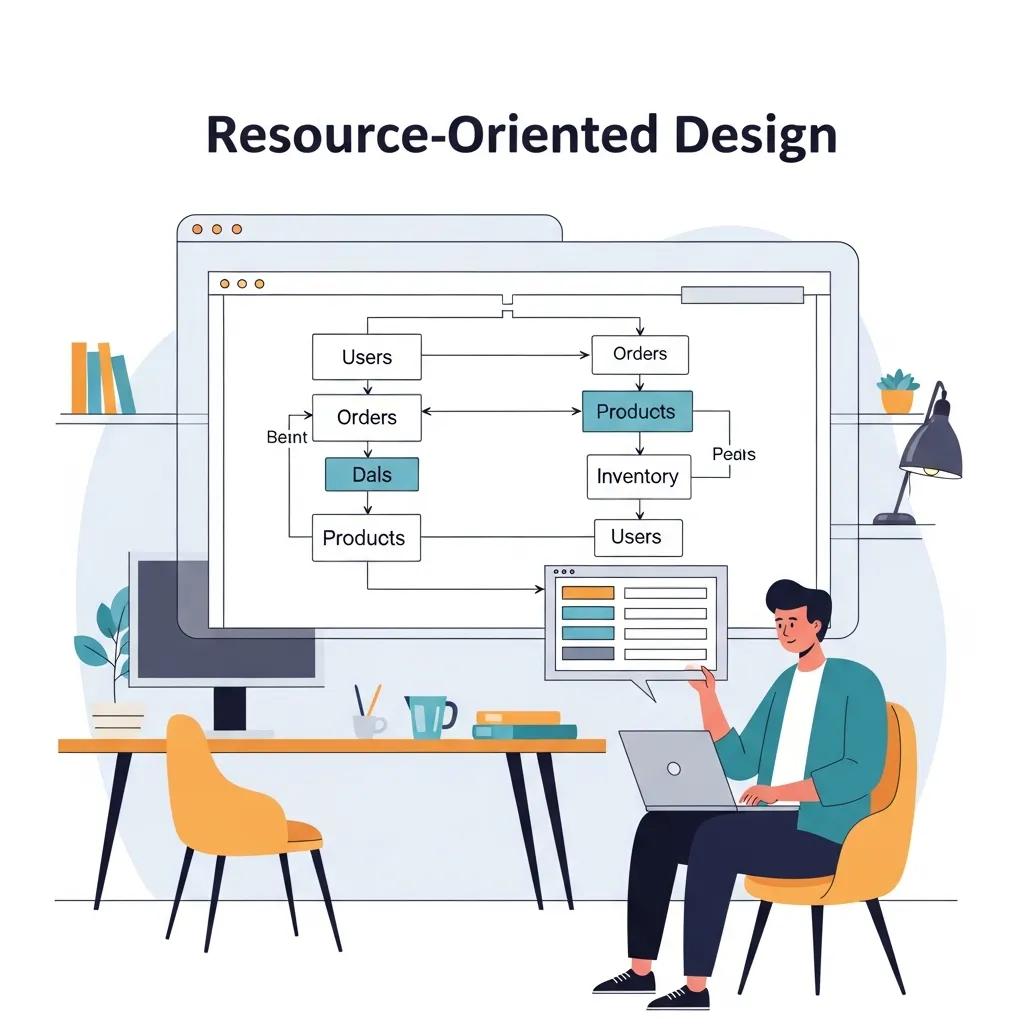
    Developer analyzing resource-oriented design concepts on a digital screen

    Resource-oriented design focuses on the representation of resources and their interactions. This approach enhances usability by providing a clear structure that developers can easily navigate. For instance, using RESTful principles, APIs can expose resources through well-defined endpoints, making it intuitive for developers to access and manipulate data. This clarity reduces the learning curve and fosters a better developer experience.

    Why Are Consistency and Predictability Vital in API Design?

    Consistency and predictability are essential for creating a reliable API. When APIs follow consistent naming conventions and response formats, developers can anticipate how to interact with the API without extensive documentation. For example, if an API consistently uses plural nouns for collections and singular nouns for individual resources, developers can quickly understand the structure. This predictability not only improves usability but also reduces errors during integration.

    How to Implement REST API Design Guidelines for Scalable Services?

    Implementing REST API design guidelines is crucial for building scalable and maintainable services. These guidelines encompass best practices for HTTP methods, status codes, resource naming, and payload structures. By following these practices, developers can ensure their APIs are robust and easy to use.

    What Are Best Practices for HTTP Methods and Status Codes?

    Using the correct HTTP methods and status codes is fundamental to RESTful API design. The primary methods include GET, POST, PUT, DELETE, and PATCH, each serving a specific purpose. For instance, GET is used to retrieve data, while POST is for creating new resources. Additionally, using appropriate status codes, such as 200 for success, 201 for resource creation, 204 for successful requests with no content, and 404 for not found, provides clear feedback to developers about the outcome of their requests. This clarity helps in debugging and enhances the overall user experience.

    How Should Resource Naming and Payload Structures Be Defined?

    Defining clear resource naming conventions and payload structures is vital for API usability. Resource names should be descriptive and follow a consistent pattern, such as using nouns for resources and avoiding verbs in endpoint paths. For example, an endpoint for retrieving user data could be named , while creating a new user would use the POST method on the same endpoint. Furthermore, payload structures should be standardized, using JSON as the preferred format, to ensure that data is easily consumable by clients.

    What Standards Ensure High-Quality API Documentation?

    High-quality API documentation is essential for facilitating developer understanding and usage. Standards for documentation include audience-centric writing, adherence to the OpenAPI Specification, and regular updates to keep content relevant. By following these standards, organizations can create documentation that effectively supports developers.

    How to Write Developer-Centric API Documentation?

    Writing developer-centric API documentation involves understanding the target audience and their needs. Documentation should be clear, concise, and structured logically. Including code examples, use cases, and detailed explanations of endpoints can significantly enhance the usability of the documentation. Additionally, providing a quick start guide can help developers get up and running quickly, reducing frustration and improving adoption rates.

    What Role Does the OpenAPI Specification Play in Documentation?

    The OpenAPI Specification (OAS) plays a crucial role in standardizing API documentation. By defining a clear structure for API endpoints, parameters, and responses, OAS enables automatic generation of documentation and client libraries. This standardization not only saves time but also ensures that documentation is always in sync with the API itself. Utilizing OAS can lead to more accurate and comprehensive documentation, ultimately benefiting developers.

    Further advancements in this area explore how unstructured HTML documentation can be transformed into standardized OpenAPI specifications, leveraging modern AI techniques.

    Generating Standardized OpenAPI Specifications from HTML Documentation

    ABSTRACT: AbstractAI agents and business automation tools interacting with external web services require standardized, machine-readable information about their APIs in the form of API specifications. However, the information about APIs available online is often presented as unstructured, free-form HTML documentation, requiring external users to spend significant time manually converting it into a structured format. To address this, we introduce , a novel framework that transforms long and diverse API documentation pages into consistent, machine-readable API specifications.


    Generating OpenAPI Specifications from Online API Documentation with Large Language Models, K Lazar, 2025

    Which API Security Best Practices Protect Your Services and Users?

    Developer monitoring API security protocols in a high-tech server room

    API security is paramount in protecting both services and users from potential threats. Implementing best practices for authentication, authorization, rate limiting, and input validation can significantly enhance API security. By prioritizing these practices, developers can safeguard their APIs against common vulnerabilities.

    How to Implement Authentication and Authorization Effectively?

    Effective authentication and authorization are critical for securing APIs. Utilizing OAuth 2.0 is a widely accepted method for managing access tokens and ensuring that only authorized users can access specific resources. Additionally, implementing multi-factor authentication can further enhance security by requiring users to provide multiple forms of verification. This layered approach helps protect sensitive data and maintain user trust.

    What Are Strategies for Rate Limiting and Threat Mitigation?

    Rate limiting is an essential strategy for preventing abuse and ensuring fair usage of API resources. By setting limits on the number of requests a user can make within a specific timeframe, developers can mitigate the risk of denial-of-service attacks. Additionally, implementing threat detection mechanisms, such as monitoring for unusual patterns of behavior, can help identify and respond to potential security threats proactively.

    How Can Developer Experience Be Enhanced Through API Design and Documentation?

    Enhancing developer experience is crucial for fostering adoption and satisfaction with APIs. By focusing on onboarding tools, testing tools, and feedback integration, organizations can create a more supportive environment for developers.

    What Onboarding and Testing Tools Improve Developer Adoption?

    Onboarding tools, such as interactive API explorers and sandbox environments, allow developers to experiment with APIs in a safe setting. These tools can significantly reduce the learning curve and encourage experimentation. Additionally, providing comprehensive testing tools, such as automated testing frameworks, can help developers ensure their integrations work as intended, further enhancing their experience.

    How Does Feedback Integration Foster Continuous API Improvement?

    Integrating feedback mechanisms into the API lifecycle is vital for continuous improvement. By actively soliciting feedback from developers, organizations can identify pain points and areas for enhancement. Implementing a feedback loop allows for iterative improvements, ensuring that the API evolves to meet the changing needs of its users. This responsiveness not only improves the API but also fosters a sense of community and collaboration among developers.

    API Design PrincipleDescriptionBenefit
    Resource-Oriented DesignFocuses on resources and their interactionsEnhances usability and clarity
    ConsistencyFollows uniform naming and response formatsReduces learning curve and errors
    PredictabilityAnticipates developer interactionsImproves integration experience

    This table summarizes the core principles of effective API design, highlighting their importance in creating user-friendly APIs.

    HTTP MethodPurposeCommon Status Codes
    GETRetrieve data200 (OK), 404 (Not Found)
    POSTCreate new resources201 (Created), 400 (Bad Request)
    PUTUpdate existing resources200 (OK), 204 (No Content)
    DELETERemove resources204 (No Content), 404 (Not Found)

    This table outlines the best practices for HTTP methods and status codes, emphasizing their roles in RESTful API design.

    Documentation StandardKey FeatureBenefit
    Audience-Centric WritingTailored content for developersEnhances understanding and usability
    OpenAPI SpecificationStandardized API structureFacilitates automatic documentation generation
    Regular UpdatesKeeps content relevantEnsures accuracy and usability

    This table compares different standards for high-quality API documentation, illustrating their benefits for developers.

    Frequently Asked Questions

    What are the common challenges faced in API design?

    Common challenges in API design include ensuring usability, maintaining consistency, and managing versioning. Developers often struggle with creating intuitive endpoints that are easy to navigate. Additionally, inconsistencies in naming conventions and response formats can lead to confusion. Versioning is another critical issue, as changes to an API can disrupt existing integrations. Addressing these challenges requires careful planning and adherence to best practices, ensuring that the API remains user-friendly and adaptable over time.

    How can I test my API effectively?

    Effective API testing involves several strategies, including unit testing, integration testing, and performance testing. Unit tests focus on individual components, ensuring they function correctly in isolation. Integration tests verify that different parts of the API work together seamlessly. Performance testing assesses how the API behaves under various loads, identifying potential bottlenecks. Utilizing automated testing tools can streamline this process, allowing for continuous testing throughout the development lifecycle, which ultimately enhances reliability and user satisfaction.

    What tools can assist in API documentation?

    Several tools can assist in creating and maintaining API documentation, including Swagger, Postman, and ReadMe. Swagger allows developers to design, build, and document APIs using the OpenAPI Specification, facilitating automatic documentation generation. Postman provides a user-friendly interface for testing APIs and generating documentation based on requests. ReadMe offers customizable documentation solutions that can be easily updated and shared. These tools help ensure that documentation remains accurate, accessible, and user-friendly, enhancing the overall developer experience.

    How can I ensure my API is secure?

    To ensure API security, implement best practices such as using HTTPS, validating inputs, and employing robust authentication methods like OAuth 2.0. Regularly updating your API to patch vulnerabilities is crucial. Additionally, consider implementing rate limiting to prevent abuse and monitoring for unusual activity to detect potential threats. Conducting security audits and penetration testing can also help identify weaknesses. By prioritizing these measures, you can significantly reduce the risk of security breaches and protect user data.

    What is the importance of versioning in API design?

    Versioning is essential in API design as it allows developers to introduce new features and improvements without disrupting existing users. By maintaining multiple versions, you can ensure backward compatibility, enabling clients to continue using older versions while transitioning to newer ones. This practice helps manage changes effectively, reducing the risk of breaking existing integrations. Clear versioning strategies, such as including version numbers in the URL, can enhance user experience and provide clarity on the API’s evolution over time.

    How can feedback from developers improve API design?

    Feedback from developers is invaluable for improving API design. By actively soliciting input through surveys, forums, or direct communication, organizations can identify pain points and areas for enhancement. This feedback loop allows for iterative improvements, ensuring that the API evolves to meet user needs. Incorporating developer suggestions can lead to more intuitive designs, better documentation, and enhanced overall usability. Fostering a community around the API encourages collaboration and can significantly boost developer satisfaction and adoption rates.

    Conclusion

    Implementing best practices in API design and documentation significantly enhances usability, security, and developer experience. By adhering to core principles and standards, organizations can create APIs that are intuitive and efficient, ultimately driving adoption and satisfaction. To further explore how these practices can transform your API strategy, consider reviewing our additional resources. Start optimizing your API design today for a more seamless integration experience.

  • Future of Remote Work in the Software Industry

    Future of Remote Work in the Software Industry

    Diverse software developers collaborating in a modern workspace, illustrating the future of remote work

    Future of Remote Work in the Software Industry: Trends, Challenges, and Solutions for 2025

    Remote and hybrid work in the software industry refers to distributed development and collaboration models where teams blend office time with remote contributions, and 2025 marks a pivotal phase as AI, cloud tooling, and new policies converge to reshape workflows. This article explains which trends are accelerating change, the operational and security challenges teams encounter, and practical solutions software companies can adopt to maintain velocity and quality. Readers will learn the dominant trends for 2025, common productivity and cybersecurity pitfalls, the technology stack that enables distributed software work, and actionable best practices for hybrid operations. The piece also examines Google’s hybrid approach and Workspace capabilities as a case study that illustrates enterprise-grade tooling, AI assistance, and security patterns relevant to distributed engineering teams. Throughout, the focus is on developer-centric guidance — from code collaboration and CI/CD to cultural rituals and outcome-based performance — so engineering leaders and remote-first teams can make informed choices. The sections that follow unpack trends, challenges, enabling tools, optimization tactics, Google’s experience, and future innovations beyond 2025.

    What Are the Key Remote Work Trends in the Software Industry for 2025?

    Remote work trends in 2025 center on hybrid-first operating models, broad AI adoption in developer workflows, globalized hiring, and early-stage adoption of immersive collaboration tools like VR/AR that supplement existing communication platforms. These trends arise because cloud infrastructure, more sophisticated collaboration suites, and AI assistants reduce friction for distributed teams and expand the talent pool beyond local geographies. The result is faster staffing cycles for specialized roles, more asynchronous workflows, and a premium on secure, integrated tooling that supports both synchronous design reviews and async documentation. The next paragraphs list the top trends and then offer a compact comparison table to show adoption attributes and expected impacts.

    Below are the top trends shaping the remote work software industry in 2025:

    1. Hybrid-first operations: Companies balance in-office collaboration with remote flexibility to optimize deep work and team cohesion.
    2. AI-augmented development: AI tools are embedded in code review, testing, and documentation to boost developer productivity.
    3. Global talent pipelines: Remote hiring widens candidate pools and increases role diversity across time zones.
    4. Immersive collaboration emergence: VR/AR prototypes appear for design reviews and spatial whiteboarding in specialized workflows.

    These trends together emphasize a shift from location-based productivity to capability-enabled outcomes, which leads into a comparison of their attributes and likely hiring impacts.

    Different trends have distinct adoption characteristics and effects for software teams in 2025.

    TrendAdoption ProfileImpact on Hiring & Outcomes
    Hybrid-first operationsWidespread among large and mid-size firmsIncreases retention, requires flexible scheduling policies
    AI-augmented developmentRapid uptake in tooling and assistantsShortens review cycles, increases demand for AI-literate engineers
    Global talent pipelinesHigh adoption for niche rolesGreater role diversity, need for async collaboration skills
    Immersive collaboration (VR/AR)Early adoption in design-heavy teamsEnhances certain interactions, limited by hardware availability

    This table clarifies how each trend translates into organizational change and sets the stage for how hybrid models and hiring patterns are reshaping company practices in the next subsection.

    How Are Hybrid Work Models Shaping Software Companies?

    Hybrid work environment with in-office and remote employees collaborating through video calls

    Hybrid work models for software companies describe structured combinations of in-office and remote time designed to preserve team cohesion while enabling distributed work. Organizations adopt variants such as fixed in-office days, role-based office presence, or remote-first approaches with optional hubs, and these choices change meeting cadences, onboarding flows, and workspace planning.

    The primary benefit is access to broader talent while retaining moments of synchronous collaboration that accelerate design alignment and complex problem solving. Companies must therefore redesign rituals, schedule predictable overlap windows, and invest in documentation norms to ensure remote contributors are included. Understanding these model types leads directly to examining which remote IT roles are most sought after in 2025.

    Which Remote IT Jobs Are Most In-Demand in 2025?

    Demand in 2025 concentrates on roles that sustain cloud-native operations, security, and AI-driven product features, including software engineers, DevOps engineers, cloud architects, data scientists, and cybersecurity analysts. These roles support distributed systems, continuous integration and deployment, and the secure handling of data across remote endpoints, driving prioritized hiring in cloud and automation skillsets. Employers increasingly value candidates capable of async communication, infrastructure-as-code, and familiarity with cloud development environments and DevOps toolchains. Hiring trends therefore favor engineers who can both write production-quality code and operate robust pipelines for remote delivery, which frames the industry’s move toward tooling and practices that support these responsibilities.

    What Are the Main Challenges of Remote Software Development?

    Remote software development brings clear advantages but also introduces persistent challenges in coordination, developer well-being, security posture, and maintaining code and deployment quality across distributed teams. Communication friction and misaligned expectations are common when teams rely heavily on async channels without shared norms or clear documentation. These operational gaps can cascade into slower feature cycles or increased defects if code review and CI/CD governance are not strictly maintained. The next paragraphs analyze productivity and well-being impacts and enumerate cybersecurity risks that require targeted controls.

    1. Communication friction: Asynchronous handoffs and time-zone gaps can delay decision-making without clear protocols.
    2. Well-being and burnout: Blurred work-life boundaries increase the risk of fatigue and turnover if not actively managed.
    3. Security and compliance complexity: Distributed endpoints and cloud services expand attack surface and governance needs.

    Addressing these challenges requires combining policy, tooling, and cultural practices to maintain velocity and safety for remote engineering teams.

    Below is a concise comparison of core challenge areas and mitigation focus.

    Challenge AreaKey RiskMitigation Priority
    CommunicationAsync gaps, lost contextDocumentation standards, overlap windows
    Well-beingBurnout, isolationManager training, rituals, workload limits
    SecurityUnsecured endpoints, misconfigMFA, device management, zero-trust policies

    This table frames where to focus investments and paves the way to concrete tactics that improve productivity, culture, and security in remote software development.

    How Does Remote Work Impact Software Developer Productivity and Well-being?

    Remote work changes productivity dynamics: some teams report improved focus and fewer office interruptions, while others face coordination overhead and blurred boundaries that reduce sustainable output. Developers often gain deep-work time but may struggle with isolation and longer working hours when async signals are poorly managed. Practical mitigations include establishing clear overlap windows, synchronous rituals for complex planning, regular one-on-ones focused on workload and career development, and proactive well-being programs that normalize disconnecting. Implementing these tactics helps balance the productivity gains of remote work with the human support systems necessary to retain engineers, which leads into the security challenges that distributed teams must also address.

    What Cybersecurity Risks Do Remote Software Teams Face?

    Developer in a home office surrounded by cybersecurity icons, highlighting risks in remote software development

    Distributed development increases exposure to endpoint vulnerabilities, insecure home or public networks, and accidental data leakage via ad-hoc file sharing, creating a stronger need for centralized access control and policy enforcement. Recommended controls include enforcing multi-factor authentication, device management, and applying zero-trust principles to cloud resources and collaboration platforms to limit lateral movement. Equally important is integrating security into developer workflows — for example, automated dependency scanning, policy-as-code in CI/CD, and consistent secrets management. Paired with training and incident response processes, these measures reduce risk and support secure remote operations, leading naturally into the technology stack that enables those protections.

    The rapid adoption of remote work has transformed organizational operations, introducing complex cybersecurity vulnerabilities that demand rigorous scholarly investigation.

    Cybersecurity Risks of Remote Work: Vulnerabilities and Mitigation Strategies

    The rapid adoption of remote work has transformed organizational operations, introducing complex cybersecurity vulnerabilities that demand rigorous scholarly investigation. This systematic literature review (SLR) critically examines cybersecurity risks in remote work environments by synthesizing findings from 20 peer-reviewed studies published between 2010 and 2024. Employing the PRISMA framework for transparency and rigor, the review integrates both qualitative and quantitative evidence using a convergent thematic synthesis approach. The analysis reveals a multifaceted threat landscape encompassing human factors, technical vulnerabilities, and organizational shortcomings. Key risks include phishing, social engineering, device misuse, insecure Wi-Fi and VPN usage, and policy non-compliance. Human behavior emerges as a predominant risk vector, exacerbated by limited training, misuse of remote autonomy, and blurred personal-professional boundaries. Organizational challenges—such as rushed digital transitions, shadow IT practices, and poor communication of cybersecurity protocols—further aggravate the threat matrix. The review also incorporates critical appraisal using MMAT, CASP, and JBI tools to ensure methodological soundness and bias mitigation. Synthesis tables distill findings into thematic clusters, providing actionable insights into risk categories and mitigation strategies. Proposed recommendations emphasize cybersecurity training, device and network hygiene, policy alignment, zero-trust frameworks, and continuous monitoring. This study contributes a comprehensive evidence base for scholars and practitioners navigating remote work cybersecurity. It advocates for adaptive, behavior-aware strategies to strengthen digital resilience, highlighting the need for future research on quantum, AR/VR, and blockchain technologies in remote settings. As remote work persists, cybersecurity must evolve accordingly to safeguard organizational integrity and continuity.

    Investigating the cybersecurity risks of remote work: a systematic literature review of organizational vulnerabilities and mitigation strategies: M. Nizamuddin, 2025

    Which Technologies and Tools Enable Effective Remote Software Work?

    Effective remote software work depends on an integrated stack: collaboration suites, video conferencing, project management systems, cloud development environments, CI/CD pipelines, and AI-assisted tools that accelerate routine tasks. Collaboration platforms centralize planning and documentation while cloud IDEs and remote CI/CD let engineers run builds and tests without local environment constraints. Security and compliance tooling must be embedded into those workflows so policy enforcement becomes part of the developer pipeline rather than an extra step. The section that follows lists key categories of tools, presents a compact comparison table (including Workspace as a case study), and then explains how Workspace maps to software team workflows.

    Key categories of tools supporting distributed software teams include:

    1. Collaboration suites for docs, chat, and meetings that centralize knowledge and enable async work.
    2. Project management and issue tracking systems that orchestrate work across time zones.
    3. Cloud dev environments and CI/CD pipelines that decouple development from local machines.
    4. AI-assisted code and documentation tools that reduce routine effort and accelerate reviews.

    These tool categories interlock to provide consistent environments for code, tests, and communication, which is illustrated in the comparison table below.

    Tool CategoryPrimary Use CaseRepresentative Features
    Collaboration SuitesAsync docs, meetings, chatReal-time editing, threaded chat, meeting recordings
    Project ManagementWork orchestrationIssue tracking, sprint planning, backlog prioritization
    Cloud Dev & CI/CDBuild and test automationRemote builds, automated tests, deployment pipelines
    AI AssistantsCode review and docsSummarization, code suggestions, test generation

    This comparison highlights how each class of tool contributes to reliable remote software delivery and introduces a focused case-study on Google Workspace’s role for software teams.

    After the general comparison, consider Google Workspace as an illustrative solution used by many enterprises for seamless collaboration, AI-driven assistance, and enterprise-grade security. Google Workspace offers integrated apps such as Google Meet for video meetings, Google Chat for group communication, and collaborative document apps like Docs, Sheets, and Slides that map directly to engineering tasks: Docs for specifications and design documents, Sheets for lightweight tracking, Chat for rapid clarification, and Meet for design reviews and retrospectives. Workspace’s AI-assisted features help summarize documents and meetings, reducing time spent on administrative follow-ups and improving asynchronous handoffs. Enterprise security and compliance attributes from Workspace support access control and reduce risky ad-hoc sharing, making it practical for remote software teams that require both collaboration and governance. This practical mapping shows how a unified collaboration suite supports developer workflows while reinforcing security and AI augmentation.

    How Does Google Workspace Support Remote Software Development Teams?

    Google Workspace supports remote software teams through integrated apps that align to planning, code review, and documentation workflows, enabling stable knowledge capture and synchronous review sessions. Google Meet facilitates distributed design reviews and sprint demos, while Google Chat provides threaded context for feature discussions and quick decisions across time zones. Collaborative Docs, Sheets, and Slides let teams co-author specifications, design notes, and release plans with revision history to preserve context and reduce duplication. As noted in industry analyses, Workspace also includes AI assistance to summarize lengthy documents and meeting notes, streamlining follow-ups and reducing coordination overhead. These features combined with enterprise-grade security and accessibility create a consistent environment for remote teams to document, iterate, and ship software together.

    What Role Does AI Play in Enhancing Remote Software Development?

    AI enhances remote software development by automating mundane tasks, surfacing relevant code suggestions, generating test cases, and summarizing long meetings or documents to reduce cognitive load on engineers. In practice, AI can accelerate code review cycles by highlighting potential bugs or style inconsistencies and can create first-pass documentation drafts that subject-matter experts refine. This productivity lift shortens feedback loops and enables smaller, more focused synchronous sessions while increasing the effectiveness of asynchronous handoffs. However, governance and human oversight remain essential: teams must verify AI outputs, manage bias in suggestions, and maintain test-and-review standards to ensure automation improves quality rather than undermining it.

    The integration of AI into development workflows is rapidly transforming the landscape of software engineering, creating new paradigms for team collaboration and productivity.

    AI-Augmented Software Engineers: Next-Gen Development Teams

    Managing AI-augmented workflows effectively is especially critical in.

    AI-Augmented Software Engineers: The Next Generation of Development Teams

    How Can Software Companies Optimize Hybrid and Remote Work Models?

    Optimizing hybrid and remote work requires policy clarity, cultural rituals that include distributed contributors, outcome-based performance metrics, and technology choices that embed security and usability into everyday developer workflows. Policies should define overlap hours, expectations for in-office vs remote work, and role-specific requirements while preserving flexibility for individual circumstances. Cultural investments — such as structured onboarding, regular asynchronous retrospectives, and inclusive meeting norms — keep distributed teams aligned and reduce attrition. Finally, measuring outcomes with objective KPIs tied to product delivery helps shift evaluations from hours worked to value delivered. The next subsections list best practices and propose measurable implementation steps with expected outcomes.

    Effective optimization centers on a set of practical best practices:

    1. Establish clear hybrid policies and predictable overlap windows to reduce coordination friction.
    2. Create onboarding flows and rituals that accelerate remote hires’ productivity and social integration.
    3. Use outcome-based KPIs (lead time, deployment frequency, incident response) to align performance with product goals.

    Adopting these practices leads to measurable improvements in delivery predictability and team satisfaction, as shown in the following implementation table.

    PracticeImplementation StepExpected Outcome / KPI
    Asynchronous communication normsDocument templates and response SLAsReduced meeting load, faster async resolution
    Outcome-based metricsOKRs and feature lead-time trackingImproved deployment frequency and predictability
    Inclusive ritualsVirtual coffee, async retrospectivesHigher engagement and lower churn

    This table provides a clear mapping from practice to measurable outcome, and now the article examines concrete culture and performance tactics in more depth.

    What Are Best Practices for Fostering a Strong Remote Software Team Culture?

    Building a robust remote culture begins with structured onboarding that pairs newcomers with mentors, establishes documentation for codebases and workflows, and provides early, small-scope projects to build confidence. Regular rituals — such as asynchronous standup summaries, virtual social hours, and documented retrospectives — create predictable touchpoints for collaboration and recognition. Managers should prioritize psychological safety, encourage time-zone-aware scheduling, and use engagement surveys to detect early signs of burnout or disconnect. These steps accelerate team cohesion and set expectations for collaboration, which naturally supports clearer performance management practices described next.

    How Can Performance and Outcomes Be Managed in Distributed Software Teams?

    Performance management in distributed teams should emphasize outcomes rather than hours, using metrics like feature lead time, deployment frequency, mean time to recovery, and customer-impact indicators to assess effectiveness. Implementing lightweight dashboards and regular async reviews helps teams iterate on processes without imposing synchronous overhead. Code review quality, CI pass rates, and incident response timelines serve as engineering-specific KPIs that align individual contributions with product health. Coupled with regular feedback conversations and career development planning, these measures ensure distributed engineers are evaluated fairly on value delivered and growth potential.

    How Is Google’s Hybrid Work Model Influencing the Future of Remote Software Work?

    Google’s hybrid approach, which includes a common pattern of in-office days combined with remote flexibility and options for broader “work from anywhere” arrangements, serves as a prominent example for large software organizations balancing collaboration and flexibility. This policy influences industry expectations by demonstrating how scheduled co-location days can be paired with robust remote tooling to preserve both innovation and inclusion. Google’s internal needs have also driven product choices and features in collaboration tooling, emphasizing seamless integration among communication apps and support for AI-assisted workflows.

    Organizations examining Google’s approach can draw lessons about predictable in-person collaboration, investment in integrated tooling that reduces switching costs, and the role of AI in easing asynchronous work burdens. These observations make the Google case study relevant for companies defining their own hybrid experiments and tooling roadmaps.

    What Are Google Workspace’s Security Features for Remote Software Teams?

    Workspace’s enterprise-grade security and compliance capabilities, as reported in industry analyses, include centralized access controls and features that limit risky ad-hoc sharing while enabling governed collaboration across distributed teams. These controls help mitigate common remote risks such as unsecured endpoints and uncontrolled file distribution by providing administrative policies for device management and access permissions. When paired with organization-level policies — like enforced multi-factor authentication and strict sharing rules — Workspace’s integration reduces friction for secure collaboration and lowers the chance of accidental data exposure. Combining product-level controls with developer-oriented security practices, such as secrets management and CI/CD scanning, gives remote software teams a layered defense.

    How Does Google Integrate AI to Boost Remote Software Team Productivity?

    Google’s collaboration tools incorporate AI assistance for tasks like summarizing documents and meetings, which reduces time spent on administrative follow-ups and helps teams maintain clear asynchronous context. These AI features automatically distill meeting notes and long documents into actionable items, enabling faster handoffs and fewer repetitive clarifications among distributed contributors. For software teams, document summarization and meeting highlights accelerate onboarding to discussions and help reviewers catch up quickly, thereby improving throughput. As with any AI augmentation, outputs require human validation and governance to ensure accuracy and alignment with engineering standards.

    What Are the Future Innovations Impacting Remote Software Collaboration?

    Looking beyond 2025, the most significant innovations likely involve deeper AI integration, more capable cloud-native development environments, and selective use of VR/AR for interactions that currently rely on rich spatial cues. AI will continue to automate repetitive parts of the development lifecycle — from test generation to more advanced code synthesis — while cloud IDEs and remote build systems reduce friction in contributor setup. Immersive tools will mature for niche use-cases like complex design reviews and collaborative whiteboarding where presence and spatial layout matter. The following bullets summarize short, medium, and long-range impacts to watch.

    1. AI maturation leads to stronger automation of testing, code suggestion, and documentation, streamlining reviews and reducing manual overhead.
    2. Cloud-native dev environments and improved CI/CD abstractions enable near-instant onboarding and reproducible builds across contributors.
    3. Targeted VR/AR adoption enhances interaction quality for design and architecture sessions while remaining limited by hardware and accessibility constraints.

    These forecasts point toward a future where tooling largely removes environment friction and augments human creativity, and the last two subsections explore immersive collaboration and broader predictions beyond 2025.

    How Will VR and AR Transform Remote Software Team Interaction?

    VR and AR can provide richer social cues and spatial collaboration for specific developer tasks such as system architecture workshops, immersive whiteboarding, and product walkthroughs that benefit from shared spatial reasoning. Use-cases include virtual war rooms for incident response, collaborative diagrams in three-dimensional space, and proximity-based interactions that mimic informal office drop-bys. Benefits include improved engagement during complex problem solving and more natural hand-offs during design discussions, while limitations remain around hardware adoption, access equity, and the maturity of UX patterns. Realistic adoption will likely be incremental and task-specific rather than universal in the near term.

    What Are the Predictions for Remote Work Trends Beyond 2025?

    Predictions beyond 2025 include continued hybrid prevalence with more nuanced role-based policies, deeper AI integration across developer workflows, and the gradual emergence of specialized immersive collaboration tools for tasks that require richer interaction. Hiring will continue to globalize with more cross-border teams and emphasis on async communication skills, and platform consolidation may favor suites that combine collaboration, security, and AI assistance into cohesive developer experiences. These changes will push organizations to invest in governance, developer tooling, and cultural rituals that sustain long-term productivity in distributed environments.

    1. Continued hybrid prevalence will standardize predictable in-office collaboration days for cross-functional alignment.
    2. Greater AI integration will automate more testing and documentation tasks, increasing per-engineer throughput.
    3. Specialized immersive tools will emerge for high-value, interaction-heavy activities while mainstream collaboration remains document- and chat-centric.

    These short forecasts reflect current trajectories and suggest practical areas for engineering leaders to prioritize investments in tooling, culture, and governance as remote work evolves.

  • Teste

    Teste

    Collaborative software testing environment with diverse professionals and digital devices

    Comprehensive Guide to Teste: Software Testing, Automation, and Quality Assurance Explained

    Software testing — referred to here as “Teste” — is the systematic process of evaluating software to ensure it meets requirements, reduces defects, and delivers reliable user experiences. This guide explains what software testing is, why it matters to development velocity and business risk, and how testing integrates with automation, CI/CD, and quality assurance to produce measurable outcomes. Readers will learn core testing principles, the main types of tests (from unit to performance and security), practical automation patterns including framework selection, QA roles and metrics, beta testing using platforms like TestFlight, and emerging trends such as AI-driven test generation and industry-specific test strategies. The article balances conceptual foundations with actionable guidance: tables compare testing types and automation tools, lists summarize best practices, and H3 subsections provide focused how-to steps. If you want to reduce regression risk, speed releases, and adopt measurable QA KPIs, this guide outlines the mechanisms — test cases, environments, automation pipelines — and the metrics to track continuous improvement.

    What is Software Testing and Why is it Essential?

    Software testing is the practice of executing software to identify defects and validate behavior against specifications, ensuring that releases meet quality, safety, and usability goals. Testing works by defining test cases that exercise functionality, replicating environments to reproduce issues, and applying metrics to quantify risk; the result is reduced defects, improved reliability, and lower long-term maintenance costs. Shift-left testing places verification earlier in the software development lifecycle (SDLC), catching defects during design and coding phases to prevent costly downstream fixes. Testing also supports compliance and user trust by providing traceability between requirements and test coverage, making it central to product risk management. Understanding these roles sets up a more detailed look at how testing ensures reliability and the principles that should guide any test strategy.

    This approach of testing earlier in the development cycle is a fundamental shift in how quality is managed.

    Shift Left Testing: Early Bug Detection for Reduced Costs and Development Time

    Shift left testing refers to the practise of testing software earlier in the development cycle than is customary, or to the left in the delivery pipeline, as opposed to the traditional practise of testing software later in the development cycle. Shifting to a “shift left” strategy assumes that the software development team may find bugs faster if they test their code as it is being written, rather than waiting until the end of the project based on fuzzy. The shift left testing adoption benefits the organisation to reduce the development cost and time as the testing is done along with development to avoid delay in the process.

    How Does Software Testing Ensure Quality and Reliability?

    Software testing ensures quality by combining well-designed test cases, automated regression suites, and controlled test environments that together reveal functional and non-functional issues before they reach users. Test design focuses on representative inputs, boundary conditions, and error paths; automated regression tests protect against reintroduced defects during iterative development. Metrics such as defect density, mean time to repair (MTTR), and pass/fail rates give teams objective signals about reliability and priorities for remediation. A common flow — bug discovery → triage → fix → regression verification — formalizes how defects move from identification to resolution and prevents recurrence through regression suites. These mechanisms link directly to measurable outcomes like lower crash rates and improved user satisfaction, and they naturally lead into principles that should shape test strategy.

    What Are the Key Principles of Software Testing?

    Testing is guided by a small set of enduring principles that shape effective test design and execution. Testing shows the presence — not the absence — of defects, so techniques aim to uncover issues rather than prove perfection; exhaustive testing is impossible, which requires risk-based prioritization of test cases. Early testing reduces cost of fixes by catching defects in design or code reviews before integration or production; defect clustering implies most defects come from a few critical modules, focusing efforts yields better ROI. These principles support practical choices such as emphasizing unit testing for core logic and reserving end-to-end tests for user journeys. Applying the pesticide paradox means regularly revising tests to find new classes of defects, and context-dependence reminds teams that testing choices must fit project constraints and compliance needs.

    What Are the Main Types of Software Testing?

    The main testing types each serve a different verification goal across the software development lifecycle, from low-level unit checks to system-wide performance and security evaluations. Choosing the right mix of unit, integration, system, acceptance, performance, and security testing creates layered protection against defects while aligning with release risk tolerances. Below is a quick comparison to clarify when each type is applied and common tooling examples to help teams map requirements to implementation.

    Testing TypePrimary PurposeTypical Tools/Examples
    Unit TestingVerify individual functions or classes for correctnessGoogleTest, JUnit, pytest
    Integration TestingValidate interaction between modules or servicesPostman, integration test harnesses
    System TestingAssess the complete, integrated system against requirementsEnd-to-end frameworks, staging environments
    Acceptance TestingConfirm system meets business/user requirementsUAT sessions, test scripts, beta programs
    Performance TestingMeasure scalability, latency, throughput under loadJMeter, Gatling, k6
    Security TestingIdentify vulnerabilities and compliance gapsStatic analysis, dynamic scanning, penetration testing

    This table shows how test types form a hierarchy: focused unit tests reduce the defect surface for integration tests, which in turn improve system and acceptance outcomes. The next subsections examine unit testing benefits and the distinctions among integration, system, and acceptance testing.

    How Does Unit Testing Improve Code Quality?

    Developer writing unit tests in a well-organized workspace

    Unit testing improves code quality by validating the smallest units of code independently, enabling developers to detect regressions early and design modular, testable code. Practices like test-driven development (TDD) produce testable interfaces and encourage smaller functions with clear responsibilities, which simplifies maintenance and refactoring. Frameworks such as GoogleTest (C++), JUnit (Java), and pytest (Python) provide assertion libraries and test runners that integrate into CI pipelines to enforce quality gates. Best practices include isolating units with mocks or fakes, keeping tests deterministic, and maintaining clear naming and setup/teardown patterns so tests document expected behavior. These habits reduce defect density and form the foundation for reliable higher-level tests.

    What Are Integration, System, and Acceptance Testing?

    Integration testing verifies interactions between components, ensuring data flows and contracts hold across modules or services; system testing validates the full application in a production-like environment to confirm end-to-end functionality. Acceptance testing is driven by stakeholders and checks that the system satisfies business requirements; it often takes the form of UAT, alpha, and beta tests with real users. Entry and exit criteria differ: integration tests require module-level readiness, system tests need a deployed staging build, and acceptance tests depend on stakeholder sign-off and acceptance criteria. A practical progression is unit → integration → system → acceptance, where each level narrows risk and prepares the product for release.

    How Does Test Automation Enhance Software Testing Efficiency?

    Developer analyzing automated testing results on a computer screen

    Test automation accelerates verification, increases repeatability, and expands coverage beyond what manual testing can sustainably achieve, delivering measurable ROI when applied judiciously. Automation is most effective for deterministic, repeatable tests such as unit suites, regression checks, and API contracts, while exploratory and usability testing often remain manual. Implementing automation requires selecting frameworks aligned with language and platform support, integrating tests into CI/CD, and establishing test data and environment provisioning strategies to ensure reliability. The following table compares popular frameworks and their best-use scenarios to help teams choose the right tools.

    Framework/ToolBest Use CaseLanguage/Platform SupportKey Benefit
    GoogleTestUnit testing for C++C++Fast, native C++ assertions
    SeleniumCross-browser UI testingMultiple (Web)Broad browser compatibility
    CypressFrontend E2E testingJavaScript/NodeFast, developer-friendly debugging
    AppiumMobile app automationiOS, AndroidNative and hybrid app support
    k6 / JMeterPerformance/load testingJS (k6), Java (JMeter)Scalable load generation

    This comparison shows that no single tool fits all needs; teams often combine unit frameworks with CI runners, API tools, and selective UI automation to balance coverage and maintenance cost. The following subsections discuss framework selection and pipeline integration patterns.

    The intelligent selection of tests within CI/CD pipelines is a significant advancement in optimizing testing efforts.

    Smart Test Selection in CI/CD: Optimizing Software Testing and Quality Assurance

    Smart test selection has emerged as a critical optimization strategy in continuous integration and continuous deployment (CI/CD) pipelines, transforming how organizations approach software testing and quality assurance. The integration of artificial intelligence and machine learning techniques has revolutionized test selection processes, enabling more precise identification of relevant test cases while significantly reducing execution times. Through advanced pattern recognition and behavioral analysis, modern test selection systems demonstrate remarkable capabilities in maintaining comprehensive test coverage while optimizing resource utilization. The implementation of cloud-native and serverless architectures has further enhanced these capabilities, enabling distributed testing strategies that scale efficiently with development demands. Organizations implementing these sophisticated test selection strategies have reported substantial improvements in deployment frequency

    What Are Popular Test Automation Frameworks and Tools?

    Popular frameworks cover unit, API, UI, mobile, and performance testing and should be chosen based on language ecosystems and team skills. For unit-level automation, GoogleTest and JUnit integrate tightly with developers’ workflows and CI tools. Selenium and Cypress serve different UI needs: Selenium for cross-browser matrixes and Cypress for rapid frontend feedback with strong developer ergonomics. Appium supports mobile automation across platforms, while k6 and JMeter handle performance testing with scriptable load scenarios. When selecting tools, consider maintainability, ecosystem libraries, parallelization support, and integration with test reporting tools; these criteria help teams maximize automation benefits and reduce flaky-test overhead.

    How to Implement Test Automation in CI/CD Pipelines?

    Integrating automation into CI/CD requires pipeline stages that run appropriate test suites at the right cadence: quick unit tests at every commit, integration tests on feature merges, and longer system/E2E and performance tests on staging or nightly runs. Effective pipelines include environment provisioning (containers or ephemeral test environments), test data strategies (isolated fixtures, synthetic data), and gating mechanisms that block deployments on critical failures. Address flaky tests with quarantining, retries combined with root-cause analysis, and parallelization to reduce runtime. A typical pipeline flow is: build → unit test → static analysis → integration test → deploy to staging → E2E tests → acceptance gating, which ensures automated verification supports continuous delivery without slowing release velocity.

    What Role Does Quality Assurance Play in the Testing Process?

    Quality assurance (QA) encompasses strategy, governance, and process ownership that extends beyond executing tests to ensuring quality practices are embedded across the organization. QA defines test strategies, manages test planning, performs audits, and ensures traceability between requirements and test coverage; testing executes the validation tasks QA prescribes. QA also owns metrics and reporting dashboards that give teams visibility into release readiness and product risk. The table below describes key metrics QA teams track and why they matter for decision-making.

    Entity (Metric)DefinitionWhy It Matters
    Test CoveragePercentage of code or requirements exercised by testsIndicates areas of risk and untested functionality
    Pass RateRatio of passed tests to total executedTracks release stability and regression exposure
    MTTR (Mean Time to Repair)Average time to fix identified defectsMeasures responsiveness and impact on velocity
    Defect DensityDefects per size metric (e.g., per KLOC or per feature)Highlights problematic modules and informs refactoring

    Tracking these metrics helps QA guide risk-based testing, prioritize fixes, and demonstrate continuous improvement to stakeholders. The next subsections cover test case design and defect management practices that QA leads.

    How Are Test Cases Designed and Managed Effectively?

    Effective test case design follows a structured template: purpose, prerequisites, step-by-step actions, expected results, and post-conditions to support reproducible execution and automation. Organizing test suites by feature, priority, and traceability to requirements allows teams to select focused subsets for smoke, regression, or release runs. Prioritization should weigh business impact and failure probability, keeping high-value paths thoroughly tested while minimizing maintenance overhead. Test management tools provide versioning, execution history, and traceability matrices that link requirements to test cases and defects; this integration simplifies compliance reporting and facilitates audits. Well-designed test cases reduce ambiguity, improve automationability, and speed troubleshooting.

    What Are Best Practices for Defect Management and Reporting?

    Defect management is a lifecycle: defect discovery, classification (severity/priority), assignment, remediation, verification, and closure. Clear triage criteria help teams decide which issues block a release versus those deferred to future sprints; severity reflects technical impact while priority reflects business urgency. A concise defect report includes steps to reproduce, environment details, logs, expected vs actual behavior, and suggested severity — this enables faster debugging. Regular triage meetings and KPIs like MTTR and reopened-defect rate help monitor process health and drive continuous improvement. Effective communication between QA, developers, and product owners ensures that defects are resolved in alignment with business risk and release timelines.

    How Is Beta Testing Conducted Using Platforms Like TestFlight?

    Beta testing validates software with real users in real-world contexts to surface usability issues, environment-specific bugs, and insights that lab tests may miss. Platforms for beta distribution streamline build upload, tester invites, and feedback collection, accelerating the feedback loop and improving release confidence. Beta testing follows a staged approach: recruit representative testers, distribute builds, collect structured and unstructured feedback, analyze telemetry and crash reports, and iterate on fixes. Using beta programs effectively requires clear goals, defined success metrics, and processes for acting on feedback. The subsections explain beta benefits and practical steps specific to mobile beta platforms.

    What Are the Benefits of Beta Testing for Software Development?

    Beta testing captures real-user data that reveals platform-specific crashes, user-experience friction, and unanticipated usage patterns that pre-release testing may not cover. Measurable beta metrics include crash rate per user, session length changes, feature engagement, and qualitative satisfaction feedback; these metrics help prioritize fixes before wide release. Beta testing also reduces post-release hotfixes and improves product-market fit by validating assumptions with actual users. Structured beta feedback loops — collect → categorize → prioritize → close the loop with testers — ensure that insights lead to actionable improvements and that testers see the impact of their feedback.

    How Does TestFlight Facilitate iOS Beta Testing?

    TestFlight simplifies iOS beta distribution by enabling developers to upload builds, invite internal and external testers, and collect crash reports and user feedback within a managed environment. Typical steps include preparing an App Store Connect build, configuring testers and groups, submitting external beta builds for brief review, and monitoring crash logs and tester feedback to guide fixes. TestFlight provides device and OS metadata in reports, helping reproduce issues across specific iOS versions and device models. While it is platform-specific to Apple’s ecosystem, TestFlight accelerates beta feedback for iOS apps and integrates well with CI pipelines that produce signed builds for distribution.

    What Are Emerging Trends and Technologies in Software Testing?

    Emerging trends in testing are reshaping how teams generate tests, manage environments, and measure quality: AI/ML-assisted test generation and defect prediction, environment-as-code and cloud-based testing, and shift-left practices that embed testing earlier into development. These trends increase automation coverage and enable predictive quality insights, but they also introduce new risks such as model bias and explainability challenges. Adopting them requires governance, data quality practices, and incremental integration to validate benefits without compromising accountability. The following subsections explore AI use-cases and industry-specific testing challenges.

    How Is AI Transforming Test Case Generation and Defect Prediction?

    AI augments testing by generating candidate test cases from requirements or code, predicting likely defect hotspots based on historical data, and triaging flaky tests by pattern analysis. For example, models can suggest edge-case inputs, prioritize test suites based on predicted risk, and surface tests most likely to detect regressions. Benefits include faster test creation and smarter prioritization, measurable as reduced time-to-detection and higher defect discovery rates in targeted areas. However, teams must manage data bias, validate model outputs, and maintain explainability so that AI recommendations are auditable; combining human expertise with AI suggestions yields safer adoption and better outcomes.

    What Are Industry-Specific Testing Challenges and Solutions?

    Different industries face distinct constraints that shape testing strategies: finance requires strong audit trails and regulatory compliance testing; healthcare mandates privacy, safety, and validation against standards; automotive and embedded systems demand real-time latency testing and hardware-in-the-loop validation. Problem→solution patterns help: for compliance-heavy systems, adopt requirements traceability matrices and formal verification where needed; for safety-critical embedded systems, use simulated environments and hardware-in-the-loop testing to reproduce timing and sensor inputs; for fintech, include rigorous transaction and fraud scenario testing with data anonymization.

    • Regulatory alignment: Implement traceability and evidence for audits.
    • Real-time systems: Employ simulation and deterministic test harnesses.
    • Privacy-sensitive domains: Use synthetic data and strict access controls.

    These targeted strategies mitigate domain-specific risks while preserving test efficiency and accuracy, and they conclude the final thematic area of this guide.

  • Why Choose a Mobile Gaming Truck for Your Next Party

    Why Choose a Mobile Gaming Truck for Your Next Party in Houston: Benefits, Services, and Event Ideas

    A mobile gaming truck is a self-contained, climate-controlled entertainment vehicle equipped with multiple consoles, large screens, and trained staff that brings a turnkey video game experience directly to your event location. Choosing a mobile gaming truck for a Houston party transforms a typical gathering into an interactive, high-energy experience that reduces planning work for hosts while delivering age-inclusive fun. This article explains how mobile gaming trucks work, the specific benefits they deliver for Houston-area events, practical booking steps and pricing considerations, and the event types that gain the most value from on-site video game entertainment. You will learn about logistics—space, power, weather planning—technology and safety features such as consoles and Game Coaches, and how to select packages that fit your guest mix. Read on for feature comparisons, sample package layouts, and actionable booking guidance that will help you decide whether a gaming truck is the best entertainment choice for birthdays, corporate events, school functions, or community festivals in Houston.

    What Are the Key Benefits of Renting a Mobile Gaming Truck for Your Houston Party?

    A mobile gaming truck delivers concentrated entertainment by bringing multiple gaming stations, big-screen AV, and trained supervisors directly to your venue, which minimizes setup and maximizes guest engagement. The mechanism is simple: a self-contained trailer or truck arrives, deploys high-quality monitors and consoles, and a small team manages play sessions so hosts can focus on guests and other party elements. The result is consistent, weather-protected play in a managed environment that scales for mixed-age groups and diverse player skill levels. This section maps those benefits to concrete attributes you can expect when choosing mobile video game entertainment in Houston.

    Intro to the benefits table and what it shows: the table below breaks core benefits into the operational attributes that create value—convenience, variety, supervision, and memorability—so you can compare mobile gaming trucks to conventional entertainment options at a glance.

    BenefitOperational AttributeWhat That Means for Hosts
    ConvenienceSetup & teardown handled on-siteHost avoids transporting consoles or setting up complex AV
    VarietyMultiple consoles & game librariesGuests of different ages play simultaneously without waiting
    Safety & SupervisionTrained staff manage sessionsReduced parental supervision burden and conflict resolution
    Memorable ExperiencePhoto/video-friendly setupParties feel unique and shareable on social media

    This breakdown shows why a mobile gaming truck often outperforms single-activity options: it combines logistics, tech, and supervision into a single packaged experience that hosts can rely on. Understanding these attributes leads naturally to a closer look at arrival logistics and how the service operates at a typical Houston event.

    How Does a Mobile Gaming Truck Provide Convenient and Stress-Free Entertainment?

    A mobile gaming truck provides convenience by consolidating equipment, climate control, and staff into one arrival-ready unit that eliminates the host’s need to source and assemble AV gear. Arrival typically includes a rapid deployment process where staff park, level, and set up consoles and seating while hosts finish last-minute party details. During the event, on-site attendants manage game queues, moderate tournaments, and troubleshoot technical issues so hosts do not need to intervene. This plug-and-play service removes logistics stress and leaves hosts free to manage food, guests, and other vendors, creating a cleaner division of responsibilities that simplifies event day coordination.

    What Makes Gaming Trucks Ideal for All Ages and Event Types?

    Gaming trucks work for a broad age range because they offer multiple consoles, adjustable difficulty settings, and a mix of cooperative and competitive formats that suit children, teens, and adults. For younger children, family-friendly titles and supervised free-play sessions reduce frustration; for teens, tournament brackets and streaming-friendly matches increase engagement; for adults, casual multiplayer or cooperative games provide a relaxed social option. Seating, screen size, and game rotation can be adjusted to accommodate mixed-age guest lists, and staff facilitate transitions between formats to maintain energy and fairness. These adaptable formats make gaming trucks a versatile option for birthday parties, family reunions, and mixed-age community events.

    Following these general benefits, local providers can translate the operational strengths above into reliable bookings and clear on-site processes for Houston hosts.

    How Do Mobile Gaming Truck Rentals Work in Houston? Services, Pricing, and Booking Details

    Mobile gaming truck rentals follow a straightforward operational flow: inquiry, quote, deposit, confirmation, and on-site execution with supervised play followed by teardown. The mechanism balances scheduling and logistics—providers block calendar time, allocate staff and equipment, and confirm parking and power needs ahead of arrival. Pricing typically reflects base hours, travel distance, staff requirements, and optional add-ons such as extra consoles or themed décor. Understanding that structure lets hosts evaluate value and request appropriate package customizations for their Houston event.

    Package TierHours IncludedTypical Guest RangeCommon Add-ons
    Base2 hoursUp to 12 guestsExtra hour, additional console
    Standard3 hours12–20 guestsTournament setup, party assistant
    Premium4+ hours20+ guestsFull AV, multiple consoles, custom themes

    These package examples show factors that influence final pricing: duration, guest count, and add-ons such as extra equipment or staffing. Travel distance within the Houston region and specific venue access needs can also affect fees, so always confirm whether the quote includes travel and setup time.

    How to book a mobile gaming truck in Houston is a simple step-by-step process that helps you secure an accurate quote and confirms logistics efficiently.

    1. Request availability: Provide event date, start time, location type, guest count, and age range.
    2. Receive a detailed quote: Confirm hours, included consoles, staff ratio, and any travel fees.
    3. Reserve with deposit: Pay a modest deposit to hold the date and get a confirmation.
    4. Finalize details: Share parking instructions, backup plans for weather, and on-site contact the week of the event.
    5. Event execution: Staff arrive, set up, manage playtime, and teardown per agreed schedule.

    This booking flow reduces uncertainty and speeds up confirmation; it also clarifies responsibilities so hosts know what to expect on the day. For lead-focused inquiries and further service details, Rekinu Gaming serves as an information hub to guide Houston hosts through these steps and recommend package options that align with event objectives, local logistics, and guest age mixes.

    What Are the Typical Rental Packages and Pricing Options?

    Typical packages include base blocks of play with scalable add-ons, and pricing reflects core drivers: hours of service, travel distance, and staffing. Base packages usually cover two to three hours of play with a minimum staffing level and a fixed number of consoles; mid-tier options extend playtime and add tournament features or theme customization, while premium tiers prioritize extended hours, extra equipment, and larger guest capacities. When comparing quotes, evaluate included console count, staff-to-guest supervision, and whether the provider includes travel fees or charges per mile. Transparent quotes let you weigh options without hidden costs.

    How Can You Book a Mobile Gaming Truck for Your Event?

    Booking begins with a short inquiry that lists date, location type (indoor/outdoor), expected headcount, and preferred start time; this information lets providers assess travel and setup feasibility. After receiving a quote, most hosts reserve with a deposit and receive a confirmation that outlines arrival windows and parking needs. Recommended lead times vary by event type—two to six weeks is common for private parties, while larger corporate or school events may require more advance notice. Clear communication of access constraints and power availability speeds up confirmation and reduces last-minute complications.

    Which Events Are Perfect for a Mobile Gaming Truck in Houston?

    Mobile gaming trucks excel at events where concentrated, supervised entertainment adds measurable engagement without complex logistics. The format scales across private parties, corporate team-building, school functions, fundraisers, and community festivals because it blends attraction, competition, and social play into a single onsite feature. In Houston specifically, the climate-controlled interior and self-contained setup make gaming trucks attractive for summer birthday parties and indoor/outdoor hybrid events. Below are typical event categories with a one-sentence benefit for each.

    • Kids’ birthday parties: Keeps children engaged with age-appropriate rotations and easy supervision.
    • Family gatherings: Offers multi-generational play options that entertain while adults socialize.
    • Corporate events & team-building: Provides structured, measurable activities that encourage collaboration and friendly competition.
    • School events & fundraisers: Creates a high-appeal attraction that can drive ticket sales or auction value.

    How Does a Gaming Truck Enhance Kids’ Birthday Parties and Family Gatherings?

    At kids’ birthday parties, gaming trucks streamline the entertainment timeline by delivering concentrated sessions that can be scheduled around cake, presents, and group photos. Hosts can split play into rotation blocks—competitive matches, free-play, and cooperative games—that match attention spans and create photo-worthy moments. Supervised play reduces behavioral issues and keeps children safe around equipment, while the self-contained setup simplifies cleanup and logistics for families. These operational elements let parents enjoy the party rather than manage it.

    What Are the Advantages for Corporate Events and Team Building Activities?

    For corporate events, gaming trucks provide measurable engagement through structured formats like bracketed tournaments, mixed-skill team challenges, and cooperative objectives that foster communication. Non-gamers can participate through simplified game modes or spectator roles, making inclusion straightforward. Event planners value the clear timelines and on-site staff who manage rules and scoring, which lets organizers focus on higher-level event goals and data collection related to engagement. This structured social play translates into memorable team experiences that can support morale and internal culture initiatives.

    What Features and Technology Make Rekinu Gaming’s Mobile Gaming Truck Stand Out?

    High-quality mobile gaming trucks combine modern consoles, large-format displays, superior audio, and climate control to create an immersive experience that feels polished and reliable. The technical stack typically includes current-generation consoles, HD or 4K monitors, ergonomic seating, and an organized game library that can be tailored to age groups and event formats. Professional staff oversee equipment, moderate play, and manage tournament pacing, and providers plan for power, parking access, and backup systems to avoid disruptions.

    EquipmentAttributeGuest Experience
    ConsolesLatest-generation unitsSmooth frame rates and current titles for all ages
    DisplaysLarge HD/4K monitorsClear visuals that make multiplayer matches engaging
    Audio & SeatingSurround-capable audio; comfortable seatingImmersive sessions with relaxed, accessible viewing
    Climate & AccessibilityClimate control; level boardingComfortable play regardless of weather; easier entry for guests

    Which Latest Consoles, Games, and Amenities Are Included?

    Most modern gaming trucks carry a mix of current consoles and family-friendly titles to cover different age groups and preferences, ensuring there are both casual and competitive options. Equipment typically includes multiple console types with local multiplayer support, a selection of popular games for kids through adults, and seating arrangements that let small groups play together comfortably. Amenities such as climate control, accessible entry ramps, and basic restroom or cleaning protocols improve guest comfort and event continuity. These elements combine to produce a premium, low-friction entertainment experience that hosts can schedule with confidence.

    How Do Professional Game Coaches Ensure a Safe and Fun Experience?

    Professional Game Coaches act as supervisors, technical support, and event moderators who enforce fair play, manage queues, and guide tournament flow to keep sessions engaging and inclusive. Their responsibilities include equipment checks, rapid troubleshooting, age-appropriate matchmaking, and gentle conflict resolution so play remains friendly and orderly. Staff-to-guest ratios and basic training in safety and guest interaction are important quality markers; well-trained coaches help younger players learn games quickly and keep sessions moving on-time. This on-site human management is a key safety and satisfaction component that distinguishes organized mobile gaming services from unsupervised play setups.

    What Are Common Questions About Mobile Gaming Truck Parties in Houston?

    Houston hosts commonly ask about cost expectations, space and power needs, weather contingencies, and safety protocols, plus how to adapt rentals for special event types. Answering these points concisely helps readers identify whether a gaming truck will integrate smoothly with venue constraints and budget realities. The short Q&A format below addresses these frequent concerns and points hosts to the booking process when they are ready to move forward.

    • How much does a rental typically cost? Costs vary by hours, travel, and add-ons; request a detailed quote listing included consoles, staff ratio, and travel fees.
    • What space and power are required? Providers generally need a level parking area and either access to onsite power or allowance to use built-in generators.
    • What happens in bad weather? Many providers offer indoor or reschedule options; confirm contingency policies when booking.
    • How is safety handled? Staff supervise play, sanitize equipment between sessions, and enforce age-appropriate matchups to reduce risk.

    How Much Does a Mobile Gaming Truck Rental Cost in Houston?

    Pricing depends on core variables: the number of service hours, travel distance, required staff, and optional add-ons such as extra consoles or themed decorations. Rather than a flat single price, expect a quote that itemizes included hours, console counts, staff-to-guest coverage, and any travel fees so you can compare value across providers. For accurate budgeting, provide headcount and site access details when requesting a quote to ensure travel and setup complexities are reflected. This transparent approach simplifies comparisons and prevents surprises on invoice items.

    What Are the Space, Power, and Weather Requirements for Hosting a Gaming Truck?

    Hosts should plan for a level parking or staging area sufficient for a truck footprint and safe guest circulation, typically allowing clearance for doors or slide-outs. Power may be supplied by the venue or a provider’s generator—confirm which option the quote assumes and whether additional cords or local access is needed. For outdoor events, discuss weather contingency plans upfront: many providers schedule alternate indoor setups, covered staging, or rescheduling policies to protect equipment and guest safety. Providing these details up front allows providers to confirm feasibility and recommend appropriate contingency steps.

    Why Is a Mobile Gaming Truck the Ultimate Entertainment Choice for Houston Parties?

    A mobile gaming truck is the ultimate entertainment choice when hosts want turnkey, high-engagement entertainment that scales for mixed audiences and requires minimal host management. The format pairs technical reliability with human supervision to create memorable moments that are easy to coordinate, whether the event is a backyard birthday, a corporate mixer, or a school fundraiser. The emotional value—excited guests, shareable moments, and low host stress—combined with operational clarity makes mobile gaming trucks a compelling alternative to single-activity vendors or dispersed entertainment stations.

    Rekinu Gaming positions itself as a local information and lead generation resource that helps Houston hosts compare options, understand on-site logistics, and choose package structures aligned with guest demographics and event goals. Hosts who want a practical quote should prepare event date, guest age range, and a short description of parking and power access to accelerate the quoting process. When you are ready to explore options, request a detailed run-of-show so you can confirm arrival windows, staff coverage, and contingency plans before the event.

    How Does Rekinu Gaming Deliver a Unique and Memorable Party Experience?

    As a local information hub focused on connecting hosts with mobile gaming truck services, Rekinu Gaming emphasizes clear event planning tools, staff-managed gameplay, and information that helps hosts set realistic expectations. This includes recommending session formats—such as short rotations for young children or tournament brackets for older groups—and advising on access needs and backup plans for weather. By framing provider capabilities and logistical requirements clearly, Rekinu Gaming helps hosts design a party flow that maximizes playtime while minimizing host workload, which leads directly to more relaxed, memorable events for Houston families and planners.

    What Do Houston Customers Say About Their Mobile Gaming Truck Experience?

    Rather than inventing individual testimonials, providers commonly report that customers experience higher engagement, easier planning, and reduced on-site coordination burden when a gaming truck handles entertainment. Typical outcomes include smooth session transitions, strong participation across age groups, and fewer logistical surprises thanks to providers who confirm parking, power, and staffing in advance. Hosts interested in publishing authentic feedback should request permission to include anonymized case outcomes or links to verified review channels on their event pages to build trust through real-world evidence.

    Frequently Asked Questions

    What types of games are available in a mobile gaming truck?

    Mobile gaming trucks typically offer a wide variety of games suitable for different age groups and preferences. This includes popular titles for children, teens, and adults, ranging from family-friendly options to competitive multiplayer games. The selection often features current-generation consoles and a curated library that can be tailored to the event’s demographic. This ensures that all guests, regardless of age or gaming experience, can find something enjoyable to play, enhancing the overall entertainment value of the event.

    How do mobile gaming trucks handle technical issues during an event?

    Mobile gaming trucks are equipped with professional staff, including Game Coaches, who are trained to manage technical issues that may arise during an event. These staff members are responsible for troubleshooting equipment problems, ensuring smooth gameplay, and maintaining the overall experience for guests. Their presence allows hosts to focus on other aspects of the event without worrying about potential technical disruptions, as the team is prepared to handle any challenges that may occur swiftly and efficiently.

    Can mobile gaming trucks accommodate large groups or events?

    Yes, mobile gaming trucks are designed to accommodate a range of group sizes, from small gatherings to larger events. Many providers offer different package tiers that can scale based on the number of guests, with options for additional consoles and extended playtime. This flexibility allows hosts to customize their experience according to the size of their event, ensuring that everyone has the opportunity to participate and enjoy the gaming experience without long wait times.

    What safety measures are in place for children using the gaming truck?

    Safety is a top priority for mobile gaming truck services, especially when children are involved. Trained staff supervise all gaming sessions, ensuring that play is age-appropriate and that equipment is used safely. Additionally, the gaming environment is regularly sanitized between sessions to maintain hygiene. Staff also manage game queues and enforce fair play, which helps prevent conflicts and ensures a positive experience for all participants, making it a safe and enjoyable environment for kids.

    How far in advance should I book a mobile gaming truck for my event?

    It is recommended to book a mobile gaming truck at least two to six weeks in advance, depending on the type of event. Private parties typically require less lead time, while larger corporate or school events may need more advance notice to secure availability. Early booking allows hosts to confirm logistics, discuss specific needs, and ensure that the gaming truck can accommodate their event date and requirements, reducing the risk of last-minute complications.

    Are there any additional costs I should be aware of when renting a gaming truck?

    When renting a mobile gaming truck, hosts should be aware of potential additional costs that may arise. These can include travel fees based on the distance to the event location, charges for extra hours of service, and costs for additional consoles or themed decorations. It’s important to request a detailed quote that outlines all included services and any potential add-ons to ensure transparency and avoid surprises on the final invoice.

    What should I consider when choosing a mobile gaming truck provider?

    When selecting a mobile gaming truck provider, consider factors such as the variety of games offered, the quality of equipment, staff experience, and customer reviews. It’s also essential to evaluate the provider’s flexibility in accommodating your specific event needs, including guest count and any special requests. Additionally, inquire about their safety protocols, setup and teardown processes, and contingency plans for weather-related issues to ensure a smooth and enjoyable experience for all attendees.

  • how to design home page with elementor

    how to design home page with elementor

    How to Design a Custom Homepage with Elementor: Step-by-Step Tutorial for Responsive Website Design updated.

    Designing a custom homepage with Elementor gives you visual control, fast iteration, and responsive layouts without writing extensive code. This tutorial shows how to prepare WordPress and Elementor, plan core homepage sections, apply global styles, ensure responsiveness, use advanced techniques such as Theme Builder, and optimize performance and accessibility for real-world visitors. Many site owners struggle with inconsistent branding, slow load times, or confusing layouts; this guide solves those problems by translating design goals into Elementor workflows and concrete settings. You will get step-by-step setup instructions, section blueprints for hero and services areas, a global-styles workflow for brand consistency, and a maintenance checklist to keep the homepage performing well. Read on to learn practical Elementor editor actions, semantic design decisions, and testing strategies that result in an accessible, high-converting homepage.

    How Do You Set Up Elementor and WordPress for Homepage Design?

    Setting up WordPress and Elementor for homepage design means preparing the platform, choosing a lightweight theme, and confirming server compatibility so the editor runs smoothly and pages render fast. Proper setup reduces conflicts, enables Theme Builder features, and ensures responsive controls behave predictably on mobile and tablet. This section walks through minimum requirements, how to create and assign a static front page, and how to open the Elementor editor to start building. Follow these steps to create a stable baseline that supports reusable templates, global styles, and performance optimizations later in the workflow.

    Elementor and WordPress setup checklist:

    • Install WordPress on a server with recommended PHP and memory settings to avoid editor crashes.
    • Add the free Elementor plugin and consider Elementor Pro if you need Theme Builder features or dynamic tags.
    • Activate a lightweight theme, preferably a minimal starter, and verify permalink and reading settings.

    This checklist prepares your site for page building and transitions into the plugin and theme details that follow.

    What Are the Requirements to Install Elementor and the Hello Theme?

    Elementor requires a current WordPress install and compatible PHP/hosting resources to operate reliably; meeting recommended minimums prevents time-consuming errors. At the technical level, a recommended PHP version and adequate WP memory limit allow the editor and rendering engine to function without timeouts, improving save/export reliability and preview accuracy. Use a theme designed for page builders to avoid style conflicts and to keep DOM output lean, which helps performance and simplifies responsive adjustments. Preparing these server and theme settings first makes the editor’s visual controls predictable and reduces troubleshooting during the design phase.

    Elementor setup sequence is straightforward: update WordPress core, confirm PHP version and memory limits, install Elementor, then test editor load times. Ensuring theme compatibility—using a minimal theme optimized for builders—reduces inherited CSS and gives you a clean starting canvas for global styles. Proper server and theme choices also make it easier to migrate templates or scale to dynamic content later.

    How Do You Create and Set a Static Homepage in WordPress?

    A static homepage provides full control over the landing experience and allows Elementor to design a dedicated front page that differs from your blog archive. To set a static page, create a new page in WordPress (for example, “Home”), publish it, and then assign it under Settings → Reading as the “homepage” rather than the blog listing. This approach isolates homepage layout from blog templates and lets you apply Elementor templates or Theme Builder display conditions specifically to the front page. Using a static page also simplifies SEO metadata, caching rules, and sitemap submissions because the homepage URL remains consistent.

    Common pitfalls include forgetting to set permalinks or leaving the page in draft; verify the published page loads before editing with Elementor. After assigning the static page, proceed to launch the Elementor editor from the page list for visual construction and template insertion.

    How Do You Access and Navigate the Elementor Interface for Homepage Editing?

    Launching Elementor opens a visual canvas with a left-side panel for widgets, layout controls, and style settings that map to sections, columns/containers, and widgets on the page. The editor uses a hierarchical model—sections contain columns or containers, which hold widgets—so think in modular blocks and reusable pieces. The left panel exposes content, style, and advanced tabs for every selected element, enabling typography, spacing, motion effects, and responsive toggles without code. Learning a few shortcuts (duplicate, save as template, right-click edit) accelerates iteration and helps you build repeatable blocks like hero or services grids quickly.

    Understanding the editor structure prepares you for creating reusable templates and global styles that propagate across templates; the next section shows the core homepage sections you should include and how to compose them in Elementor.

    Different Elementor options comparison

    OptionCharacteristicTypical Benefit
    Elementor (Free)Basic widgets and templatesQuick page-level design without license costs
    Elementor ProTheme Builder, dynamic tagsCreate dynamic homepages and global templates
    Minimal Starter ThemeLow CSS output, compatibilityFaster rendering and fewer style conflicts

    These choices determine whether you can use Theme Builder for dynamic areas or must build static templates manually. Choosing the right combination reduces rework later when applying global styles and performance optimizations.

    For readers who prefer hands-off help, consider agency-assisted services to handle hosting, installation, Hello Theme activation, and initial homepage scaffolding; this option can save time during the setup phase while you focus on content strategy.

    What Are the Essential Sections to Include in an Elementor Homepage Layout?

    A high-performing homepage organizes content into clear, conversion-focused sections: an above-the-fold hero with a strong CTA, a services or products showcase, an about/credibility area, contact and lead-capture elements, and a concise footer that anchors navigation. Each section serves a distinct user-journey purpose—attention, explanation, proof, conversion, and navigation—so design them with priority and progressive disclosure. Structuring the homepage this way improves scanability and supports conversion funnels, allowing visitors to find critical information quickly and act. The following subsections break down how to design each section in Elementor with recommended widgets and layout patterns.

    Key homepage sections and purposes:

    • Hero: immediate value proposition and primary CTA to guide first action.
    • Services/products: scannable cards or grid with links to detail pages or checkout.
    • About/social proof: trust signals, team, and short narrative that builds credibility.
    • Contact/CTA: visible forms or contact methods to capture leads and start conversations.
    • Footer: supplementary navigation, legal links, and small contact details.

    These components create a coherent visitor journey that leads from awareness to conversion, and the next subsections provide concrete design tactics for each area.

    How Do You Design an Engaging Hero Section with Elementor Widgets?

    A hero section should combine a concise headline, supportive subheadline, and a clear call-to-action with visual hierarchy that guides attention immediately. Use Elementor Heading, Text Editor, and Button widgets to structure messaging, and apply background images, gradients, or muted video with an overlay to maintain contrast and legibility. Emphasize the CTA by adjusting size, color, and proximity to the headline, and leverage entrance animations or subtle micro-interactions to draw the eye without sacrificing performance. Carefully balance visual weight—large headline, short supporting text, single prominent CTA—to minimize decision friction and improve click-through rates.

    Choosing the right background format matters: use compressed WebP images or short-loop videos with poster images, and always check contrast for accessibility. After crafting the hero layout, the next section explains how to present services or products in a responsive, repeatable format.

    How Can You Showcase Services or Products Using Elementor’s Section and Container Features?

    Elementor’s Inner Sections, Columns, and repeatable templates let you create a services grid that scales across devices while maintaining consistent card styles and click behavior. Use Icon Box or Image Box widgets for quick visual association, and save a service card as a template to reuse and update globally. Link cards to service pages or checkout flows, and include structured data in page content to assist search engines and improve click-through appearance in results. Consider a two- or three-column grid on desktop that collapses into stacked cards on mobile to preserve readability and CTA prominence.

    When presenting products, include succinct benefit-driven copy, a price or range if applicable, and a clear action. Designing repeatable service blocks reduces maintenance and increases conversion predictability as visitors scan and compare offerings.

    How Do You Build an About Us Section to Communicate Your Brand Story?

    An effective About section uses a narrative arc—hook, value proposition, proof—that tells visitors who you are, why you exist, and why they should trust you. Combine a concise mission statement, a short team bio or photo, and trust signals like testimonials or badges presented in a tidy layout using the Image, Text Editor, and Testimonial widgets. Keep copy tight and scannable: one-line mission, two supporting bullet points, and a brief social proof sentence. This structure builds emotional connection and validates claims before asking for commitment in subsequent CTAs.

    Use schema where appropriate to mark Organization or Person details in the content body, which helps search engines understand the entity behind the homepage and can improve rich result eligibility.

    How Do You Add Contact Forms and Calls to Action for User Engagement?

    Contact forms and CTAs should be minimal, clearly labeled, and placed where intent is highest—after explanatory sections or in a persistent header/footer area—so visitors can convert without friction. Elementor’s Form widget supports common fields and integrations, but you can also use third-party form plugins if you need advanced conditional logic or CRM connectors. When designing forms, limit fields to essentials to boost completion rates and add a short privacy notice to increase trust and GDPR compliance. Place multiple CTAs with consistent language and a primary vs secondary hierarchy to guide different user intents, such as “Get a Quote” versus “Learn More.”

    Integrating forms with email marketing or CRM systems streamlines follow-up and enables conversion tracking in analytics.

    Different homepage sections compared

    SectionPrimary PurposeRecommended Widgets
    HeroCapture attention and primary CTAHeading, Button, Background, Lottie/Video
    Services/ProductsShowcase offerings and drive explorationIcon Box, Image Box, Inner Section, Template
    About/TrustEstablish credibility and storyImage, Text Editor, Testimonial
    Contact/CTACapture leads and enable contactForm, Button, Contact Info
    FooterPersistent navigation and legal infoNavigation Menu, Text Editor

    This comparison helps prioritize which widgets to use for each section and standardizes how reusable templates can be implemented across the homepage.

    How Do You Apply Global Styles and Branding for Consistent Elementor Homepage Design?

    Global Styles in Elementor let you define site-wide colors, fonts, and default component settings so changes propagate uniformly and rebrands require fewer manual edits. Using global colors and fonts reduces CSS duplication, keeps typographic scale consistent, and speeds up the process of updating brand palettes. Implementing design tokens—global colors, font sizes, and button presets—ensures that the hero, service cards, and CTAs follow the same visual rules and respond coherently to responsive adjustments. Proper use of global styles simplifies long-term maintenance and supports accessibility by centralizing contrast and scale choices.

    After applying global settings, create and save reusable templates for commonly used blocks so that updates to a single template can reflect across pages. The following subsections explain global styles and concrete customization steps.

    What Are Elementor Global Styles and How Do They Maintain Brand Consistency?

    Elementor Global Styles provide a centralized place to set default typography, color palette, and element defaults that then inherit across all widgets and templates. This mechanism reduces visual drift where different pages use slightly different shades or headline sizes, making site-wide updates faster and less error-prone. Set a typography scale (H1–H6) and global font sizes that include responsive tweaks so headings and body text adapt across breakpoints. Global button styles and form defaults ensure CTAs look consistent and improve recognition and conversion.

    Using global styles also helps when rolling out a rebrand: changing a single color swatch or font weight updates the entire site’s visual language without editing individual pages.

    How Do You Customize Typography, Colors, and Layouts Across Your Homepage?

    Customize typography by defining a scale (for example, base, medium, large, x-large) and applying responsive size adjustments for tablet and mobile to preserve readability. Choose a limited color palette—primary, secondary, neutral, accent—and test contrast ratios against accessibility thresholds for body text and buttons. Set container widths and global spacing values so the layout grid is consistent and predictable across sections. Use the Style and Advanced tabs in Elementor to apply spacing, margin, and padding consistently, and save section templates to preserve layout decisions.

    A consistent typographic scale and constrained color palette reduce cognitive load and make maintaining the homepage straightforward as content changes.

    Elementor global styles checklist:

    • Define global colors and test contrast.
    • Set a responsive typographic scale for H1–H6 and body text.
    • Create button presets for primary and secondary CTAs.

    Applying these settings prepares the site for responsive adjustments in the next section.

    How Do You Ensure Your Elementor Homepage Is Fully Responsive Across Devices?

    Ensuring a homepage is responsive with Elementor means using responsive controls, testing across breakpoints, and optimizing content that shifts between desktop, tablet, and mobile without breaking layout or accessibility. Elementor provides device-specific controls for typography, spacing, and widget alignment that allow designers to set distinct values per breakpoint. Proper responsive design reduces bounce rates, increases conversions on mobile, and ensures interactive elements remain usable on small touch screens. The subsections below list best practices, concrete adjustment techniques, and testing methods to validate responsiveness.

    Start with a mobile-first mindset for critical CTAs and images, then progressively enhance layouts for larger screens to avoid hidden content and unexpected overflow. The next subsections provide dos/don’ts and testing steps.

    What Are the Best Practices for Responsive Design in Elementor?

    Responsive best practices include preferring fluid units, using container controls to manage layout flow, and avoiding hidden crucial content on smaller screens so users can access essential information. Use percentage-based widths or flexible container layouts rather than fixed pixel widths, and adjust line-height and font-size for smaller viewports to maintain readability. Hide non-critical decorative elements on mobile when they distract from CTAs, but avoid hiding primary content. Test interactive elements for touch targets and spacing to prevent accidental taps and to improve usability.

    Applying these rules leads to consistent experience across devices and sets the stage for device-specific adjustments described next.

    How Do You Adjust Sections, Widgets, and Images for Mobile and Tablet Views?

    Use Elementor’s responsive controls to change padding, margin, alignment, and font sizes per device; check images for appropriate cropping and switch to smaller image sources where needed. For headings, set different font sizes on tablet and mobile to preserve hierarchy without forcing horizontal scrolling. Reorder content or stack columns vertically on mobile to maintain narrative flow and set visibility toggles for alternate layouts where necessary. For images, specify srcset-aware sizes and use background-positioning to focus on subject areas that should remain visible on narrow screens.

    Make incremental adjustments and preview each change in device mode to confirm the layout remains balanced and CTAs stay prominent.

    How Can You Test and Preview Your Homepage Responsiveness in Elementor?

    Elementor’s device preview modes (desktop, tablet, mobile) let you iterate quickly, but complement these with browser devtools, real-device checks, and cross-browser testing to catch OS- or browser-specific behavior. Resize the browser window manually to test intermediate breakpoints and use tools to emulate network conditions and CPU throttling for performance-aware checks. Real-device testing is essential for touch interactions and sensor-based behavior; check forms, carousels, and Lottie animations on actual phones to confirm smoothness and usability. A final checklist should include visual inspection, accessibility checks, and performance metrics for each targeted device class.

    Testing validates responsive choices and informs any final adjustments to spacing, typography, or image handling before launch.

    Responsive testing checklist:

    • Use Elementor preview modes and browser devtools.
    • Perform real-device tests on major mobile devices.
    • Check touch targets, form behavior, and cross-browser consistency.

    These checks ensure that the responsive changes you make in the editor translate to real-world user experiences.

    What Advanced Techniques Can You Use to Enhance Your Elementor Homepage Design?

    Advanced Elementor techniques include using Theme Builder for dynamic content, applying scoped custom CSS for unique visuals, and integrating third-party plugins or custom fields to surface personalized or data-driven homepage elements. These approaches let you move beyond static pages to create conditional content, personalized sections, or CMS-driven lists that keep the homepage fresh and relevant. Advanced tactics require testing for performance and careful use of custom code to avoid conflicts with global styles. The following subsections explain how to leverage each advanced capability and when to choose custom code versus built-in widgets.

    Balancing advanced techniques with site speed is critical—use them where they add measurable user value, and fall back to simpler alternatives for decorative effects.

    How Do You Leverage Elementor Pro’s Theme Builder for Dynamic Homepage Content?

    Elementor Pro’s Theme Builder allows you to create templates for headers, footers, archive pages, and single templates that can be conditionally displayed using display rules, enabling dynamic homepages that adapt by category, user role, or other conditions. Use dynamic tags to pull post fields, custom field values, or ACF content into templates so the homepage can surface featured posts, testimonials, or product highlights automatically. Design a modular hero or content block as a template and reference it across contexts to keep the homepage updated without manual edits. This method streamlines updates and supports content-driven marketing strategies where editorial or product changes must reflect immediately.

    When combined with custom post types and ACF, the Theme Builder becomes a powerful engine for dynamic, low-maintenance homepages.

    How Can Custom CSS and Advanced Widgets Create Unique Homepage Styles?

    Custom CSS enables fine-grained control for interactions, complex layouts, and visual effects that the standard editor cannot produce; apply it sparingly and encapsulate styles within templates or site-specific selectors to avoid global collisions. Use custom CSS for advanced hover states, grid rearrangements, or subtle transforms that enhance perceived quality without adding heavy JavaScript. Advanced widgets delivered by add-ons can introduce carousels, advanced galleries, or data-driven charts—test each for accessibility and load impact. Always include responsive fallbacks and keep CSS selectors specific to the template to make future maintenance easier.

    When custom CSS is necessary, document changes and include comments so future editors understand scope and purpose.

    For readers seeking professional help to implement advanced Theme Builder patterns, custom CSS, or complex integrations, professional services provide targeted expertise and can speed deployment while ensuring maintainability for future updates.

    How Do You Integrate Third-Party Plugins to Extend Elementor Functionality?

    Plugins extend Elementor with specialized widgets for forms, sliders, galleries, and integrations with marketing platforms or custom fields—choose well-maintained plugins with good performance records to avoid bloat. Evaluate compatibility by testing in a staging environment and checking for console errors, duplicate libraries, or CSS conflicts. Use ACF or other custom-field systems to surface structured content in Elementor templates via dynamic tags, and connect form submissions to marketing tools through supported integrations. Prioritize plugins that allow selective asset loading to keep the homepage bundle lean and reduce unused CSS/JS payload.

    Integration requires balancing capability gains with performance and update maintenance; plan for periodic audits to remove unused add-ons and ensure seamless operation.

    What Are the Best Practices for Optimizing Performance and Accessibility on an Elementor Homepage?

    Optimizing an Elementor homepage focuses on reducing payload, serving appropriately sized media, minimizing unused CSS/JS, and ensuring semantic HTML and ARIA attributes for accessibility. Performance improvements reduce time-to-interactive and improve core web vitals, while accessibility measures broaden audience reach and reduce legal risk. Prioritize image optimization, lazy loading, and caching strategies, and use semantic elements and alt text for assistive technology. The subsections below describe concrete media optimizations, accessibility checklist items, and troubleshooting steps for common Elementor issues.

    Start performance work early—design patterns that are performant by default and only add heavier effects when they deliver clear user value.

    How Do You Optimize Images and Media for Faster Homepage Loading?

    Optimize images by exporting appropriately sized assets, converting to modern formats like WebP where supported, and implementing responsive srcset attributes so browsers select the best size. Enable lazy loading for below-the-fold imagery and use a CDN for global caching and faster delivery. For hero videos or animated backgrounds, use a lightweight poster image and short clips optimized for the web, or consider Lottie animations as vector alternatives when appropriate. Proper media optimization reduces bandwidth and improves the perceived speed of your homepage.

    A recommended workflow: resize and compress locally, export WebP/AVIF fallbacks, implement srcset, and confirm lazy loading behavior in production.

    OptimizationMechanismExpected Benefit
    Image OptimizationResize, compress, WebPFaster load times, lower bandwidth
    Lazy LoadingDefer offscreen mediaImproved initial render speed
    CDN DeliveryEdge cachingReduced latency for global users
    Selective Asset LoadingLoad only used scripts/stylesSmaller payload, better Core Web Vitals

    Applying these optimizations together yields the best performance gains for Elementor-built homepages.

    What Accessibility Features Should You Implement in Elementor Designs?

    Accessibility features include semantic heading structure, descriptive alt text on images, keyboard-focusable interactive elements, and sufficient color contrast for readable text. Use proper ARIA roles for non-semantic widgets if necessary, and ensure tab order follows logical content flow so keyboard users can navigate without confusion. Test forms for accessible labels and error messaging, and avoid conveying information by color alone. Accessibility compliance broadens your audience, improves usability for all visitors, and supports SEO by making content machine-readable and structured.

    Perform automated checks and manual testing with keyboard-only navigation and screen readers to catch issues that automated tools miss.

    How Do You Troubleshoot Common Elementor Homepage Issues?

    Common issues—editor loading failures, styling conflicts, missing fonts, or unexpected template behavior—are often resolved by isolating plugin conflicts, clearing caches, and regenerating Elementor CSS files. Start debugging by enabling safe mode or switching to a default theme to test for conflicts, then reactivate plugins one-by-one in a staging environment to identify culprits. Check browser console logs for JavaScript errors and inspect computed styles to locate CSS specificity problems. Backups and versioned staging workflows prevent accidental downtime while testing fixes.

    A methodical approach—cache clearing, CSS regeneration, plugin isolation, and console inspection—usually locates and resolves common problems quickly.

    How Do You Publish, Maintain, and Update Your Elementor Homepage for Long-Term Success?

    Publishing and maintaining a homepage requires a launch checklist, a cadence for incremental updates, and ongoing analytics monitoring to guide iteration. Prior to going live, verify SSL, caching, sitemap inclusion, and that the static homepage is properly assigned and indexed. After launch, follow a schedule of quarterly content updates and a 2–3 year major redesign cycle unless analytics indicate an earlier overhaul. Use engagement metrics, conversion rates, and mobile performance data to prioritize improvements, and implement lightweight A/B testing on key CTAs to refine copy and layout. Consistent maintenance prevents technical debt and keeps the homepage aligned with business goals.

    The following subsections cover launch steps, recommended update cadence, and monitoring strategies that support continuous improvement.

    What Are the Steps to Publish and Set Your Elementor Homepage Live?

    Before publishing, perform a final staging verification: confirm backups, test staging-to-production push, and ensure the static page is assigned as the front page in Settings → Reading. Validate SSL, caching rules, robots configuration, and sitemap inclusion so search engines can index the homepage correctly. After publishing, monitor initial indexing and run quick performance checks for Core Web Vitals, making sure caching and CDN are functioning as expected. A careful launch minimizes disruption and ensures a smooth transition from staging to production.

    Following this launch checklist reduces post-launch firefighting and sets clear expectations for monitoring.

    How Often Should You Update Your Homepage Design to Stay Current?

    Major redesigns are typically advisable every 2–3 years as brand needs and user expectations evolve, while quarterly minor updates—content swaps, promotional banners, and microcopy changes—keep the homepage fresh and responsive to campaigns. Use analytics signals, customer feedback, and conversion trends to guide update frequency rather than arbitrary timelines. When a sustained decline in engagement or conversions appears, prioritize a design refresh tied to hypothesis-driven A/B tests rather than a full rebuild.

    A cadence that mixes small frequent optimizations with periodic strategic redesigns balances consistency and relevance.

    How Can You Monitor and Improve Your Homepage Using Analytics and Feedback?

    Track engagement and conversion KPIs—bounce rate, time on page, CTA clicks, and mobile conversion rates—and complement quantitative metrics with qualitative feedback like session recordings and on-page surveys. Use heatmaps to identify attention zones and friction points, and run A/B tests on headlines, CTAs, and hero imagery to validate improvements. Prioritize changes using impact vs effort scoring: high-impact, low-effort wins should be implemented first. Iterate on data-driven changes monthly or quarterly to continuously optimize the homepage experience.

    Monitoring creates an evidence-based roadmap for updates and ensures design decisions are tied to measurable outcomes.

    TaskFrequencyOutcome
    Content tweaksQuarterlyKeeps messaging current
    A/B testsOngoingValidates conversion improvements
    Performance auditsMonthlyMaintains speed and Core Web Vitals
    Accessibility checksAfter major changesEnsures continued inclusivity

    For readers evaluating options for ongoing support, services are available to manage publishing, maintenance, and iterative optimization of Elementor homepages.

    Custom WordPress Theme Design with Elementor: A UX/UI Applied Research Approach

    The aim of this project is to offer a new, easier method to web designers and web design instructors for creating a custom-built WordPress theme using primarily Underscores, a starter theme made by Automattic, the creators of WordPress; and Elementor, a leading WordPressbased web creation platform. WordPress is a leading, free content management system (CMS) for building websites. Premised on user experience/user interface (UX/UI) applied research, this method can help web design professionals avoid using third-party WordPress themes. Moreover, web design instructors can incorporate this method into their course curricula to prepare their students for professions in custom CMS web design. Collectively, these strategies will best serve novice to advanced WordPress web designers (and educators) with little to no PHP (a popular general-purpose scripting language used for web development) coding experience.

    UX/UI Research-Applied Strategies for Building a Custom WordPress Theme Using Underscores and Elementor, 2022
    Redesigning Websites with WordPress and Elementor: Enhancing Layout, Responsiveness, and Brand Identity

    This paper presents the redesign, rebuild, and rebranding of the official website of Sekolah Tinggi Meteorologi Klimatologi dan Geofisika (STMKG) using the WordPress content management system. The project aimed to modernize the institution’s digital presence by enhancing layout consistency, mobile responsiveness, and brand identity. A content audit was conducted to reorganize fragmented navigation and outdated information. The entire development was executed directly within WordPress using Elementor, enabling rapid prototyping without external wireframing tools. Key improvements include structured program sections, a modern news layout, and a standardized footer, all designed in line with STMKG’s visual identity. Performance optimization—though not the primary focus—involved basic caching, compression, and lazy loading, with assessments via GTmetrix indicating areas for future improvement. The project, completed by a sixth-semester cadet, highlights the feasibility of student-led web t

    Redesign of User Interface and Experience with Brand Identity Enhancement for the STMKG Website through WordPress Implementation, TW Aji, 2025
  • image in the content

    image in the content

    1914 translation by H. Rackham

    google

    “But I must explain to you how all this mistaken idea of denouncing pleasure and praising pain was born and I will give you a complete account of the system, and expound the actual teachings of the great explorer of the truth, the master-builder of human happiness. No one rejects, dislikes, or avoids pleasure itself, because it is pleasure, but because those who do not know how to pursue pleasure rationally encounter consequences that are extremely painful. Nor again is there anyone who loves or pursues or desires to obtain pain of itself, because it is pain, but because occasionally circumstances occur in which toil and pain can procure him some great pleasure. To take a trivial example, which of us ever undertakes laborious physical exercise, except to obtain some advantage from it? But who has any right to find fault with a man who chooses to enjoy a pleasure that has no annoying consequences, or one who avoids a pain that produces no resultant pleasure?”

    google

  • creating new post

    this is the content of post. updated s

  • fhdifhod

    this is the editing

  • testing the cat

    this is the testing of cat