
Ambient Computing Panopticon: How Your Smart Home Listens — What You Need to Know
Ambient computing means devices around the house quietly sense context, voices and behaviour so they can act without constant commands. This article walks through the trade-off between convenience and privacy in smart homes, using the “panopticon” idea to show how always‑listening sensors create continuous observation points inside private spaces. You’ll get a practical look at how these devices listen (wake‑word detection and cloud processing), what data they collect, the privacy and security risks that can follow, and clear steps to reduce exposure while keeping useful features. We map device operation, show real‑world risk examples, cover regulatory and ethical issues, and give network‑level protections so you can act on device settings and connectivity hygiene. Throughout, we include consumer‑friendly, actionable guidance for households and mobile users in Pakistan, plus an example of how a telecom provider can support safer connected homes.
How Do Always‑Listening Smart Home Devices Work?
Many smart home devices run a low‑power listening mode that waits for a wake word, handles tiny amounts of audio locally, and only sends captured clips to cloud servers when triggered. That design reduces constant uploads while enabling hands‑free control and automated routines like turning lights on or checking the weather. The payoff is a faster, more natural interaction — but it also creates uncertainty about what gets recorded and when data leaves your home. Knowing the path from microphone to local buffer to cloud helps you make better privacy choices and design defenses that limit accidental exposure. The sections below break down ambient computing and the wake‑word and buffering behaviour found in common smart speakers.
What Is Ambient Computing and How Does It Enable Smart Homes?
Ambient computing is the idea that systems quietly sense presence and context so they can give you helpful services without repeated input. It depends on a mix of IoT sensors, microphones and local processors that detect signals — voice commands, movement, temperature changes — and then trigger actions like dimming lights or nudging a reminder. The result feels intuitive: thermostats learn your schedule, lights respond to your voice, and assistants suggest timely alerts. But swapping explicit commands for continuous sensing also raises questions about what data is collected in the background. Knowing the main components of ambient computing helps homeowners decide which automations are useful and which should be restricted.
Before we get into how wake‑word systems behave, it helps to compare common device types and the kinds of audio or metadata they handle so you can see where the risks differ.
Devices vary by sensors and by the type of audio or metadata they may record and transmit.
| Device | What it listens for / sensors | Data recorded / transmitted |
|---|---|---|
| Smart speaker (Alexa, Google Home, HomePod) | Microphone array; wake‑word detection; short local processing | Wake‑word triggers, short buffered audio sent to cloud, voice recordings, transcripts, metadata |
| Smart thermostat | Microphone (rare) / motion, light, temperature sensors | Usage patterns, presence metadata, occasional voice data if voice‑enabled |
| Smart camera | Microphone and visual sensors; motion detection | Video clips, audio snippets on activation, motion metadata, timestamps |
| Voice‑enabled appliance | Microphone plus device‑specific sensors | Command audio, operational logs, limited telemetry |
This device map shows that not every gadget behaves the same: smart speakers have the most active audio path, while many IoT devices mainly produce metadata that can still reveal household habits. With that in mind, the next section looks at the main privacy risks that arise when ambient sensing and data aggregation meet.
What Are the Key Privacy Risks of Always‑Listening Devices?
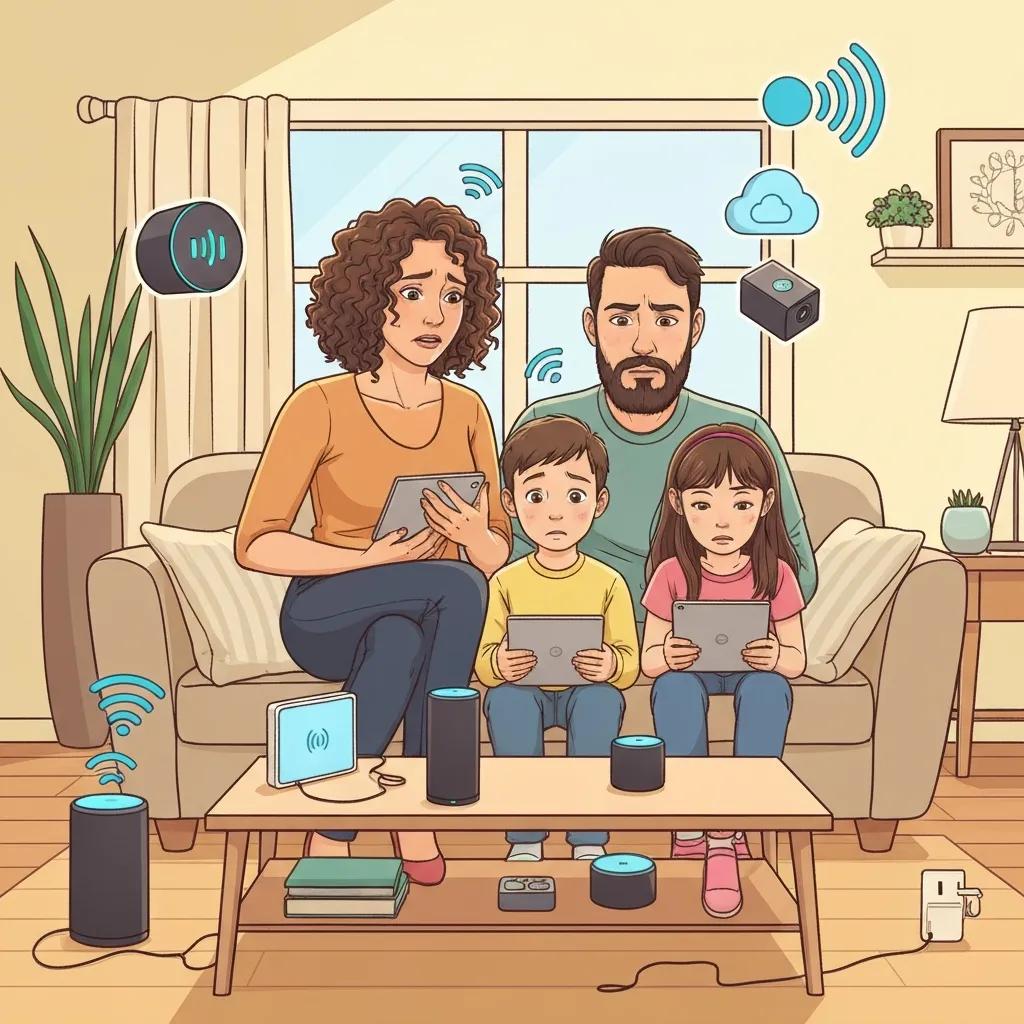
Always‑listening devices bring several privacy risks driven by accidental capture, third‑party access and inferential profiling that can expose sensitive details of daily life. Causes include unintended activations, insecure cloud storage, wide sharing policies with developers or vendors, and correlation across multiple sensors. Consequences range from embarrassing leaks to persistent profiling for advertising, discriminatory inferences or even unwanted surveillance by authorities or attackers. Identifying the top risks helps you focus on the weakest links — misconfiguration, network exposure and unclear consent — so households can reduce how much data leaves their walls. The short list below gives quick, actionable points you can scan and act on.
Top privacy risks are simple to understand and often quick to address.
- Unintended recordings: Sounds can be mistaken for wake words, triggering audio capture and upload.
- Data breaches: Stored voice clips or transcripts in the cloud may be exposed if accounts or services are compromised.
- Third‑party access: Developers, vendors or advertisers might get processed data for service improvement or monetization.
- Profiling and inference: Combining audio, motion and usage logs can reveal routines, health clues and social relationships.
These core risks help consumers prioritise protections; the table below links each risk to common causes and likely impacts so you can triage where to act first.
| Risk | Cause | Likely Impact |
|---|---|---|
| Unintended recordings | False activations or continuous buffering policies | Private conversations exposed; embarrassment or loss of privacy |
| Data breaches | Poor cloud security or reused credentials | Widespread disclosure of stored audio and metadata |
| Third‑party access | Broad developer permissions or contractual data sharing | Profiling, targeted advertising or external analysis |
| Profiling/inference | Cross‑device correlation and long‑term logs | Sensitive inferences about health, routines and relationships |
This overview links failure modes to real harms. Next we move from identifying problems to practical defences you can put in place today.
How Can You Protect Your Privacy from Smart Home Surveillance?
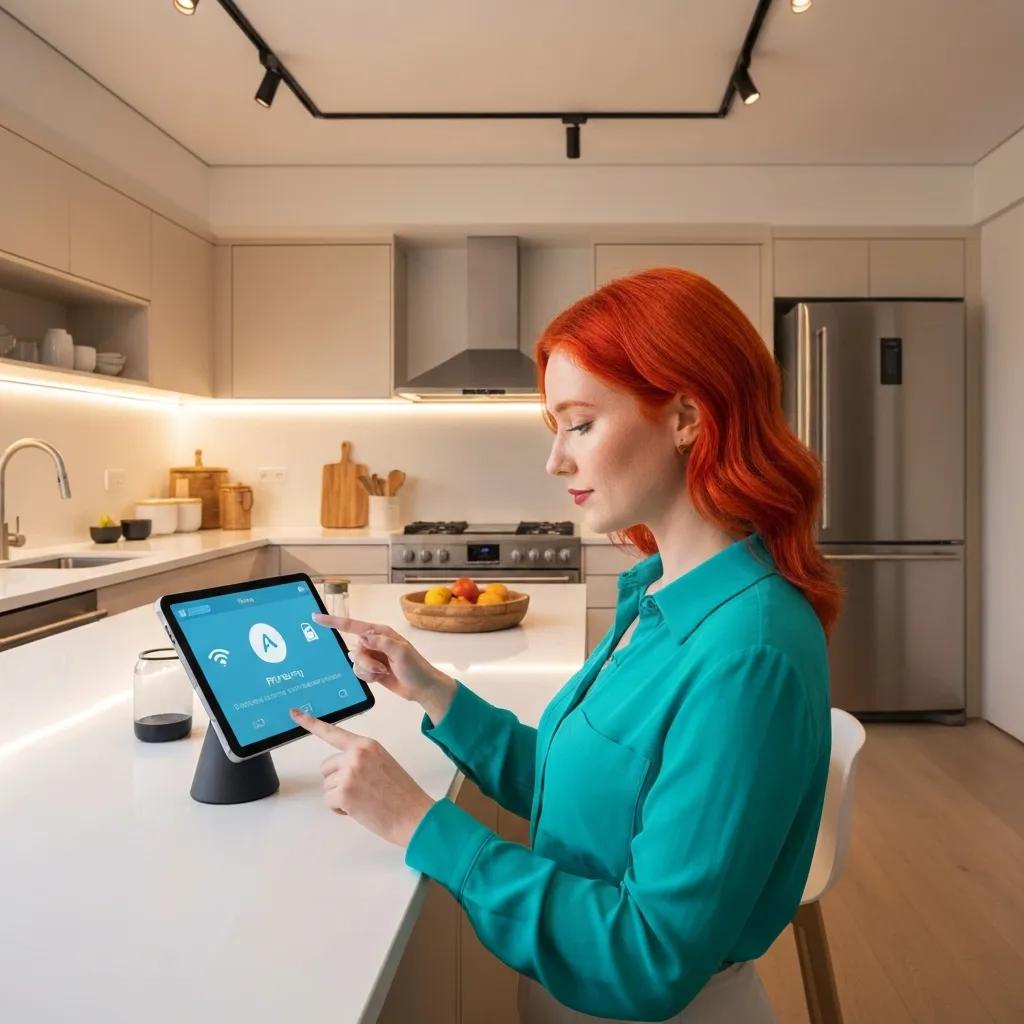
Protecting privacy in an ambient computing home means using layered controls: device settings, strong network hygiene and small behaviour changes that together limit data collection and exposure. Start with simple toggles — mute buttons and turning off voice history — then add structural measures like a segmented IoT network and robust router settings. The goal is to reduce how much is captured, limit what leaves the device, and shrink remote attack surfaces. Below are device‑level settings and network steps arranged as a practical checklist you can follow in stages, beginning with the highest‑impact changes.
Device settings are the fastest way to regain control over what gets heard and stored.
- Mute the microphone when you want privacy — use the hardware mute button or unplug the device.
- Turn off or shorten voice‑recording retention in the assistant settings and delete stored clips regularly.
- Remove or restrict third‑party skills and integrations that request broad permissions.
These three steps cut ongoing collection significantly. The table below is a quick cheat‑sheet showing recommended actions, where to change them, and what to expect in a typical home.
| Action | Tool/Setting | Effectiveness / Notes |
|---|---|---|
| Mute or power off microphones | Physical mute switch or unplugging device | High — immediate privacy but disables voice convenience |
| Delete voice history | Assistant privacy dashboard (device app) | Medium‑high — removes stored transcripts but may not clear all logs |
| Limit third‑party permissions | Remove skills/apps and revoke developer access | Medium — reduces external data sharing paths |
| Use separate IoT SSID | Router guest / IoT network feature | High — isolates devices from sensitive gadgets like laptops |
| Keep firmware updated | Router and device update utilities | High — closes known vulnerabilities and reduces exploit risk |
Apply these measures first for fast gains, then add the network controls in the next section so your home’s connectivity protects you as well as your device settings.
What Are the Best Privacy Settings for Smart Speakers and IoT Devices?
Most smart speakers and IoT devices offer a handful of toggles that, when used deliberately, cut audio capture and long‑term data retention. Start by muting microphones when you don’t need voice features, disable automatic voice recording or storage in the manufacturer’s privacy dashboard, and review installed skills or third‑party integrations to remove anything unnecessary. On popular platforms, look for settings named “Voice recordings,” “History” or “Third‑party apps” and choose the shortest retention period available; turn off options like “help improve service” if you want tighter privacy. After changing settings, check activity logs and run a few tests to confirm devices aren’t recording unexpectedly.
How Does Securing Your Home Network Reduce Ambient Computing Risks?
Your router and Wi‑Fi settings are the backbone of privacy. Use WPA3 if available — otherwise choose WPA2 with a strong, unique password — and create a separate SSID for IoT devices to keep them away from personal computers and phones. Apply router and device firmware updates regularly to patch vulnerabilities, and consider disabling Universal Plug and Play (UPnP) unless you need it, since UPnP can open unintended ports. For extra protection, enable DNS filtering or use a reputable DNS service to block malicious domains. These steps make it much harder for attackers to intercept audio streams or pivot from an IoT device into your home network.
Mobile data or SIM‑based IoT can serve as a useful backup when home networks are compromised. For users seeking operator‑level support and secure connectivity, telcos can help secure device traffic. Ufone (a PTCL company) can act as a secure connectivity partner by offering network‑level protections, managed SIM profiles and customer support that help subscribers keep connected homes safer. Ask your provider about IoT plans, APN security and SIM‑based failover options — these services can complement device and router defences and reduce reliance on unsecured Wi‑Fi.
What Are the Ethical and Regulatory Issues Surrounding Smart Home Listening?
Ambient computing stretches traditional ideas of consent because passive sensing can happen without users constantly noticing it, creating tension between ease of use and informed consent. Ethical issues include opaque data practices, difficulty revoking ambient collection, and potentially unfair inferences from combined sensor data. Regulators are responding with principles like data minimisation, purpose limitation and user rights to access and deletion, but specific rules for ambient devices vary by country. That means manufacturers should adopt privacy‑by‑design and clear consent mechanisms, and consumers should use their legal rights where available. The subsections below outline relevant legal frameworks and the role of transparency in practice.
Ethical Concerns in Ambient Intelligence: Privacy, Autonomy, and Sustainability
Ubiquitous computing raises clear ethical questions around privacy and individual autonomy. Increasingly, discussions also include sustainability — the idea that technology should “do no harm.” The paper connects these issues to UN goals like good health and quality education, and argues that ethical safeguards must be part of design and the software lifecycle.
Which Data Protection Laws Affect Smart Home Privacy?
A number of major legal frameworks shape how smart home data should be handled by imposing user rights and obligations on service providers. The GDPR is the leading example, stressing consent, data minimisation and rights to access and erase personal data; other national laws adapt these principles with local enforcement and remedies. New regional statutes are also focusing on auditability and controls around automated profiling. For users in Pakistan, keep an eye on national data protection developments so you can exercise legal rights and judge vendor promises. Regardless of location, look for clear retention policies, easy deletion tools and documented lawful bases for processing when evaluating devices and services.
Why Is Transparency and Consent Important in Ambient Computing?
Transparency and meaningful consent matter because ambient devices can collect data passively — a one‑time “agree” at setup is often not enough. Users need clear notices about what each sensor does, how long data is stored, and who can access processed outputs so they can weigh convenience against privacy. Consent controls should be repeatable and easy to revoke, with visible settings in companion apps or dashboards; audit logs or plain‑language summaries of data use increase accountability. Vendors that offer granular controls and explain how profiling works build trust, and consumers should prefer devices that minimise default collection and provide straightforward deletion tools. Clear controls reduce surprises and align product behaviour with user expectations.
End User Perceptions of Smart Home Device Data Practices and Risks
Smart homes introduce new security and privacy challenges, but everyday users often have limited understanding of device data practices. This study interviewed users to explore their expectations, concerns and actions around smart home data collection, sharing and use, highlighting the need for clearer explanations and better tools to help people manage risk.
How Does Secure Mobile Connectivity Support Smart Home Privacy?
Secure mobile connectivity can supplement home network defences by offering encrypted backhaul, SIM‑based authentication and alternative connectivity that reduces dependence on potentially weak home Wi‑Fi. Carriers can segment IoT traffic, provide secure APN configurations and monitor for unusual data patterns that may indicate compromise. Using a mobile fallback — a hotspot or SIM‑enabled IoT link — can limit exposure when guest networks are open or router protections are lacking. Strong carrier authentication also lowers risks from stolen credentials. Below we outline how a mobile provider can help protect connected homes and give practical mobile hygiene tips to keep phones and SIM‑based devices safer.
How Can Ufone’s Network Help Protect Your Smart Home Data?
Mobile operators can protect smart home traffic through encrypted links, managed SIM profiles for IoT devices and responsive customer support to help secure configurations. Where routers are weak or guest networks are shared, a carrier’s mobile data path can act as a more controlled connection for critical devices, and SIM‑based IoT provisioning limits exposure from open Wi‑Fi. Ufone (part of PTCL) can support safer connected homes by offering information on secure mobile services, IoT plans and APN settings, plus hands‑on support to set them up. If you’re a subscriber, ask about IoT options, SIM management and secure APN configurations to strengthen your home setup.
Audio Wake Word Detection with Edge Impulse for Voice Assistants
This reference project shows how wake‑word detection can run at the edge — for example, using a small board to respond to a custom phrase. It demonstrates the activation mechanism behind many voice assistants and highlights the technical trade‑offs between local and cloud processing.
What Digital Privacy Practices Should Mobile Users Follow?
Mobile devices are part of the smart home ecosystem and deserve the same care: keep your phone OS up to date, review and restrict app permissions, enable encryption and biometric unlocks, and use two‑factor authentication for important accounts. Regularly audit apps that request microphone or location access and remove those that ask for more than they need; prefer apps from trusted developers with clear privacy policies. If you use hotspots or SIM‑based IoT, watch data usage and device lists in your carrier dashboard and contact support if you see unfamiliar activity. These routines reduce the chance that a compromised phone becomes a pivot into your home network.
- Update your phone OS and apps regularly to patch vulnerabilities.
- Review app permissions and revoke microphone or location access when unnecessary.
- Use strong passcodes, biometric locks and two‑factor authentication.
- Monitor carrier account activity and contact support about suspicious usage.
These steps protect the mobile device and the wider home network by reducing attack paths and making it harder for attackers to move between mobile and home internet devices.
What Are Common Questions About Smart Home Privacy and Always‑Listening Devices?
This section answers frequent questions quickly so you can act fast. Each reply is short, factual and includes a clear next step you can follow. If you want more detail after the quick answers, return to the sections above for step‑by‑step instructions and device‑specific settings.
Are Smart Devices Always Listening and Recording Conversations?
Most smart devices listen in a low‑power mode for a wake word and don’t continuously record everything. Wake‑word detection often runs locally to avoid unnecessary uploads. When the device is activated — by voice or a button — it may capture buffered audio and send it to cloud servers for processing, where transcripts or recordings can be stored. Accidental activations do happen, so check voice activity logs and use mute controls when you need privacy. Practical steps: use mute, set short retention periods for voice recordings and review activity history to confirm device behaviour.
How Can I Stop My Smart Home Devices from Listening Without Consent?
Combine quick physical controls with configuration changes and network segmentation. First, mute or unplug devices when you want privacy and disable automatic voice recording or storage in the device dashboard. Second, remove unnecessary third‑party skills and put smart devices on a separate IoT SSID to isolate them. Third, delete voice histories regularly and audit app permissions. These layered actions reduce accidental captures and long‑term profiling while letting you use voice features when you choose.
If you need help with secure mobile options, check available packages, contact customer support and ask about SIM‑based IoT or failover services to complement your home setup.
Frequently Asked Questions
What types of data do smart home devices collect?
Smart devices collect a range of data: voice commands and transcripts from speakers, usage patterns and occupancy info from thermostats, and video or audio snippets from cameras when they activate. Environmental sensors log temperature, motion or light levels. This data helps devices work better but can raise privacy concerns if not managed. Knowing what is collected makes it easier to set correct privacy controls.
How can I ensure my smart home devices are secure?
Start by changing default passwords to strong, unique ones and enable two‑factor authentication where available. Keep device firmware up to date and disable features like UPnP unless you need them. Segment your network with a separate SSID for IoT devices to isolate them from computers and phones. Together, these steps significantly improve smart home security.
What should I do if I suspect my smart device has been compromised?
If you think a device is compromised, disconnect it from the network immediately to stop further access. Change the device’s password and review activity logs for unusual behaviour. Remove unknown devices from your network, consider a factory reset and reconfigure with stronger settings. Contact the manufacturer or your provider for support and, if problems continue, replace the device.
Are there specific privacy laws that protect smart home users?
Yes. The GDPR is one of the strongest frameworks, focusing on consent, data minimisation and rights to access or delete personal data. Other regions have their own rules, like the CCPA in the U.S. Laws vary by country, so learn the protections that apply where you live. Good vendor practices to look for include clear retention policies, easy deletion tools and transparent data use explanations.
How can I manage third‑party access to my smart home data?
Regularly review and limit permissions granted to third‑party apps and integrations. Most platforms let you revoke access to specific skills or services you no longer use. Avoid enabling features that require broad data sharing unless necessary, and audit privacy dashboards to ensure only trusted services have access.
What are the implications of using mobile data for smart home devices?
Using mobile data can increase security by providing encrypted carrier links and reducing reliance on insecure home Wi‑Fi. Mobile connectivity can act as a reliable backup and reduce exposure from shared networks, but keep an eye on data usage and make sure your plan covers device needs. Ask your carrier about IoT plans and managed SIM options for safer device connectivity.
Conclusion
Understanding how ambient computing works helps you balance the convenience of smart homes with your privacy. By recognising what data devices collect and the risks involved, you can use clear, practical steps — adjusting device settings, improving network security and using mobile‑backed options — to protect your household. Start with the high‑impact changes listed here, and reach out to your provider for support if you need help securing your connected home.