Blog

  • Talking about Retreats

    Talking about Retreats

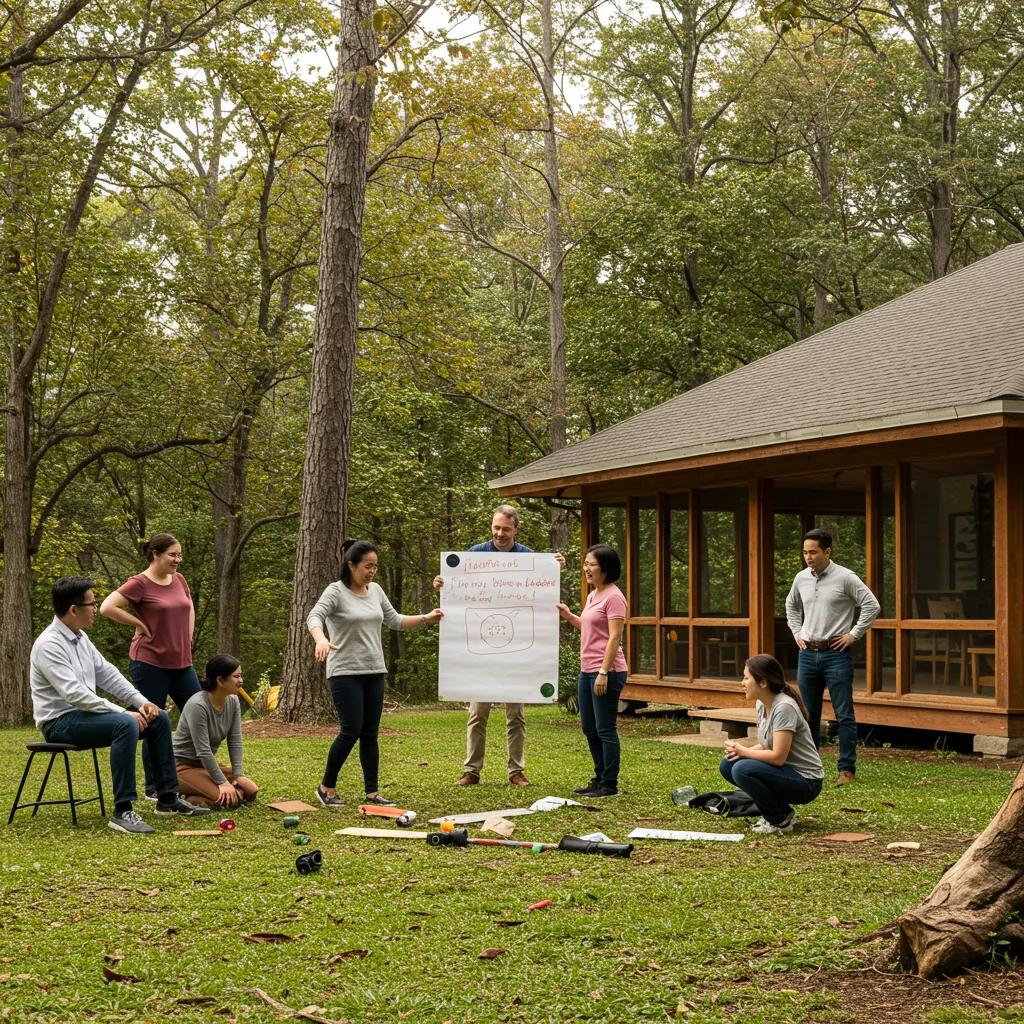
    Corporate retreat scene with professionals engaged in team-building activities in a natural setting

    Retreats: Your Ultimate Guide to Corporate, Wellnesshj, and Team Building Experiences

    Retreats are powerful tools for transforming groups into high-performing teams, revitalizing individual well-being, and sparking fresh ideas by stepping away from daily distractions. This guide offers practical insights for planning corporate offsites, choosing immersive wellness programs, and designing team-bonding adventures. You’ll discover how to unlock measurable engagement, reduce stress, and foster innovation. We’ll explore why retreats are essential, the most effective formats, top destinations across Europe and North America, and how to measure their return on investment. Additionally, we delve into wellness themes—from yoga and mindfulness to detox escapes—and detail team-building strategies for on-site, virtual, and hybrid groups. Finally, a step-by-step planning blueprint ensures every retreat aligns perfectly with your objectives, budget, and company culture. Drawing on industry best practices and expert facilitation methods, this resource combines transformative retreat design with top-tier event planning expertise.

    What Are Corporate Retreats and Why Do They Matter?

    Corporate retreats are structured off-site events designed to bring employees together around specific objectives, such as aligning strategies, developing leadership skills, or strengthening company culture. By moving discussions away from the usual office environment, these gatherings encourage open dialogue, build stronger relationships, and foster new perspectives. Companies that invest in retreats often report significantly higher job satisfaction and a notable decrease in voluntary turnover, demonstrating how well-planned off-sites can boost retention, productivity, and overall morale.

    To highlight the key factors contributing to successful corporate retreats, consider these essential elements:

    • Boosted Communication – Structured workshops help break down departmental silos and speed up problem-solving.
    • Strategic Alignment – Facilitated sessions ensure that leadership and teams are on the same page with a unified vision.
    • Stronger Relationships – Shared experiences outside of the typical work setting build trust and empathy across different teams.

    Effective corporate retreats skillfully blend expert facilitation with organizational goals, paving the way for deeper team engagement in subsequent discussions about activity design and venue selection.

    How Do Corporate Retreats Enhance Employee Engagement and Productivity?

    Corporate retreats boost engagement by creating immersive environments where employees feel valued, heard, and empowered to contribute their best. Facilitated exercises focused on active listening, providing real-time feedback, and collaborative problem-solving increase commitment to shared objectives. When participants build trust through activities that encourage vulnerability, their willingness to innovate and take ownership grows. Studies indicate that engaged teams achieve up to 12 percent higher productivity, directly linking retreat-driven engagement strategies to improved performance. Moving from general benefits to specific retreat formats reveals how different types of off-sites can address unique organizational needs.

    What Types of Corporate Retreats Are Most Effective?

    The most effective corporate retreats typically fall into three main categories: leadership development, team-building intensives, and strategic planning sessions. Leadership development retreats focus on executive coaching, scenario simulations, and decision-making frameworks to cultivate visionary thinking. Team-building intensives utilize problem-solving activities like escape-room challenges and design sprints to enhance collaboration. Strategy sessions combine market analysis, goal-setting workshops, and road-mapping exercises to align teams on key objectives. Each format delivers specific outcomes—from stronger leadership pipelines to clearer strategic roadmaps—leading into the next discussion on selecting activities for maximum impact.

    Which Activities Boost Team Bonding During Corporate Retreats?
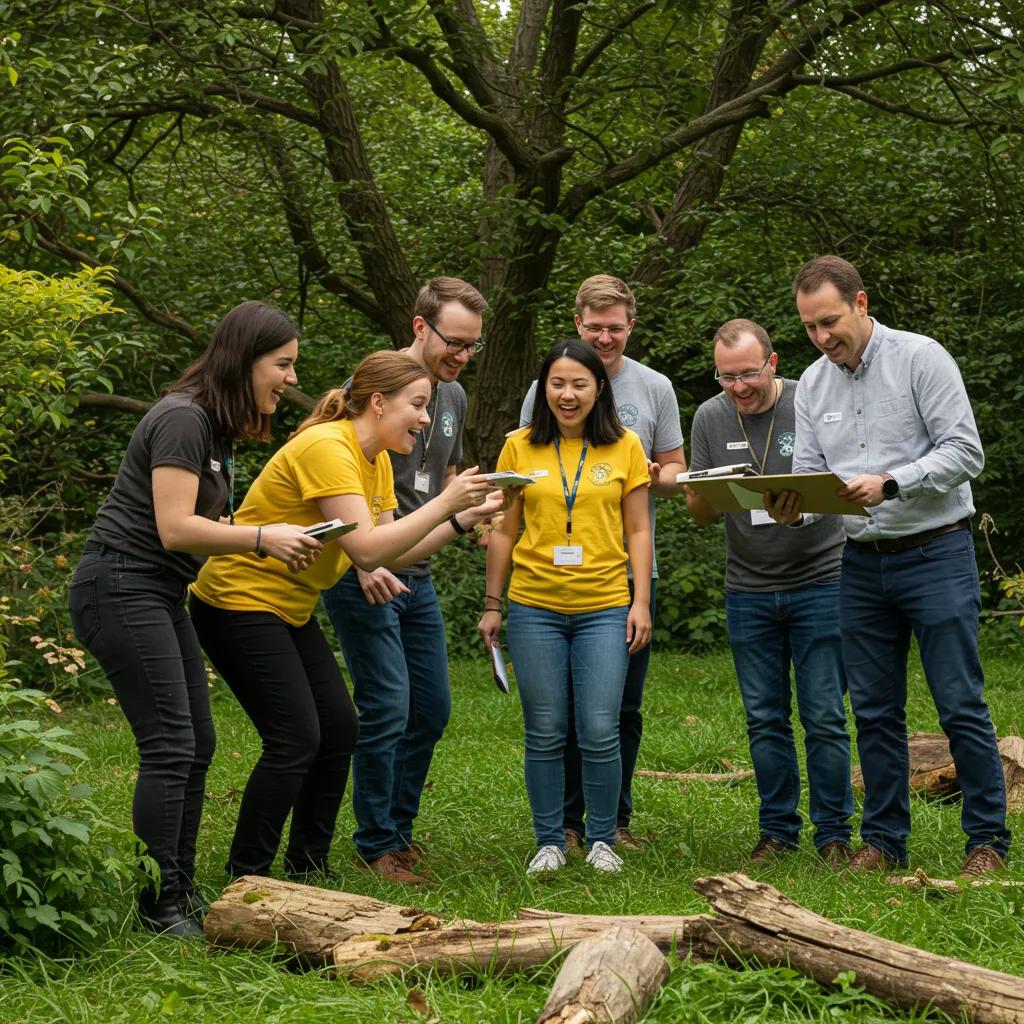
    Team members working together during a scavenger hunt at a corporate retreat

    When planning corporate retreat agendas, activities that balance challenge, creativity, and reflection are key to fostering deep connections. Outdoor problem-solving exercises, such as scavenger hunts, encourage teams to coordinate effectively under pressure. Creative workshops—like collaborative art projects—tap into diverse thinking styles and reveal hidden team strengths. Mindfulness breaks provide opportunities for collective relaxation, enhancing emotional intelligence. This table compares popular activities and their connection to core retreat objectives:

    Activity TypeObjectiveOutcome
    Escape-Room ChallengeProblem SolvingStrengthened collaborative decision-making
    Scavenger HuntCommunicationImproved coordination under time pressure
    Collaborative WorkshopCreativityRevealed latent team strengths
    Guided ReflectionEmotional IntelligenceEnhanced empathy and stress resilience

    These activities help set the stage for choosing the best venues that support both structured collaboration and informal networking.

    Where Are the Best Corporate Retreat Locations in Europe and North America?

    The choice of corporate retreat location significantly influences the atmosphere, logistics, and participant engagement. Mountain lodges in the Alps offer inspiring high-altitude settings with panoramic views that encourage big-picture thinking. Coastal estates along the Mediterranean provide serene environments ideal for strategic workshops and relaxation. In North America, forested resorts in the Pacific Northwest combine indoor meeting facilities with outdoor adventure opportunities, fostering creativity through nature immersion. Venues located on the outskirts of major cities offer convenient travel access while maintaining a secluded retreat feel. Each setting balances accessibility, amenities, and ambiance to reinforce retreat objectives and cultural fit.

    How Can You Measure the ROI of Corporate Retreats?

    Measuring the return on investment for retreats starts with defining clear performance indicators related to engagement, productivity, and retention. Pre- and post-retreat surveys can quantify changes in team cohesion and motivation. Productivity metrics—such as project completion rates and time-to-market—help track operational impact. Analyzing retention rates before and after retreats reveals cost savings from improved employee loyalty. A simplified ROI calculation could include:

    • Retreat expenses (venue, facilitation, travel)
    • Productivity gains (measured in revenue increase)
    • Retention savings (reduced hiring and training costs)

    Quantifying these elements provides evidence-based validation for your off-site investment and highlights the strategic value of structured corporate retreats.

    What Are Wellness Retreats and How Do They Support Holistic Well-being?

    Wellness retreats integrate physical, mental, and spiritual practices to restore balance, reduce stress, and promote personal growth. By combining guided mindfulness, movement sessions, and nutritional coaching in tranquil settings, participants can disconnect from workplace pressures and reconnect with their inner resilience. Research indicates that immersive wellness experiences lead to sustained reductions in stress hormones, improved sleep quality, and enhanced emotional regulation. Understanding the full range of wellness retreat formats naturally leads to exploring their diverse types and unique benefits.

    What Types of Wellness Retreats Are Available?

    People practicing yoga on a beach during a sunrise wellness retreat

    Wellness retreats offer customized experiences across various modalities to meet diverse health goals. Yoga retreats focus on asana sequences and breathwork to improve flexibility and mental clarity. Meditation retreats immerse participants in guided mindfulness and silent practice for deeper self-awareness. Detox programs combine cleansing diets with infrared sauna sessions to support cellular rejuvenation. Spa-centric retreats prioritize hydrotherapy, massage, and restorative treatments for physical renewal. This variety allows individuals to choose programs that align with their specific wellness objectives and provides a foundation for planning a personalized retreat itinerary.

    Research in wellness tourism emphasizes the importance of community and environmental factors in fostering overall well-being.

    Community and Wellness in Retreat Settings

    The objective of this dissertation was to determine the characteristics of and relationships among wellness, positive psychological well-being, transformative experiences, and overall quality of life within a tourism context. To achieve this, three independent articles addressed eight research questions using both qualitative and quantitative methodologies. The first article investigated holistic wellness through the qualitative analysis of 1,216 TripAdvisor reviews. Employing netnography in conjunction with exploratory inductive framework analysis, four dimensions of wellness were identified: body, mind, spirit, and environment (Dunn, 1959). The study’s findings were diverse, highlighting both impediments and facilitators to wellness. The results indicated the potential for wellness tourism to deliver impactful and memorable wellness travel experiences.

    The Significance of Community in Wellness Service Design: The Case of Retreats, 2015

    How Do Wellness Retreats Reduce Stress and Promote Personal Growth?

    Wellness retreats alleviate stress by employing mind-body techniques that interrupt habitual tension patterns. Breathwork and guided meditation activate the parasympathetic nervous system, leading to lower heart rate and reduced cortisol levels. Movement practices like yoga and qigong stimulate endorphin production and improve circulation. Nutritional guidance supports gut-brain health, contributing to more stable moods. Collectively, these interventions encourage self-reflection, build resilience, and foster behavioral insights that translate into lasting personal growth, leading into practical planning considerations for success.

    How Do You Plan a Successful Wellness Retreat?

    Planning a wellness retreat begins with establishing a clear theme—such as mindfulness immersion or detox rejuvenation—and identifying expert facilitators with relevant credentials. Create a balanced schedule that alternates movement classes, reflective workshops, and restorative breaks. Choose accommodations that offer healthy dining options, quiet spaces, and on-site treatment facilities. Implement feedback mechanisms through daily check-ins to ensure participant needs are met. A detailed pre-retreat survey helps clarify individual preferences, enabling customization that maximizes engagement and outcome alignment.

    Which Wellness Retreat Destinations Are Most Popular?

    Popular wellness destinations combine stunning natural beauty with well-established holistic infrastructure. The Arizona desert is home to world-class spa resorts offering energy healing and sunrise yoga. The Himalayas provide serene meditation centers steeped in ancient monastic traditions. Coastal regions of Southern Europe offer Mediterranean diets alongside seaside breathwork sessions. Forested retreats in Scandinavia utilize forest bathing and cold-water therapy for immune system support. Each location enhances specific aspects of well-being, guiding choices based on desired health outcomes and logistical feasibility.

    What Mindfulness Practices Are Common in Wellness Retreats?

    Mindfulness practices are central to many wellness retreats, cultivating sustained present-moment awareness. Guided meditation sessions use focused attention and body scans to reduce rumination. Breathwork workshops teach techniques like box breathing to regulate autonomic responses. Walking meditations integrate movement and sensory focus, connecting participants with their surroundings. Loving-kindness exercises foster compassion and interpersonal empathy. By incorporating these practices into daily schedules, retreats help establish habits that extend beyond the program, reinforcing long-term mental and emotional well-being.

    How Do Team Building Retreats Foster Collaboration and Innovation?

    Team building retreats focus on shared challenges and creative problem-solving activities that strengthen collaboration, trust, and collective innovation. Structured experiences—such as design sprints and role-playing workshops—immerse participants in rapid feedback cycles that refine communication and decision-making skills. When teams successfully navigate simulated obstacles together, they develop a sense of shared accomplishment that translates into increased engagement back in the workplace. This foundation sets the stage for identifying the best activities and formats for in-person, hybrid, or virtual teams.

    What Are the Best Team Building Activities for Retreats?

    The most effective team building activities combine clear objectives with engaging execution. Escape-room challenges enhance strategic planning under time constraints. Scavenger hunts across the venue grounds promote adaptive communication and calculated risk-taking. Collaborative hackathons or design sprints focus on real business challenges, aiming to produce tangible prototypes by the end of the session. Artistic workshops—like group mural painting—encourage nonverbal collaboration and celebrate diverse perspectives. Selecting activities that match the team’s maturity and objectives ensures the development of lasting collaboration skills.

    How Do Team Building Retreats Improve Communication and Company Culture?

    Team building retreats enhance communication by creating structured environments where feedback and idea-sharing are encouraged and normalized. Facilitators use debrief sessions to identify behavioral patterns, highlight effective communication strategies, and address unconscious biases. When teams practice transparent communication in low-stakes settings, trust deepens, reducing workplace friction. An open culture established during the retreat carries forward into daily operations, strengthening alignment on values, goals, and collaborative norms throughout the organization.

    How Can Remote and Hybrid Teams Benefit from Virtual or In-Person Team Building Retreats?

    Remote and hybrid teams gain significant benefits from retreats—whether virtual or in-person—by reinforcing connections that can be strained by geographic distance. Virtual off-sites utilize interactive platforms for breakout challenges and digital whiteboard co-creation, replicating the energy of in-person collaboration. Hybrid retreats combine central gatherings with local satellite hubs, using live-streamed facilitation to include distributed members. Both approaches emphasize synchronous interaction, collective storytelling, and shared successes, bridging digital divides and revitalizing team cohesion for all participants.

    How to Plan a Retreat: Step-by-Step Guide for Corporate and Wellness Events

    A successful retreat starts with a clear purpose, a defined audience, and measurable goals. This guide provides actionable steps to ensure alignment between objectives, budget, and logistics. Following this framework leads to a well-balanced itinerary, optimal venue selection, and meaningful experiences that leave a lasting positive impression long after participants return to their daily routines.

    What Are the Key Steps in Planning a Successful Retreat?

    Begin by clearly defining the retreat’s primary objective, whether it’s strategic alignment, stress reduction, or team bonding. Next, establish a realistic budget that covers venue, facilitation, materials, and travel expenses. Conduct site visits or virtual tours to confirm that the venue offers the necessary amenities and is easily accessible. Design an itinerary that includes a mix of workshops, activities, and downtime. Finally, implement feedback mechanisms—such as surveys and debrief sessions—to assess outcomes and inform future improvements.

    How Do You Choose the Right Retreat Venue?

    Selecting the ideal venue involves evaluating its amenities, atmosphere, and logistical suitability. Prioritize locations with flexible meeting spaces, reliable technology, and healthy dining options. Assess the ease of travel for all participants, including those who are remote or traveling internationally. Look for venues that provide both structured meeting areas and comfortable informal spaces to accommodate various program elements. Cultural alignment—such as eco-friendly practices or integration of local wellness traditions—can further enhance the retreat experience.

    How Can You Create a Balanced Retreat Itinerary?

    A balanced itinerary thoughtfully alternates focused sessions with restorative breaks. Start each day with an energizing activity—such as group movement or a problem-solving challenge—followed by reflective workshops and opportunities for informal networking. Include mindfulness pauses during the day to help participants reset their focus and manage stress. Conclude with collective debriefs to capture key insights and reinforce learning outcomes. This structure helps maintain engagement, promotes learning, and minimizes the risk of burnout during multi-day programs.

    What Budget Factors Should You Consider When Planning a Retreat?

    Budget considerations include both fixed and variable costs: venue rental fees, catering, facilitator fees, materials, and transportation. It’s also wise to include contingency funds for unexpected changes or additional needs. Estimate potential ROI by projecting gains—in engagement, productivity, or retention—against the total expenses. Strategic budgeting ensures transparency with stakeholders and enables data-driven decisions regarding investment levels for future retreats.

    What Are the Benefits of Corporate Retreats for Employee Engagement and Retention?

    Corporate retreats offer numerous benefits that enhance both individual satisfaction and overall organizational performance. By addressing fundamental human needs—such as recognition, professional development, and a sense of belonging—off-sites can significantly boost motivation and loyalty. Understanding these specific impacts clarifies why retreats are a valuable investment in workforce development and sets the stage for detailed insights into motivation, turnover reduction, and leadership skill enhancement.

    How Do Corporate Retreats Increase Employee Motivation and Satisfaction?

    Corporate retreats boost motivation by acknowledging employee contributions through structured recognition events and interactive showcase sessions. Small-group workshops designed to highlight individual strengths encourage personal growth and reinforce career development paths. When employees see a tangible investment in their development, their satisfaction levels increase—research suggests a 91 percent rise in motivation following well-executed off-site programs. This improved morale directly contributes to reduced absenteeism and increased discretionary effort.

    What Impact Do Retreats Have on Reducing Employee Turnover?

    Retreats help reduce employee turnover by strengthening organizational commitment and reinforcing cultural connections. Shared experiences outside of the regular work context build social capital, making employees feel more connected to their colleagues and the company’s values. Case studies show that companies that organize annual retreats experience a decrease in turnover by up to 32 percent, resulting in substantial savings on recruitment and training expenses. This retention benefit highlights retreats as a strategic tool for long-term talent management.

    How Do Leadership Development Retreats Build Strategic Thinking Skills?

    Leadership development retreats immerse current and aspiring leaders in scenario planning, role-play simulations, and peer coaching circles that mirror complex business challenges. These experiences sharpen strategic thinking by exposing participants to diverse, cross-functional perspectives and risk-assessment exercises. Follow-up accountability structures—such as action-plan partnerships—ensure that insights gained are translated into concrete organizational initiatives, fostering a culture of thoughtful decision-making and continuous improvement.

    What Are the Different Types of Retreats and How Do They Compare?

    Retreats encompass a variety of formats, including corporate, wellness, spiritual, digital detox, and creative—each offering distinct combinations of objectives, activities, and outcomes. Comparing these types helps clarify which model best aligns with your specific goals, audience, and desired impact, guiding you toward selecting a retreat that meets particular personal or organizational needs.

    Retreat TypePrimary ObjectiveCore Activities
    CorporateEngagement & StrategyWorkshops, team challenges, planning labs
    WellnessHolistic Well-beingYoga, meditation, nutrition coaching
    SpiritualInner ReflectionSilent meditation, scriptural study
    Digital DetoxTech DisconnectionNature immersion, mindfulness practices
    CreativeInnovation & ExpressionArt workshops, storytelling circles

    How Do Corporate, Wellness, and Spiritual Retreats Differ?

    Corporate retreats are geared towards business objectives—such as alignment, productivity, and culture—through facilitated workshops and team challenges. Wellness retreats focus on physical and mental restoration using yoga, guided meditation, and nutritional support. Spiritual retreats center on inward journeys through silent practices, scriptural reflection, and communal rituals. Recognizing these fundamental differences ensures you select the retreat type that best suits your group’s aspirations.

    What Are Niche Retreat Types Like Digital Detox and Creative Retreats?

    Niche retreats cater to specific needs through highly focused programming. Digital detox retreats eliminate screen time and incorporate structured nature immersions to help participants reset their cognitive capacity. Creative retreats provide a space for artistic exploration—offering painting, writing, or music sessions designed to unlock innovative thinking. These specialized formats deliver targeted benefits, whether it’s reducing digital overload or sparking new ideas, and can complement broader corporate or wellness objectives.

    How Can You Select the Best Retreat Type for Your Goals?

    Choosing the most suitable retreat type begins by matching your primary objective—whether it’s enhancing engagement, reducing stress, or fostering creativity—with the characteristics of different retreats. Evaluate participant profiles, desired outcomes, and budget limitations. Use decision criteria such as facilitator expertise, venue capabilities, and measurable results. A simple scoring matrix that aligns goals with retreat attributes can help determine the optimal format, ensuring your investment leads to both immediate impact and lasting transformation.

    Retreats offer a proven framework for elevating engagement, well-being, and innovation across organizations and for individuals. By understanding the distinct formats—from corporate strategy off-sites to holistic wellness immersions—you can design experiences that resonate with participant needs and deliver measurable results. Following the step-by-step planning guide ensures alignment between objectives, logistics, and budget, while rigorous measurement protocols validate your investment through productivity gains and improved retention. Embrace retreats as a strategic catalyst for growth, connection, and sustained performance.


  • final restriction

    What is Lorem Ipsum?

    lorem ipsum

    lorem ipsum

    Lorem Ipsum is simply dummy text of the printing and typesetting industry. Lorem Ipsum has been the industry’s standard dummy text ever since the 1500s, when an unknown printer took a galley of type and scrambled it to make a type specimen book. It has survived not only five centuries, but also the leap into electronic typesetting, remaining essentially unchanged. It was popularised in the 1960s with the release of Letraset sheets containing Lorem Ipsum passages, and more recently with desktop publishing software like Aldus PageMaker including versions of Lorem Ipsum.

  • content restriction changed

    testing of duplication when restriction removed

    wordpress white screen error

    this si the paraghraph text

    wordpress white screen error

    tested with update item endpoint image inside the paragrapgh a modern office workspace features a sleek laptop displaying a visually striking infographic that clearly illustrates the key differences between h1 and h2 tags, with bold typography and vibrant colors capturing attention.

  • after image test

    image showing now?

    after removing the duplicate

    wordpress white screen error

  • image testing

    What is Lorem Ipsum?

    Lorem Ipsum is simply dummy text of the printing and typesetting industry. Lorem Ipsum has been the industry’s standard dummy text ever since the 1500s, when an unknown printer took a galley of type and scrambled it to make a type specimen book. It has survived not only five centuries, but also the leap into electronic typesetting, remaining essentially unchanged. It was popularised in the 1960s with the release of Letraset sheets containing Lorem Ipsum passages, and more recently with desktop publishing software like Aldus PageMaker including versions of Lorem Ipsum.

  • how to debug the white screen error in wordpress

    How to Debug the White Screen Error in WordPress: Step-by-Step Troubleshooting Guide

    The WordPress White Screen of Death appears as a completely blank page caused by critical PHP failures, memory exhaustion, or code conflicts, leaving no error message to guide you. In this guide you will discover how to recognize WSOD symptoms, prepare your site safely, enable debug logging for clear error insights, manage plugin and theme conflicts, boost PHP memory limits, apply advanced technical fixes, and implement preventative maintenance. Each section delivers immediate, actionable steps—structured to resolve your white screen issue and restore full site functionality.

    What Is the WordPress White Screen of Death and What Causes It?

    The White Screen of Death (WSOD) in WordPress is a silent failure where a PHP error or resource limit prevents any HTML output, halting page rendering entirely. Understanding every underlying cause accelerates resolution and reduces downtime.

    Understanding the White Screen of Death

    The White Screen of Death (WSOD) in WordPress is a common issue that can be caused by various factors, including PHP errors, memory exhaustion, or conflicts between plugins and themes. These issues can prevent the website from displaying any content, leaving the user with a blank screen. Identifying the root cause is crucial for resolving the problem and restoring website functionality.

    WordPress.org, “Debugging in WordPress”

    This resource provides a general overview of the WSOD and its causes, which is essential for understanding the problem.

    What Does the WordPress White Screen of Death Look Like?

    A WordPress WSOD manifests as a completely blank browser window on the front-end or back-end, with no error text or styling. You may see nothing but white space at your site’s URL or within the wp-admin login page. Identifying this blank-screen symptom confirms a PHP-level or server-level interruption.

    What Are the Most Common Causes of the White Screen Error in WordPress?

    Below is an overview of typical failure points that trigger WSOD:

    • PHP memory limit exhaustion preventing script execution
    • Fatal PHP errors from incompatible code
    • Conflicts between active plugins or themes
    • Syntax mistakes in custom code or theme files
    • Server misconfigurations or outdated PHP versions

    Each of these factors can abruptly halt page loading, making systematic troubleshooting essential before restoring site access.

    How Do Plugin and Theme Conflicts Lead to WSOD?

    WordPress plugins and themes rely on PHP hooks and functions that may clash when versions or dependencies mismatch. A single deprecated function call or incompatible update can trigger a fatal error, producing a blank screen. Resolving these conflicts prevents future WSOD occurrences and restores normal page rendering.

    Can Server Issues and Memory Limits Trigger the White Screen Error?

    Yes, when PHP memory limits are exceeded or server resources are constrained, WordPress cannot allocate the required memory to process scripts. Hosting environments with low memory caps or restrictive timeouts often reveal WSOD during high-load operations like bulk plugin activations or large imports.

    What Initial Steps Should You Take Before Debugging the White Screen Error?

    Preparing your environment by clearing caches, verifying backups, and confirming hosting-wide status ensures that you troubleshoot the true root cause instead of a transient issue.

    How Do You Clear Browser and WordPress Cache to Rule Out Caching Issues?

    Start by clearing your browser cache and disabling any caching plugins to ensure you’re not viewing a stale, cached white screen.

    1. Open browser settings and clear all cached images and files.
    2. In WordPress dashboard (if accessible), deactivate caching plugins or purge cache.
    3. If admin area is blank, use FTP to rename caching plugin folders under wp-content/plugins.

    Clearing caches confirms whether WSOD results from cached errors or underlying PHP issues.

    Why Is Backing Up Your WordPress Site Critical Before Debugging?

    Backing up your entire site—files and database—ensures you can restore to a known-good state if troubleshooting steps introduce new problems. Use a backup plugin like UpdraftPlus, or manually download the directory and export the database via phpMyAdmin. A reliable backup mitigates data loss and speeds up recovery.

    How Can You Check If Other Sites on Your Hosting Are Affected?

    Log into your hosting control panel or FTP and browse other websites in the same account. If multiple sites display blank pages, the issue likely stems from server-level changes or PHP configuration updates rather than WordPress code. Isolating hosting-wide errors focuses your debugging on server settings or contacting your provider.

    What Tools and Access Do You Need to Start Debugging?

    To perform effective WSOD diagnostics, ensure you have:

    • FTP or SFTP access to your WordPress root directory
    • Hosting control panel (cPanel or Plesk) credentials
    • A code editor for viewing and editing PHP files
    • phpMyAdmin or WP-CLI for database access

    Having these tools at hand prevents interruptions and accelerates each troubleshooting step.

    How Do You Enable WordPress Debug Mode to Identify Error Details?

    Enabling WordPress debug mode converts silent failures into logged errors, revealing specific PHP notices and fatal errors that caused the white screen.

    Where Is the wp-config.php File Located and How Do You Edit It?

    The file resides in your site’s root directory. Use FTP or your hosting file manager to download and open it in a text editor. This configuration file controls core WordPress settings, including debug constants.

    How Do You Add WP_DEBUG and WP_DEBUG_LOG Constants?

    These constants instruct WordPress to record errors in without displaying them on-site, preserving security.

    How Can You Interpret Debug Logs to Find PHP Errors?

    After triggering the blank screen, download and search for “Fatal error” or “Parse error.” Each log entry shows the file path, line number, and error message, pinpointing the code responsible. Correcting that file or plugin restores normal page output.

    What Are Common Debug Mode Pitfalls and How to Avoid Them?

    • Leaving WP_DEBUG enabled on production sites can expose sensitive paths—always disable after troubleshooting.
    • Large log files consume disk space; periodically clear or archive debug.log.
    • Some hosts restrict writing to wp-content; ensure proper permissions to generate logs.

    Addressing these pitfalls prevents new errors while maintaining clear diagnostics.

    How Can You Fix the White Screen Error by Managing Plugins and Themes?

    Plugin and Theme Conflict Resolution

    Conflicts between plugins and themes are a frequent cause of the WSOD. Incompatible versions or dependencies can trigger fatal errors, resulting in a blank screen. Deactivating plugins and switching to a default theme are effective troubleshooting steps to identify and resolve these conflicts, restoring normal page rendering.

    Smashing Magazine, “WordPress Troubleshooting: The White Screen of Death” (2022)

    This article provides practical advice on how to resolve plugin and theme conflicts, which is a common cause of the WSOD.

    How Do You Deactivate All WordPress Plugins via Dashboard and FTP?

    EntityAttributeValue
    DashboardDeactivate PluginsNavigate to Plugins → Bulk Select → Deactivate
    FTP ClientRename FolderChange wp-content/plugins to plugins.off

    How Do You Identify the Problematic Plugin by Reactivating One by One?

    1. Restore the plugins folder name if renamed.
    2. Reactivate each plugin individually in the dashboard.
    3. After each activation, reload the site to check for the white screen.
    4. When WSOD reappears, the last plugin activated is the conflict source.

    This step-by-step reactivation isolates the faulty extension.

    How Do You Switch to a Default WordPress Theme via Dashboard and FTP?

    • In Dashboard: Go to Appearance → Themes and activate “Twenty Twenty-Three” or another default theme.
    • Via FTP: Rename wp-content/themes/your-theme to your-theme.off to force WordPress to use a default theme.

    Switching themes eliminates custom code conflicts in theme files.

    What Are Best Practices for Handling Plugin and Theme Conflicts?

    • Test updates in a staging environment before production rollout.
    • Use reputable, frequently updated plugins and themes.
    • Keep core, themes, and plugins on the latest stable versions.
    • Review change logs and compatibility notes before activation.

    Adhering to these practices minimizes conflict-induced WSOD incidents.

    How Do You Increase PHP Memory Limit to Resolve WSOD?

    Increasing PHP Memory Limit

    Low PHP memory limits can abruptly halt script execution, causing white screens when resource-heavy tasks run.

    Kinsta, “How to Fix the WordPress White Screen of Death” (2024)

    This source provides information on how to increase the PHP memory limit, which is a common solution for the WSOD.

    How Do You Modify wp-config.php to Increase PHP Memory Limit?

    This tells WordPress to request up to 256 MB of PHP memory for front-end operations.

    What Are Alternative Methods to Increase Memory via php.ini or .htaccess?

    EntityAttributeValue
    php.inimemory_limit256M
    .htaccessphp_value memory_limit256M
    Hosting PanelPHP SettingsAdjust memory_limit parameter

    How Can You Verify If Memory Limit Increase Fixed the Issue?

    Clear your browser cache, reload the site front-end and admin area, and re-run any previous failing operation. If WSOD no longer appears and logs show no “Allowed memory size exhausted” entries, the memory upgrade resolved the error.

    What Advanced Troubleshooting Steps Can Help Fix the White Screen Error?

    When basic fixes fall short, delving into file permissions, syntax validation, and database repair can unearth hidden issues.

    How Do You Check and Correct WordPress File Permissions?

    EntityAttributeValue
    FoldersPermission755
    FilesPermission644

    How Can You Detect and Fix Syntax Errors in WordPress Files?

    Open recently edited PHP files (e.g., ) in a code editor with syntax highlighting. Look for missing semicolons or unmatched braces. Use the debug log’s error lines to pinpoint the faulty code, then correct or revert the changes.

    How Do You Resolve Failed Auto-Updates Causing WSOD?

    A stuck file after an auto-update can produce a blank page. Via FTP, delete the file in your root directory and manually upload fresh core files from a clean WordPress download. This clears incomplete update states.

    When and How Should You Repair the WordPress Database?

    Database corruption can block admin screens. In phpMyAdmin, select your database and choose “Repair table” for all tables. With WP-CLI, run:

    Completing this repair restores data integrity and can resolve WSOD tied to database errors.

    When Is It Necessary to Contact Your Hosting Provider?

    If server error logs reveal resource limits, PHP module failures, or permissions restrictions you cannot change, escalate to your host. Provide them with debug log excerpts and server log timestamps for efficient support.

    How Can You Prevent the WordPress White Screen of Death in the Future?

    Proactive maintenance and safe update practices drastically reduce the likelihood of encountering WSOD again.

    Why Are Regular Backups Essential for WSOD Prevention?

    Consistent backups create restore points for both files and database changes. Use scheduled backups via UpdraftPlus or your hosting provider’s snapshot feature to ensure you always have a fallback in case of future failures.

    How Do Staging Environments Help Avoid WSOD During Updates?

    A staging site clones your live environment to test core, theme, and plugin updates without risk. By catching conflicts before production rollout, staging environments protect your live site from abrupt white-screen failures.

    What Are Best Practices for Installing and Updating Plugins and Themes?

    • Verify compatibility with your WordPress version before installing.
    • Update one plugin or theme at a time and check site functionality.
    • Read changelogs and backup before every update.

    These habits foster stable operations and reduce conflict risks.

    How Can Monitoring Server Resources Reduce WSOD Risks?

    Implement server monitoring tools like New Relic or UptimeRobot with alert thresholds for CPU, memory, and I/O usage. Early warnings about resource spikes enable preemptive actions before WordPress scripts exhaust limits and trigger white screens.

    What Are the Most Frequently Asked Questions About Debugging the WordPress White Screen Error?

    Why Is My WordPress Site Showing a White Screen After an Update?

    Your site may display WSOD after an update due to a new plugin or theme version introducing a PHP error, or because memory limits were exceeded during the update process. Enabling debug and reviewing logs pinpoints which component caused the issue.

    Can Caching Plugins Cause the White Screen of Death?

    Yes, corrupted or outdated cached files from caching plugins can produce blank pages. Clearing both browser and server caches ensures you’re viewing the current site state and not a stale, cached WSOD.

    How Do I Fix a White Screen That Only Affects the WordPress Admin Area?

    If only the dashboard is blank, switch themes to a default theme, deactivate all plugins, and increase PHP memory. Admin-area errors often result from plugins or themes hooking into the back-end.

    What Should I Do If I Cannot Access FTP or Hosting Control Panel?

    Use WP-CLI (command line) if SSH access is available to disable plugins () or switch themes (). Otherwise, contact your host for emergency file access.

    How Do I Restore My Site from Backup After WSOD?

    In your backup plugin, choose the latest snapshot and restore both database and files. If manual, upload backup via FTP and import the SQL file in phpMyAdmin. Restoring to a stable backup reverses WSOD damage quickly.

    White screens in WordPress arise from silent PHP failures, but systematic debugging—starting with backups and cache checks, enabling debug logs, isolating plugin/theme conflicts, and increasing memory—resolves most issues. Advanced steps like permission corrections, syntax validation, and database repairs handle deeper problems, while staging environments and resource monitoring prevent future downtime. By following this structured approach, you can restore and maintain a stable WordPress site free from the White Screen of Death.

  • testing of the image placing below the h tag

    What is Lorem Ipsum?

    Lorem Ipsum is simply dummy text of the printing and typesetting industry. Lorem Ipsum has been the industry’s standard dummy text ever since the 1500s, when an unknown printer took a galley of type and scrambled it to make a type specimen book. It has survived not only five centuries, but also the leap into electronic typesetting, remaining essentially unchanged. It was popularised in the 1960s with the release of Letraset sheets containing Lorem Ipsum passages, and more recently with desktop publishing software like Aldus PageMaker including versions of Lorem Ipsum.

  • case study

    Lorem Ipsum is simply dummy text of the printing and typesetting industry. Lorem Ipsum has been the industry’s standard dummy text ever since the 1500s, when an unknown printer took a galley of type and scrambled it to make a type specimen book. It has survived not only five centuries, but also the leap into electronic typesetting, remaining essentially unchanged. It was popularised in the 1960s with the release of Letraset sheets containing Lorem Ipsum passages, and more recently with desktop publishing software like Aldus PageMaker including versions of Lorem Ipsum.
    a striking urban office interior showcases a sleek, modern workspace filled with high-tech equipment and colorful decorative elements, emphasizing a vibrant and dynamic professional atmosphere.
    Lorem Ipsum is simply dummy text of the printing and typesetting industry. Lorem Ipsum has been the industry’s standard dummy text ever since the 1500s, when an unknown printer took a galley of type and scrambled it to make a type specimen book. It has survived not only five centuries, but also the leap into electronic typesetting, remaining essentially unchanged. It was popularised in the 1960s with the release of Letraset sheets containing Lorem Ipsum passages, and more recently with desktop publishing software like Aldus PageMaker including versions of Lorem Ipsum.

    what is case study

    Lorem Ipsum is simply dummy text of the printing and typesetting industry. Lorem Ipsum has been the industry’s standard dummy text ever since the 1500s, when an unknown printer took a galley of type and scrambled it to make a type specimen book. It has survived not only five centuries, but also the leap into electronic typesetting, remaining essentially unchanged. It was popularised in the 1960s with the release of Letraset sheets containing Lorem Ipsum passages, and more recently with desktop publishing software like Aldus PageMaker including versions of Lorem Ipsum. testing with endpoint

  • testing

    How to Write About WordPress with Images: A Complete Guide to Adding, Optimizing, and Managing Images in WP

    Images bring visual engagement, faster comprehension, and improved SEO to WordPress content, yet many authors struggle with uploading, optimizing, and organizing media effectively. This guide resolves slow-loading pages, inaccessible visuals, and disorganized libraries by walking you through every step of adding, optimizing, and managing images in WordPress. You will learn how to insert pictures and galleries, craft SEO-friendly attributes, compress files for peak performance, choose responsive dimensions, organize media assets, build dynamic galleries, and meet accessibility standards.

    How Do You Add Images to WordPress Posts and Pages?

    Adding images to WordPress posts and pages involves uploading media and placing it where it enhances your content. This process ensures visual appeal and communicates ideas more effectively, as demonstrated when inserting a product photo in a blog post. Below, you’ll see precise methods using the Media Library and the Block Editor to insert images and galleries seamlessly.

    What Are the Steps to Upload Images Using the WordPress Media Library?

    Uploading via the Media Library instantly stores files in your central repository, which improves reusability and organization. When you add images through Media → Library → Add New, WordPress stores metadata like captions and alt text automatically. For example, uploading a client logo enables you to insert it later in multiple pages without re-uploading.

    • Navigate to Media → Library in your WordPress dashboard.
    • Click Add New and drag files or select them from your desktop.
    • Review upload progress and wait for confirmation of completion.

    Uploading through the Media Library ensures each file is cataloged and immediately available for use in posts, pages, and blocks.

    How to Use the WordPress Block Editor for Image and Gallery Insertion?

    The Block Editor (Gutenberg) simplifies visual content placement by providing dedicated blocks for images and galleries. When you drag an Image block into a post, you link directly to the Media Library or upload new visuals in situ, boosting editing efficiency.

    • Select the Image block and click Media Library to choose an existing file.
    • Use Upload within the block to add new visuals contextually.
    • Insert a Gallery block to select multiple images, set columns, and adjust spacing.

    This approach centralizes media management and ensures consistency as you build image-rich content.

    How Can You Add Captions and Alt Text When Uploading Images?

    Adding captions and alt text during upload combines accessibility with SEO benefits by providing descriptive context to both users and search engines. WordPress prompts you to fill in these fields after each upload.

    • After selecting or uploading an image, locate the Attachment Details panel.
    • Enter a concise caption in the Caption field to explain visual content.
    • Provide alt text in the Alt Text (Alternative Text) field to describe the image for screen readers and indexing.

    Descriptive captions engage readers, while meaningful alt text ensures accessibility and improves search visibility by linking image content to relevant keywords.

    What Are the Best Practices for WordPress Image SEO?

    Optimizing images for SEO extends beyond upload; it requires crafting alt text, filenames, captions, and titles that align with user intent and search algorithms. This ensures each ImageObject entity adds value to your page, resulting in better rankings and increased accessibility.

    Image Optimization and SEO Benefits

    Optimizing images with alt text, filenames, captions, and titles is crucial for improving search engine rankings and accessibility. Effective alt text describes the image’s content, while SEO-friendly filenames communicate context to search crawlers. Captions and titles enrich user experience by clarifying image purpose.

    Google Search Central, Image best practices (2024)

    This research supports the article’s emphasis on the importance of image optimization for both SEO and user experience.

    How Do You Write Effective Alt Text for WordPress Images?

    Effective alt text conveys the subject and context of an image in under 125 characters, which assists both vision-impaired users and search crawlers. For instance, “Responsive WordPress gallery block showcasing four travel photos” clearly describes content and integrates targeted terms.

    • Describe the image’s content succinctly and accurately.
    • Integrate primary keywords naturally without stuffing.
    • Avoid phrases like “image of” or “graphic of.”

    Well-crafted alt text fosters accessibility, contextual relevance, and semantic alignment with on-page topics.

    Why Are SEO-Friendly Image Filenames Important in WordPress?

    SEO-friendly filenames communicate content context to crawlers before images load, improving indexing and boosting page relevance. A filename like wordpress-responsive-gallery.jpg is more informative than IMG_1234.jpg.

    • Use hyphens to separate words.
    • Include target keywords near the start of the filename.
    • Avoid underscores, special characters, and generic labels.

    Descriptive filenames align with the image’s semantic role in your content, strengthening entity connections and aiding search engines in accurate categorization.

    How Can Captions and Titles Improve Image SEO and Accessibility?

    Captions and titles enrich UX by clarifying image purpose, while search engines use them to understand image context. A caption like “Completed WordPress media library with organized folders” guides readers and supports SEO.

    • Populate the Title field with a brief, keyword-rich phrase.
    • Use the Caption field to explain usage or relevance in one complete sentence.

    Combining captions and titles enhances comprehension for all users and reinforces semantic relationships between images and surrounding text.

    How Can You Optimize WordPress Images for Better Performance?

    Image optimization boosts page speed by reducing file size without sacrificing quality, directly impacting Core Web Vitals and user satisfaction. Techniques like compression, choosing modern formats, and implementing lazy loading offer measurable improvements.

    What Are the Differences Between Lossy and Lossless Image Compression?

    Lossy compression reduces file size by discarding non-essential data, while lossless compression preserves every pixel for maximum quality. For example, compressing a high-resolution photograph with lossy methods yields smaller files ideal for blog posts, whereas lossless suits logo files requiring crisp detail.

    EntityAttributeValue
    LossyQuality Trade-offSmallest file size with minor artifacts
    LossyCommon UsePhotographs and JPEG images
    LosslessQuality PreservationNo visible degradation
    LosslessCommon UseGraphics, PNGs, logos

    Choosing between lossy and lossless compression depends on the image’s complexity and quality requirements, guiding your performance strategy.

    Which Image Formats Should You Use in WordPress: JPEG, PNG, WebP, or AVIF?

    Modern web performance favors next-gen formats like WebP and AVIF for their superior compression ratios and quality retention. For photographic visuals, WebP reduces sizes by up to 50%, while AVIF delivers even greater savings. Graphics and icons often remain in PNG for transparency support.

    EntityAttributeValue
    JPEGBest ForPhotographic images with gradients
    PNGBest ForTransparency, graphics, screenshots
    WebPCompression Ratio~30–50% smaller than JPEG for similar quality
    AVIFCompression Ratio~50–70% smaller than JPEG, emerging support

    WebP and AVIF Image Formats

    Modern web performance favors next-gen formats like WebP and AVIF for their superior compression ratios and quality retention. WebP reduces sizes by up to 50%, while AVIF delivers even greater savings. These formats help reduce page weight and accelerate load times, ensuring responsive experiences across devices.

    W3C, WebP Codec (2024)

    This research supports the article’s recommendation to use WebP and AVIF image formats for better compression and performance.

    How Do You Enable and Use Lazy Loading for WordPress Images?

    Lazy loading defers off-screen image downloads until users scroll near them, reducing initial page weight and improving LCP (Largest Contentful Paint). WordPress 5.5+ includes native lazy loading via the loading=”lazy” attribute.

    • No plugins are needed; native lazy loading applies to all tags by default.
    • For custom scenarios, add loading=”lazy” to elements in theme templates.
    • Test with Lighthouse to confirm deferred loading and improved performance metrics.

    Deferring image loads streamlines initial rendering and enhances perceived speed, which supports user engagement and search rankings.

    What Are the Recommended WordPress Image Sizes and Responsive Settings?

    Selecting the right image dimensions and responsive breakpoints guarantees clarity and performance across screen sizes. WordPress automatically generates standard sizes, which you can customize to match your design needs.

    What Are the Default WordPress Image Sizes and When to Use Them?

    WordPress creates three default sizes—thumbnail, medium, and large—based on your settings. Using these presets optimizes display and file weight for various contexts, such as blog thumbnails or full-width featured images.

    EntityAttributeValue (Default)
    ThumbnailDimensions150×150 px
    MediumDimensions300×300 px
    LargeDimensions1024×1024 px

    Leveraging default sizes reduces manual resizing and ensures consistent presentation across your theme.

    How Do Responsive Images Work in WordPress and How to Set Custom Sizes?

    WordPress generates srcset and sizes attributes automatically, enabling browsers to select the best-fitting resource. To add custom sizes, register them in your theme’s functions.php:

    When you call the_post_thumbnail(‘hero’), WordPress serves the precisely cropped hero image for your layouts.

    How to Choose the Right Image Dimensions for Featured Images and Thumbnails?

    Featured images often span full-width containers, requiring high-resolution files, while thumbnails serve as small previews. Determine dimensions based on your theme’s grid or container widths:

    • Inspect your theme’s CSS or live preview for container max-widths (e.g., 1200 px).
    • Multiply by device pixel ratio (2× for retina) to ensure clarity (e.g., 2400 px width).
    • Resize and crop images accordingly before upload.

    Correct dimensions prevent browser-side scaling and deliver crisp visuals at optimal file sizes.

    How Do You Manage and Organize Images in the WordPress Media Library?

    Efficient media management prevents clutter, speeds up editing workflows, and improves collaboration. By renaming, categorizing, and editing images in place, you streamline content production and maintain a coherent repository.

    What Are the Best Practices for Organizing and Renaming Images in the Media Library?

    Renaming files and adding descriptive metadata at upload time fosters searchability and reusability. Adopt a naming convention that reflects content type and date, such as 2024-05-hero-event-banner.jpg.

    • Use hyphen-separated keywords.
    • Include dates or categories for chronological sorting.
    • Add relevant tags or custom taxonomies if supported by your library plugin.

    Consistent naming and categorization accelerate asset retrieval and maintain semantic relationships between images and site content.

    How Can You Edit Images Directly Within WordPress?

    WordPress’s built-in image editor allows you to crop, rotate, flip, and scale images after upload. In the Media Library, select an image and click Edit Image to access these tools. You can preview changes in real-time, preserving original files for future use.

    This native editing capability keeps basic adjustments in the dashboard, avoiding context-switching to external software and ensuring visual consistency.

    How Do You Troubleshoot Common Media Library Issues?

    When images fail to upload or display, issues often stem from file permissions, memory limits, or plugin conflicts. Start by:

    • Verifying wp-content/uploads directory permissions (755 or 775).
    • Increasing PHP memory in wp-config.php (e.g., define(‘WP_MEMORY_LIMIT’,’256M’);).
    • Disabling recently added plugins to isolate conflicts.

    Resolving these problems restores seamless media operations and prevents broken visuals across your site.

    How Can You Create and Customize Image Galleries in WordPress?

    WordPress supports both native galleries and advanced plugin-based solutions to showcase multiple images in engaging layouts. Well-structured galleries entice users to explore content further and bolster page engagement metrics.

    How to Use the Native WordPress Gallery Block for Stunning Galleries?

    The native Gallery block provides a simple grid interface that you can style with columns, image links, and lightbox effects. After inserting the block:

    • Select multiple images from the Media Library.
    • Adjust column count and crop aspect ratio in the block settings.
    • Enable Link to Media File for full-size viewing.

    This built-in feature offers quick gallery creation without third-party dependencies, ensuring consistent performance and theme compatibility.

    What Are the Best Plugins for Advanced WordPress Image Galleries?

    For more dynamic layouts—masonry, sliders, or carousel styles—popular plugins extend WordPress’s gallery capabilities. Here’s a comparison:

    EntityAttributeValue/Use Case
    Plugin ALayout TypesMasonry grid, lightbox, filtering
    Plugin BPerformanceLazy loading, CDN integration
    Plugin CCustomizationCSS animations, custom templates

    Evaluating plugin features against your design and performance priorities ensures galleries that both impress visitors and maintain fast load times.

    How Do You Make WordPress Galleries Responsive and SEO-Friendly?

    Responsive galleries use fluid grids and srcset attributes to serve appropriately sized images on various devices. Plugins and themes that leverage WordPress core responsive functions uphold SEO best practices by:

    • Retaining alt text and title attributes within gallery items.
    • Generating srcset automatically for each image size.
    • Ensuring ARIA roles for lightbox accessibility.

    Combining responsiveness and semantic markup elevates both UX and search engine comprehension of your visual content.

    What Are the Accessibility and Compliance Requirements for WordPress Images?

    Accessible images comply with ADA and WCAG guidelines, ensuring legally sound and inclusive content. By providing alt text, captions, captions, and ARIA attributes, you accommodate users with disabilities and avoid compliance issues.

    Why Is Alt Text Crucial for Accessibility and SEO in WordPress?

    Alt text supplies descriptive alternatives for screen readers and appears in place of broken images, enhancing usability and accessibility. For SEO, alt text connects image content to page topics, reinforcing semantic relevance.

    Proper alt text—like “Close-up of responsive WordPress media library interface”—increases clarity for all users and supports compliance with accessibility standards.

    How to Ensure WordPress Images Meet ADA and WCAG Guidelines?

    Meeting WCAG requires:

    • Providing meaningful alt text for non-Decorative images.
    • Using sufficient contrast in graphics containing text.
    • Ensuring functional elements (e.g., image buttons) include accessible names and roles.

    Regular audits with automated tools and manual testing guarantee that images adhere to Level AA compliance for alt attributes, contrast ratios, and keyboard accessibility.

    What Tools Can Help Audit and Improve Image Accessibility in WordPress?

    Specialized accessibility checkers detect missing alt text, low contrast, and ARIA violations. Common tools include browser extensions and plugins that scan your site and generate reports on compliance issues.

    Leveraging these solutions ensures ongoing adherence to best practices and fosters an inclusive experience for every visitor.

    Images are essential for engaging storytelling, but they must be managed intelligently to drive performance, accessibility, and SEO. By following these best practices—from uploading and attributing media to optimizing formats, sizes, and lazy loading—you’ll create visually rich, high-performing WordPress content. Organizing your library, building responsive galleries, and meeting compliance standards solidify a sustainable, user-centric publishing workflow. With these techniques, your WordPress site will deliver stunning visuals that captivate audiences while satisfying the latest search and accessibility algorithms.