Author: admin

  • The “Black Box” Health Crisis: When AI Diagnoses Without Explanation

    The “Black Box” Health Crisis: When AI Diagnoses Without Explanation

    Healthcare professional using AI technology to analyze medical data in a modern clinical setting

    Explainable AI in Healthcare: Demystifying the Black Box, Protecting Patients and Building Trust

    AI models are increasingly used to help clinicians read complex medical data. But when those systems act like “black boxes,” their decisions can be hard to understand, potentially unsafe, and legally risky. This article explains what black box AI means in a medical setting, why opacity creates real risks for patient safety and clinician confidence, and how explainable AI (XAI), good governance, and reliable telecom infrastructure can reduce those risks. You’ll find clear explanations of XAI tools such as LIME and SHAP, learn how algorithmic bias arises and what it does, and get practical checklists for assessing clinical AI systems. We also map ethical and regulatory trends, share case studies of successful XAI rollouts, and point to future directions that prioritise interpretability and accountability. Where relevant, we highlight Pakistan-specific considerations and how mobile connectivity and customer support enable remote diagnosis and monitoring.

    What Is Black Box AI in Healthcare and Why Does It Matter?

    “Black box” AI describes models whose inner logic is hard for humans to follow — especially complex machine learning systems like deep neural networks. These systems learn patterns from high‑dimensional medical inputs—images, electronic health records (EHRs), genomic data—but their nonlinear layers and learned weights don’t translate into simple, human‑readable rules. The result can be a diagnosis or treatment suggestion clinicians can’t reliably explain to patients, which undermines informed consent and makes it difficult to investigate errors. Opacity raises clinical risk, complicates liability, and discourages clinicians from adopting otherwise powerful tools. The sections below explain how models become opaque and how that impacts care at the bedside.

    Why Is AI Called a Black Box in Medical Diagnosis?

    AI earns the “black box” tag when the model’s internal representations and decision thresholds aren’t transparent to clinicians. Deep learning systems for radiology or pathology, for instance, transform pixel patterns through many layers into abstract features that don’t map neatly to clinical observations like “enlarged lymph node” or “elevated troponin.” Trainingdata quirks and hidden correlations can make models rely on proxies rather than true disease signals. That opacity matters because clinicians need clear reasons to weigh algorithmic outputs against patient context, and a lack of explanation makes debugging and patient communication far harder.

    How Does Black Box AI Impact Patient Care and Clinical Decisions?

    Clinician examining an AI-generated report, illustrating challenges of opaque AI in care

    Opaque AI outputs can cause diagnostic errors, inappropriate treatments, or missed early interventions when clinicians either over‑rely on or dismiss a model’s advice. If a high‑performing model gives an unexpected recommendation without explanation, doctors may hesitate or choose a safer but less effective option — both of which affect outcomes. From a legal and documentation standpoint, unclear model rationales make it hard to assign responsibility when harm occurs and complicate clinical record‑keeping. That uncertainty can reduce patient willingness to accept AI‑assisted care, leaving useful tools underused. The next section shows how explainability can restore transparency and practical value in clinical workflows.

    How Does Explainable AI Improve Transparency in Medical Diagnoses?

    Explainable AI (XAI) produces human‑readable explanations so clinicians can understand why a model made a prediction. XAI highlights important features, supports counterfactual reasoning (what would change the prediction), and aligns algorithmic outputs with clinical thinking. Some XAI methods are model‑agnostic and flexible but compute‑heavy; others are model‑specific and faster but limited to certain architectures. Used well, XAI helps clinicians validate recommendations, supports auditing, and enables ongoing monitoring for drift and safety.

    Common ways XAI increases transparency in diagnosis:

    1. Show which inputs most influenced a specific prediction, making model reasoning clearer for clinicians.
    2. Embed human‑in‑the‑loop workflows so clinicians can contest, override or refine outputs in real time.
    3. Capture audit trails and document decision pathways and model versions for regulatory review and incident analysis.

    These improvements make algorithmic diagnosis safer and more acceptable to clinicians. When deploying XAI in clinical settings, reliable telecoms matter: strong mobile connectivity lets images, explanations and records flow securely between devices and care teams. Share clear information on mobile services and packages, simplify subscriptions, and provide customer support to help patients and providers stay connected for telemedicine and post‑deployment monitoring.

    What Are the Key Techniques Used in Explainable AI for Healthcare?

    XAI techniques split into model‑agnostic and model‑specific groups, each suited to different clinical tasks. Model‑agnostic tools like LIME and SHAP estimate feature importance near a prediction and work across classifiers and regressors — useful for EHR risk scores. Model‑specific methods, such as saliency maps and attention visualisations, are helpful for imaging where pixel‑level attributions point clinicians to suspicious regions. Counterfactual explanations and rule‑extraction produce human‑readable scenarios showing how small input changes would alter a prediction, which supports shared decision‑making. Choosing the right method means weighing interpretability, computation cost, and the clinical question.

    Here’s a concise comparison of common XAI techniques to help teams choose:

    XAI TechniqueExplanation TypeTypical Trade-offs
    LIME (Local Interpretable Model-agnostic Explanations)Local surrogate explanations that approximate model behaviour near a single predictionWorks across many models; can be unstable with very high‑dimensional data
    SHAP (SHapley Additive exPlanations)Consistent feature attributions based on game‑theory principlesStrong theoretical grounding; more computationally intensive on large models
    Saliency / Attention MapsVisual highlighting of important input regions — common for imagingIntuitive for clinicians; may flag irrelevant regions without careful calibration

    No single method fits every clinical need. Multidisciplinary teams should match technique to task and validate explanations against clinical ground truth.

    How Does Explainable AI Benefit Patients and Physicians?

    Patient and doctor discussing AI results, showing benefits of explainable AI

    XAI turns opaque outputs into clear reasons that support shared decision‑making, documentation, and ongoing improvement. For patients, understandable explanations improve consent and help them see why a test or treatment is recommended. For physicians, interpretable outputs provide diagnostic cues, reduce cognitive load during triage, and create audit trails for quality assurance and legal defensibility. Studies and implementation reports show that when explanations align with clinical criteria, clinicians adopt AI tools more readily. Validating explanations in trials and incorporating clinician feedback into model updates strengthens these benefits.

    Embedding XAI into clinical decision support systems therefore improves both safety and trust in algorithmic diagnosis.

    Why Is Trust Critical in AI-Driven Medical Diagnosis?

    Trust is the foundation of clinical adoption. Even very accurate models are useless if clinicians don’t trust them or use them inconsistently. Trust rests on explainability, independent validation, clear regulation, and governance of data provenance and subgroup performance. When clinicians and patients trust a tool, it’s integrated into care pathways and can improve early detection, triage and personalised treatment. Without trust, tools are underused, applied unevenly, or used without verification — each of which harms safety and equity.

    The sections that follow explain how lack of explainability erodes trust and offer concrete steps organisations can take to build and maintain trust in clinical AI.

    How Does Lack of Explainability Affect Patient and Clinician Trust?

    When AI recommendations can’t be explained, patients can feel uneasy about care choices, and clinicians may be reluctant to rely on those tools because of professional and legal responsibilities. Surveys show clinicians want interpretable evidence before they use AI in high‑stakes decisions, and patients prefer explanations tied to clinical facts. Without a clear causal story from the model, clinicians may either ignore useful suggestions or accept them blindly — both risky. Transparent reporting, clinician training and patient education are essential to close this gap.

    What Strategies Build Trust and Transparency in AI Healthcare Systems?

    Building trust takes a mix of technical controls, organisational practices and clear communication that fit clinical workflows. Actionable strategies include:

    1. Run external validation studies across diverse patient groups to confirm performance and generalisability.
    2. Use human‑in‑the‑loop workflows so clinicians can review, override and annotate outputs during care.
    3. Keep detailed records of data provenance, model versions and performance metrics for audits and compliance.
    4. Provide patient‑facing explanations that translate model outputs into clear clinical implications.
    5. Set up continuous monitoring and feedback loops to detect drift, performance drops or subgroup disparities.

    Together these measures create a layered trust framework based on evidence, oversight and transparent communication. Where timely communication matters for follow‑up, telecom and customer support are key: provide clear information on mobile services and packages, simplify subscription steps, and offer reliable support so patients receive explanations, alerts and appointment coordination linked to AI‑assisted care.

    What Are the Ethical and Regulatory Challenges of Black Box AI in Healthcare?

    Ethical and regulatory challenges centre on aligning machine decisions with medical ethics — beneficence, non‑maleficence, autonomy and justice — while satisfying rising regulatory expectations for documentation, risk assessment and explainability. Regulators increasingly treat high‑risk medical AI as requiring strong transparency, pre‑market evidence and post‑market surveillance. Providers must turn ethical principles into operational controls: informed consent that discloses algorithmic use, fairness impact assessments, and logging systems that support incident investigation. The regulatory landscape is evolving quickly; healthcare organisations should prepare roadmaps that combine technical explainability with governance and clinical validation.

    Below is a brief map of jurisdictional approaches and what they imply for providers.

    JurisdictionKey Regulatory RequirementCompliance Implication
    EU (EU AI Act framework)Strict rules for high‑risk systems, including documentation and transparencyVendors must supply technical documentation and risk‑mitigation plans for clinical AI
    United States (FDA guidance trends)Focus on premarket validation and real‑world performance monitoringManufacturers and providers need post‑market surveillance and clear change control
    Emerging frameworks in other regionsEmphasis on accountability and auditability for automated decisionsHealthcare organisations must implement logging and governance processes

    Which Ethical Principles Govern AI Use in Medical Diagnosis?

    Core medical ethics apply to AI: beneficence means tools should improve outcomes; non‑maleficence requires avoiding harm, including bias‑driven disparities; autonomy demands transparent information so patients can choose; and justice calls for equitable performance across groups. Putting these principles into practice means clear consent that notes AI involvement, fairness testing across subgroups, recourse processes for algorithmic errors, clinician oversight, transparent limits, and routine auditing to keep systems aligned with medical standards and social values.

    How Are Global Regulations Addressing AI Transparency and Accountability?

    Regulators worldwide are converging on transparency, documentation and risk‑based oversight for clinical AI, though details and enforcement vary. Some jurisdictions require explicit explainability and pre‑deployment risk assessments for high‑risk tools, others emphasise post‑market surveillance and reporting. Providers should invest in evidence generation, maintain model registries, and set up governance that tracks model lineage and performance. Pakistani stakeholders should follow international standards and adapt compliance frameworks that support innovation while protecting patients.

    Next we turn to algorithmic bias and its effects on fairness in clinical AI.

    How Does Algorithmic Bias Affect Fairness in AI Medical Diagnoses?

    Algorithmic bias appears when a model’s predictions systematically disadvantage certain patient groups because of skewed training data, labeling errors or proxy features that reflect social determinants rather than true clinical signals. Biased models can lead to unequal care, misdiagnosis for under‑represented populations, and the reinforcement of existing health disparities. Detecting and fixing bias needs subgroup performance reporting, fairness‑aware training and ongoing monitoring. Addressing bias is essential to ensure AI improves equity instead of worsening it.

    What Causes Algorithmic Bias in Healthcare AI Systems?

    Common causes include unrepresentative training cohorts that under‑sample minority groups, label bias from inconsistent annotations, and proxy variables where non‑clinical features correlate with outcomes. Model choices — for example, optimising overall accuracy rather than subgroup parity — can make problems worse. Deployment mismatches happen when a model trained in one setting runs in another without recalibration. These issues can produce higher false negatives in certain ethnic groups or poor calibration for older patients, so targeted detection and mitigation are critical.

    Below is a compact table linking bias sources to mechanisms and mitigations for clinical teams and regulators.

    Bias SourceMechanismImpact & Mitigation
    Training data imbalanceUnder‑sampling or poor representation of subgroupsPoor performance for minority patients; mitigate with oversampling, targeted data collection and augmentation
    Label biasInconsistent or noisy clinical annotationsUnreliable supervision; mitigate with standardised labeling, adjudication and consensus processes
    Proxy variablesNon‑clinical features correlate with outcomesProduces unfair proxies; mitigate with feature audits, causal analysis and domain review

    How Can Bias Be Detected and Mitigated in Medical AI?

    Detect bias by reporting model performance across clinically relevant subgroups and using fairness metrics like equalised odds or group calibration. Mitigation tactics include re‑sampling under‑represented cohorts, fairness‑aware optimisation, post‑hoc recalibration, and continuous subgroup monitoring after deployment. Clinical validation should span multiple sites and include prospective audits to uncover deployment‑specific issues. Teams should also prepare incident response plans with retraining triggers, clinician notification protocols and patient communication plans.

    To make this practical, organisations can use a simple checklist:

    • Report subgroup performance before deployment.
    • Apply fairness‑aware training or re‑weighting when needed.
    • Set up post‑deployment monitoring with KPIs for equity.
    • Prepare communication protocols for clinicians and patients when disparities are found.

    These steps turn bias detection and mitigation into operational governance rather than theoretical exercises.

    What Are Real-World Examples and Future Directions for Transparent AI in Healthcare?

    Real deployments show that explainability boosts clinician acceptance and can improve outcomes when it’s integrated into workflows. Examples include radiology tools that combine saliency maps with automated measurements so radiologists can verify findings quickly, and EHR risk models that use SHAP attributions to show which clinical variables matter for discharge planning. Projects that pair clear explanations with clinician feedback loops report more sustained use and faster error correction. Research is moving toward inherently interpretable models, causal methods that mirror clinical reasoning, and regulatory standards that expect explainability evidence as part of approvals.

    The next sections outline case study patterns and a practical roadmap for institutions getting ready to adopt transparent AI, with attention to infrastructure needs.

    Which Case Studies Demonstrate Successful Explainable AI Implementation?

    Here are concise case examples that follow the Problem → XAI method → Outcome pattern clinicians and administrators can follow:

    1. Problem: Rapid triage of chest x‑rays in emergency care — XAI method: saliency maps with segmentation overlays — Outcome: faster detection with clinician verification and fewer false positives.
    2. Problem: EHR‑based readmission risk prediction — XAI method: SHAP reports that highlight top contributing features per patient — Outcome: better discharge planning and targeted interventions.
    3. Problem: Pathology slide screening for rare cancer markers — XAI method: counterfactual explanations showing minimal pixel changes that alter predictions — Outcome: higher pathologist trust and adoption in pilots.

    Each case shows that pairing an interpretable method with clinician workflow integration produces measurable gains in adoption and safety. In regional rollouts, telemedicine depends on reliable connectivity and responsive support channels to scale effectively.

    Provide clear information on mobile services and packages, simplify subscriptions, and offer customer support to acquire and retain users. Telecom providers such as Ufone (Pak Telecom Mobile Limited – PTML), which supply mobile connectivity, data packages, call plans, SMS bundles and customer service, can enable telemedicine platforms by ensuring reliable data transfer and helping patients and providers stay connected for remote AI diagnostics and follow‑up.

    What Is the Future of AI Interpretability and Trust in Medicine?

    AI interpretability is evolving toward models that are transparent by design, paired with causal frameworks that better reflect clinical reasoning and reduce dependence on post‑hoc explanations. Regulation will increasingly require standardised explainability metrics and documentation, while clinical practice will favour tools that fit seamlessly into workflows and offer clear patient‑facing rationales. Telecommunications and dependable subscriber support will remain critical for remote deployment — enabling continuous monitoring, recalibration data flow and large‑scale patient communication. Organisations that invest in governance, clinician training and infrastructure will be best placed to use transparent AI safely and fairly.

    Key practical steps include:

    1. Prioritise interpretable models: Use models whose structure maps to clinical logic where possible.
    2. Institutionalise fairness testing: Make subgroup performance checks a routine part of deployment.
    3. Invest in clinician and patient education: Translate model outputs into clear, actionable clinical narratives.

    Taken together, these actions help health systems reduce the black box problem and improve outcomes across populations.

    Frequently Asked Questions

    What are the main challenges of implementing Explainable AI in healthcare?

    Key challenges include the complexity of medical data, the need for cross‑disciplinary collaboration, and integrating XAI into existing clinical workflows. Clinicians often need training to interpret AI outputs, while technical teams must ensure explanations are clinically meaningful. Regulatory demands and continuous monitoring for model drift add further complexity. Addressing these areas is essential for safe, effective adoption.

    How can healthcare organizations ensure the ethical use of AI in medical diagnoses?

    Ethical AI starts with clear governance: transparency, accountability and fairness must be embedded in design and deployment. Implement informed consent that mentions algorithmic assistance, run fairness assessments, keep thorough documentation, and conduct regular audits. Engage stakeholders and maintain clinician feedback loops so systems remain aligned with medical ethics.

    What role does patient education play in the acceptance of AI-assisted healthcare?

    Patient education is vital. When patients understand how AI contributes to decisions, its benefits and limits, they are more comfortable with AI‑assisted care. Simple, patient‑facing explanations and shared decision‑making build trust and support better outcomes.

    What are the potential legal implications of using black box AI in healthcare?

    Opaque AI raises legal questions about liability and accountability. If model rationales are unclear, it’s harder to determine responsibility after a harmful outcome. To reduce legal risk, healthcare organisations should favour transparent systems, keep detailed records, and ensure workflows allow for human oversight and intervention.

    How can continuous monitoring improve the performance of AI systems in healthcare?

    Continuous monitoring tracks model accuracy and real‑world outcomes so teams can spot drift, bias or performance drops early. This enables timely retraining, recalibration or other interventions. Monitoring also helps meet regulatory expectations and builds clinician and patient confidence that tools remain reliable over time.

    What strategies can be employed to enhance clinician trust in AI systems?

    Build trust by offering clear explanations, involving clinicians in development and validation, and providing hands‑on training. Human‑in‑the‑loop designs let clinicians review and override recommendations, giving them control. Regular feedback loops and transparent reporting on performance and limits further strengthen trust.

    Conclusion

    Explainable AI makes clinical decisions more transparent, safer and easier to trust. By adopting robust XAI techniques, testing for fairness, and pairing technology with strong governance and clinician education, healthcare organisations can reduce the risks of black box models and deliver fairer, more effective care. If you’re exploring AI for your practice, consider transparent solutions and the connectivity partners that support them. Learn more about tools, partnerships and services that can help bring explainable AI into your clinical workflow.

  • What is SQA?

    What is SQA?

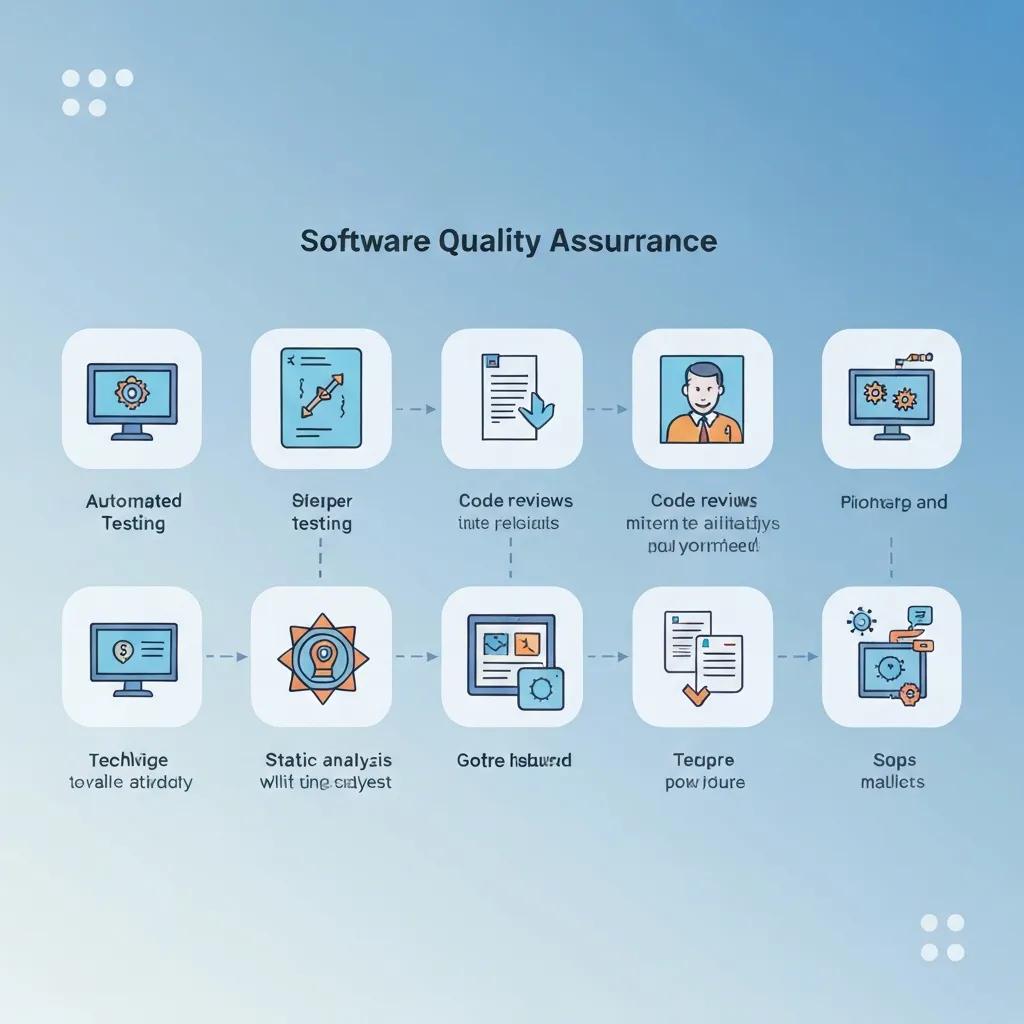
    Software development team collaborating on quality assurance processes

    What is Software Quality Assurance? Definition, Process, Benefits, and Importance

    Software Quality Assurance (SQA) is a disciplined, process-oriented approach that ensures software products meet defined quality standards by preventing defects across the software development lifecycle. It works by establishing repeatable processes, standards, and measurements that guide requirements, design, development, testing, and release activities to reduce defects, lower remediation costs, and increase reliability. This article explains SQA’s core principles, the PDCA-based SQA process, how SQA differs from quality control and testing, and the measurable benefits and common challenges organizations face when adopting SQA practices. Readers will find practical guidance for creating an SQA plan, checklists to prioritize SQA work, and concrete techniques — from code review and static analysis to CI/CD quality gates, risk-based testing, and emerging approaches like AI-powered testing and chaos engineering. The following sections map fundamentals and objectives, walk through lifecycle activities, compare SQA to QC and testing, outline benefits and mitigations, detail essential methodologies and tools, and summarize the standards and tool categories that support effective SQA practices.

    What is Software Quality Assurance? Definition, Principles, and Core Objectives

    Software Quality Assurance (SQA) is the set of organizational processes and controls designed to ensure that software development and maintenance activities consistently produce products that satisfy stakeholder requirements and regulatory standards. SQA operates by embedding prevention-focused controls — such as process definition, audits, and metrics — into the SDLC so problems are detected earlier and fewer defects reach production. The primary objectives are to enforce standards, prevent defects, verify compliance, and drive continuous improvement in process capability and product quality. These objectives rely on measurement, feedback loops, and accountability to align engineering practices with business and regulatory expectations while reducing rework and customer-impacting issues.

    What are the key principles and goals of SQA?

    SQA is grounded in a concise set of principles that translate policy into repeatable engineering practices and measurable outcomes. Prevention is central: SQA prioritizes activities that stop defects from being introduced, such as requirements reviews and coding standards. Continuous improvement follows, using metrics and retrospectives to refine processes and tooling. Standardization ensures consistency through templates, checklists, and documented procedures. Measurement and traceability provide objective evidence of quality via metrics like defect density, test coverage, and escaped defects. Accountability assigns roles for quality ownership, from process stewards to release managers. Together these principles enable SQA teams to convert quality goals into concrete process steps and measurable targets that lower the cost of defects over time.

    Why is SQA important in software development?

    SQA delivers both technical and business value by reducing defects, accelerating delivery through predictable processes, and ensuring regulatory or contractual compliance. Early defect detection through SQA activities dramatically decreases remediation costs compared with fixing issues in production, and it shortens time-to-market by avoiding late-stage rework. Improved reliability and security from disciplined SQA practices increase customer trust and reduce support costs. Organizations also gain governance benefits: documented SQA processes make audits and certifications feasible and support continuous process improvement across teams. These outcomes create a quantifiable ROI when SQA is integrated with development practices and measured consistently.

    What are the main steps in the SQA process? A detailed guide to SQA lifecycle and activities

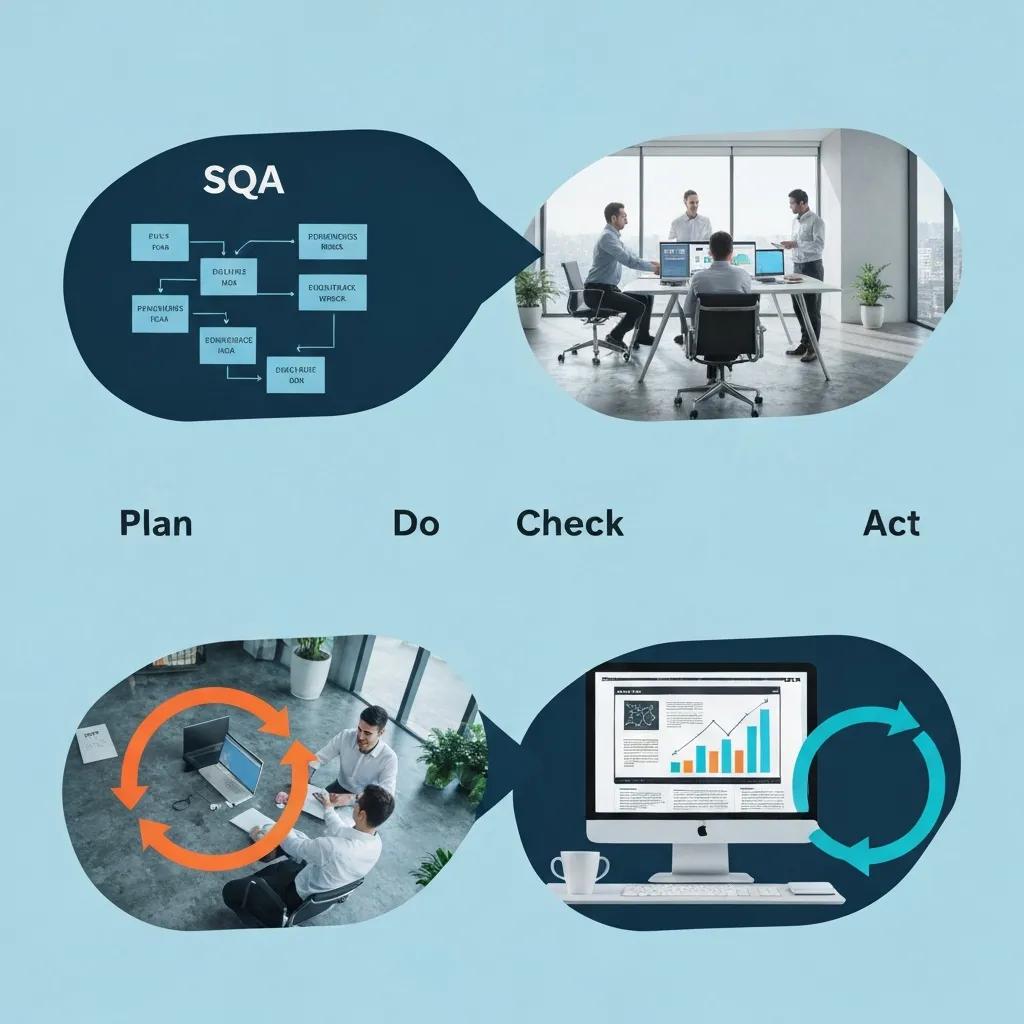
    Illustration of the four essential steps in the Software Quality Assurance process

    The SQA process follows a Plan-Do-Check-Act (PDCA) cycle tailored to software delivery, combining upfront planning, disciplined execution, verification, and continuous improvement to maintain and increase quality. Planning defines scope, standards, roles, tools, and exit criteria; the Do phase implements development and testing activities consistent with the plan; Check uses metrics, audits, and reviews to validate adherence and product quality; Act applies lessons learned and corrective actions to close gaps. This lifecycle integrates requirements analysis, test planning, code reviews, automated and manual testing, defect triage, and release governance into a repeatable quality workflow that feeds continuous improvement.

    What are the four essential steps of quality assurance?

    The PDCA steps provide a clear operational structure for SQA programs and each step includes specific tasks and checkpoints. Plan involves scoping the SQA plan, defining acceptance and exit criteria, selecting standards (e.g., coding rules, security baselines), and identifying tools and roles. Do covers development practices, implementation of unit/integration tests, static analysis, and continuous integration pipelines that enforce quality gates. Check performs verification through test execution, audits, peer reviews, and metrics analysis like test pass rate and defect trends. Act mandates corrective actions, process updates, training, and retrospective reviews that close the loop and raise process maturity for subsequent cycles.

    1. Plan: Define standards, scope, roles, tools, metrics, and exit criteria.
    2. Do: Implement development, testing, automation, and code quality checks.
    3. Check: Execute tests, audits, and reviews; collect and analyze quality metrics.
    4. Act: Apply corrective measures, update processes, and institutionalize improvements.

    These four steps form a continuous cycle that reduces defect leakage and increases predictability in delivery. Effective SQA plans explicitly map tasks and gates to each PDCA stage so teams can measure compliance and improvement over time.

    PDCA Cycle: A Framework for Quality Management in Projects

    Quality Management rules, the work on the project was based on team-work and modelled on the PDCA cycle, also called the Deming cycle. The PDCA cycle is a four-step management method used in business for the control and continuous improvement of processes and products. It is also known as the Shewhart cycle, or plan–do–check–act.

    How is SQA integrated into different SDLC models like Waterfall, Agile, and DevOps?

    SQA adapts to SDLC models by matching controls to cadence and responsibilities while preserving prevention and measurement. In Waterfall, SQA manifests as formal checkpoints, document-driven reviews, and phase-gate testing that verify compliance at defined milestones. Agile shifts SQA left: quality practices such as automated unit tests, acceptance criteria, and continuous integration are embedded within sprints and done incrementally. DevOps emphasizes continuous assurance with CI/CD pipelines, automated quality gates, production telemetry, and rapid feedback loops that treat operational resilience as part of SQA. Across all models, the balance of automation, checkpoints, and governance is tuned to cadence: more formal controls in waterfall, iterative embedded practices in Agile, and pipeline-driven automation in DevOps.

    How does Software Quality Assurance differ from Quality Control and Software Testing?

    SQA, Quality Control (QC), and software testing are related but distinct facets of ensuring software quality: SQA focuses on establishing and improving processes, QC inspects products against standards, and testing executes specific techniques to find defects. SQA is organizational and preventive, setting up the methods and standards; QC is product-oriented and corrective, verifying the product meets quality criteria through inspections and acceptance activities; testing is the operational act of executing test cases (unit, integration, system, acceptance) to detect defects. Understanding these boundaries helps organizations allocate responsibilities and measure outcomes across governance, verification, and execution.

    What is the difference between SQA and Quality Control?

    SQA establishes the process framework, standards, and measurement systems that aim to prevent defects, while QC performs inspections and product checks that detect defects before release. SQA activities include process audits, training, standards definition, and metrics collection; QC activities include test execution, code inspections, and acceptance verification. While QC identifies product-level issues and feeds defects back into development, SQA evaluates whether processes enabled by the organization are effective and prescribes systemic changes. Both disciplines are complementary: QC supplies evidence about product quality, and SQA uses that evidence to prevent future defects.

    How does SQA compare to software testing?

    Software testing is a practical execution discipline within QC and SQA that applies techniques like unit testing, integration testing, system testing, and acceptance testing to validate functionality and find defects. SQA governs testing by defining test standards, coverage criteria, exit criteria, and metrics that determine whether testing is sufficient. For example, SQA may mandate minimum code coverage thresholds, required static analysis rules, or definition of done criteria that shape test strategy. Testing provides the empirical data (found defects, pass rates) while SQA ensures those test activities align with broader quality objectives and process controls.

    What are the benefits and challenges of implementing SQA?

    Implementing SQA delivers measurable benefits—reduced defect rates, lower remediation costs, improved customer satisfaction, and regulatory compliance—while posing challenges such as initial overhead, cultural resistance, and tooling complexity. By combining standards, automation, and targeted governance, SQA reduces long-term costs and increases product reliability. However, organizations must manage upfront investments in training, tooling, and process change and prioritize interventions using risk-based approaches to avoid excessive overhead. Effective mitigation strategies include incremental rollouts, automation to reduce manual effort, executive sponsorship for cultural change, and aligning SQA metrics to business outcomes.

    What are the key benefits of SQA for software projects?

    SQA produces several quantifiable and strategic advantages that justify investment when applied consistently. It decreases the cost of defects by shifting detection earlier in the lifecycle; early defect discovery can cut remediation cost by an order of magnitude compared with post-release fixes. SQA improves reliability and uptime, which strengthens customer trust and reduces support burden. It supports compliance with industry standards and makes audits and certification practical. These benefits together increase the predictability of delivery and can demonstrate measurable ROI when organizations track indicators like escaped defects, mean time to repair, and defect trend improvements.

    Key SQA benefits include:

    1. Reduced defect remediation costs due to early detection.
    2. Higher product reliability and customer satisfaction through consistent quality.
    3. Better regulatory and contractual compliance enabled by documented processes.

    Measured benefits become clearer when teams track quality metrics and map them to business outcomes, enabling targeted investments and continuous improvement.

    Software Quality Assurance: Applying Universal Principles to Development

    Software quality assurance (SQA) or, in other words, can we not use the general quality assurance methods and techniques that are already developed and used in manufacturing and other industries? Having decided to develop specialized books for software quality assurance, at the same time, we must acknowledge that the principles and methods of quality assurance are universal and can be applied to software development.
    Benefit/ChallengeCauseImpact / Mitigation
    Reduced remediation costEarly defect detection through reviews and automationLowers total cost-of-quality; mitigate by investing in test automation and static analysis
    Increased reliabilityStandardized processes and quality gatesImproves customer trust; mitigate by defining clear exit criteria
    Overhead and resource needsInitial tooling and trainingCan slow teams early; mitigate with phased rollout and automation
    Cultural resistanceProcess changes and perceived bureaucracyReduces adoption; mitigate with executive sponsorship and role-based training

    What challenges and limitations can organizations face with SQA?

    Organizations frequently encounter constraints such as perceived overhead, inadequate skills, and the complexity of selecting and integrating tools. SQA can be mischaracterized as bureaucratic unless it demonstrably accelerates value delivery; teams may resist if processes feel prescriptive without clear benefits. Tool proliferation increases integration and maintenance costs, while keeping standards and tooling current requires dedicated stewardship. Mitigations include prioritizing high-impact controls, using risk-based testing to focus on critical areas, adopting incremental automation to reduce manual burden, and providing continuous training and coaching to embed quality ownership across teams.

    What are the essential methodologies and techniques used in SQA?

    Visual representation of methodologies and techniques in Software Quality Assurance

    SQA relies on a complement of techniques — code review, automated testing, static analysis, CI/CD quality gates, test-driven development (TDD), risk-based testing, performance and security testing — each delivering specific quality mechanisms and outcomes. These techniques work together: static analysis prevents common defects early, code review catches architectural and logic issues while spreading knowledge, automated tests provide regression protection within CI/CD pipelines, and risk-based testing ensures scarce manual testing effort focuses on the highest-impact areas. Combining techniques yields a layered defense that reduces defect leakage and improves maintainability.

    How do code reviews, automated testing, and static analysis improve software quality?

    Code reviews, automated testing, and static analysis form a complementary trio that addresses different defect classes and knowledge transfer. Code reviews provide human insight into design, readability, and edge cases while distributing domain expertise across the team. Automated testing (unit, integration, UI) ensures regressions are caught quickly and enables safe refactoring by verifying behavior in CI pipelines. Static analysis enforces coding standards, detects security vulnerabilities and maintainability issues at commit time, and prevents classes of defects before runtime. Best practice is to integrate static analysis and automated tests into pull request pipelines, and to treat code review as both a defect detection and knowledge-sharing mechanism.

    Quick adoption checklist:

    1. Integrate static analysis in pre-commit or PR checks.
    2. Require automated unit tests with CI validation.
    3. Use code review templates to cover architecture, testing, and security.

    These tactics reduce escape rates and raise the baseline quality of delivered code.

    TechniquePrimary UseTypical Outcome
    Automated TestingRegression and CI validationFaster feedback, consistent verification
    Static AnalysisCode quality and security checksEarly detection of vulnerabilities and maintainability issues
    Code ReviewDesign and correctness validationReduced logic defects and knowledge sharing
    TDDDesign by tests, early coverageBetter designability and test-first discipline
    Risk-based TestingPrioritization of test effortFocuses testing on highest-impact areas

    What role do CI/CD, risk-based testing, and test-driven development play in SQA?

    CI/CD, risk-based testing, and TDD are foundational for continuous quality and prioritization. CI/CD automates build, test, and deployment pipelines and enforces quality gates that prevent regressions from progressing; these pipelines operationalize SQA by making checks repeatable and fast. Risk-based testing allocates manual and exploratory testing to the highest-risk features or modules, ensuring limited human effort yields maximal defect-finding value. TDD embeds tests in the design phase, improving test coverage and producing code that is inherently testable. Together they provide a pragmatic balance of automation, prioritization, and design discipline that scales SQA across frequent releases.

    PDCA Cycle for Software Testing Process Improvement

    At the implementation stage, the software testing team analyzes the collected measurement data and their internal relationship using one or several quality management tools, including the PDCA cycle, to improve the software testing process.

    What standards, certifications, and tools support effective Software Quality Assurance?

    Standards, maturity models, and a healthy tool ecosystem give SQA programs structure and evidence for compliance and improvement. Standards such as ISO 9001, ISO/IEC 5055, and maturity frameworks like CMMI help organizations define process controls, metrics, and improvement roadmaps. Tool categories — test management, automation frameworks, static analysis, and performance testing — provide the capabilities to implement SQA activities and measure outcomes. Selecting standards and tools that map to organizational risk, product criticality, and delivery cadence ensures SQA delivers both governance and engineering value.

    How do ISO 9001, ISO/IEC 5055, and CMMI standards guide SQA practices?

    Each standard or framework addresses quality from a different angle: ISO 9001 focuses on quality management systems (QMS) and organizational process controls that support consistent delivery and auditability. ISO/IEC 5055 targets internal software quality measures such as reliability, security, performance efficiency, and maintainability, offering metrics to evaluate software-internal quality. CMMI provides maturity levels and process improvement guidance that help organizations progress from ad hoc practices to quantitatively managed and optimized processes. Together these frameworks guide SQA teams to define controls, collect metrics, and institutionalize continuous improvement with objective benchmarks.

    What are the common SQA tools for test management, automation, and performance testing?

    SQA tool choices fall into clear categories that align with SQA activities: test management platforms for planning, traceability, and defect tracking; automation frameworks and libraries for unit, integration, and UI tests; static analysis and security scanners for code-level checks; and load/performance tools for capacity and resilience testing. Selection criteria should include integration with CI/CD, scalability, community support, and how well tools expose metrics for governance. Teams often combine lightweight automation for fast feedback with more robust performance and security testing suites executed on demand or in release pipelines.

    Common tool categories and when to use them:

    1. Test management: for traceability, requirements coverage, and release reporting.
    2. Automation frameworks: for fast regression checks and CI validation.
    3. Static analysis & security scanners: for early detection of maintainability and vulnerability issues.
    4. Performance testing tools: for capacity planning and resilience verification.

    These categories form a practical toolstack that SQA teams can assemble incrementally to meet project needs and maturity goals.

    Standard / FrameworkFocus AreaTypical Use / Benefit
    ISO 9001Quality management systemsEstablishes organizational process controls and auditability
    ISO/IEC 5055Software internal quality metricsGuides measurement of reliability, security, and maintainability
    CMMIProcess maturity and improvementProvides maturity roadmap and continuous improvement practices

    What are the common SQA tools for test management, automation, and performance testing?

    Test management and automation tools support planning, execution, and reporting across the SQA lifecycle; selection depends on integration, scalability, and metric support. Test management tools centralize requirements, test cases, and traceability so teams can report coverage and release readiness. Automation frameworks accelerate regression checks within CI/CD pipelines while static analysis and security scanning tools catch issues at commit time. Performance testing solutions validate capacity and resilience under realistic load. Evaluation criteria should prioritize CI/CD integration, scalability, community support, and how well tools expose metrics for governance.

    Tool selection tips:

    1. Prioritize CI/CD integration to make quality checks automatic.
    2. Choose tools with active community and plugin ecosystems for longevity.
    3. Ensure tools expose actionable metrics that map to SQA objectives.

    These selection guidelines help teams build an effective and maintainable SQA toolchain that supports continuous quality improvement.

  • good night

    good night

    Cozy bedroom with soft lighting and a starry night sky, evoking warmth and calmness

    Good Night Wishes and Messages: Inspirational, Romantic, Funny, and Sweet Dreams Quotes

    A thoughtfully chosen good night wish can close the day with warmth, calm, and connection, turning a routine text into a meaningful moment. This guide teaches how to select and craft inspirational, romantic, funny, and sweet dreams quotes and images so your messages encourage restful sleep, strengthen relationships, and invite shareable moments. Readers will learn what makes a quote effective before bed, how to personalize romantic good night messages, when humor helps, and how images and simple mindfulness practices amplify the message’s emotional impact. Practical examples, short templates, and design tips for good night quotes pictures and quotes good night images are included so you can copy, adapt, or build shareable graphics quickly. We’ll also map messaging by recipient — partner, friend, family, child — and explain the sleep-wellness science behind why positive evening communication supports calmer nights and deeper bonds.

    What Are the Best Inspirational Good Night Quotes to Encourage Peaceful Sleep?

    Cozy bedroom with soft lighting and a starry night sky, evoking warmth and calmness

    Inspirational good night quotes work by combining calming language, positive framing, and brief imagery that primes the mind toward rest and optimism before sleep. These quotes often use reassuring metaphors (night sky, quiet harbor) and forward-looking elements (gratitude, hope) to reduce rumination and promote a sense of closure. Using short, image-friendly lines makes them ideal for good night quotes pictures and shareable quotes good night images that read well on phones and social apps. Below are curated examples and guidance for using them in texts or image overlays to foster peaceful sleep and positive mindset transitions.

    These inspirational lines fit different moods and purposes:

    1. “May your worries drift away with the stars tonight.”
    2. “Rest well — tomorrow’s possibilities begin with tonight’s calm.”
    3. “Close your eyes; gratitude will guide you to lighter dreams.”
    4. “End today with kindness to yourself and a quiet, hopeful heart.”

    Each example is brief enough for WhatsApp or a sleep ritual card, and each emphasizes a calming mechanism like reassurance or future-oriented hope that supports relaxation before bed. Choosing the right tone depends on whether you want to soothe stress, encourage optimism, or reinforce gratitude.

    Which Inspirational Quotes Promote Success and Positivity Before Bed?

    Inspirational quotes that promote success and positivity before bed are concise, future-oriented, and anchored in self-efficacy; they prime planning and confidence while still signaling rest. These lines often mention small wins, learning, or steady progress to leave the mind confident rather than anxious, which supports problem-solving the next day. Use short phrases that emphasize steady progress and assurance so they don’t provoke late-night overthinking, and pair them with a calming image to balance activation with rest.

    1. “Tomorrow is another step toward what you’re building.”
    2. “Rest now; the effort you’ve made today becomes strength tomorrow.”
    3. “Dream of progress, not perfection — you’re moving forward.”

    Apply personalization by adding a small detail (a project name or brief praise) to increase emotional resonance without expanding the message length, which keeps the quote image or text crisp and soothing.

    How Do Sweet Dreams Quotes Help Foster Calm and Restful Nights?

    Sweet dreams quotes use reassuring and familiar language to lower physiological arousal and create a sense of emotional safety before sleep, which directly supports falling asleep faster and sleeping more soundly. Phrases that evoke warmth, protection, and sensory calm (soft light, quiet rooms, gentle breathing) can reduce stress hormones and invite relaxation. For children or anxious recipients, include specific comforting images (favorite blanket, bedtime story memory) and keep wording simple to avoid stimulating the imagination in ways that keep them awake.

    1. “Sleep snug and wake bright; I’ll be thinking of you.”
    2. “May your dreams be soft, kind, and full of gentle surprises.”
    3. “Good night — rest safely, my favorite person.”

    Use these in bedtime routines, as image captions, or as short texts; pairing them with a predictable bedtime ritual enhances their calming effect and helps anchor nightly transitions toward sleep.

    How Can You Craft Romantic Good Night Texts That Deepen Emotional Connections?

    Romantic good night texts deepen emotional connection by combining intimacy, specificity, and reassurance in a concise message that fits mobile notifications and late-night reading. The mechanism is simple: a brief, emotionally attuned line signals attention and attachment, which increases relational security and fosters closeness. Effective romantic messages balance warmth and specificity — a shared memory or future plan strengthens meaning — while brevity keeps the message readable and sweet for good night texts and good night images for WhatsApp. Below are principles for tone, length, and personalization, followed by ready-to-send examples to use in different relationship stages.

    Key elements of romantic good night messages:

    • Warmth: affectionate language or pet names
    • Specificity: a short personal detail or shared memory
    • Reassurance: affirmation of care or presence

    Apply these elements depending on context to make short messages feel profound without overwhelming the recipient, then transition into simple personalization techniques that make routine messages feel new.

    What Are Examples of Short and Heartfelt Romantic Good Night Messages?

    Short, heartfelt romantic messages work best when they are focused, genuine, and tailored to the moment; they read easily as texts or image captions and leave the recipient feeling seen and comforted. Use affectionate words or a tiny shared detail to increase intimacy without length, and match the tone to your relationship stage — playful for early dating, reassuring after a hard day, nostalgic for long-term partnerships. Below are concise examples categorized by sentiment.

    1. “Sleep tight, love — thinking of our morning coffee.”
    2. “Counting the hours until I hear your voice again.”
    3. “Rest easy; you’re exactly where my heart feels home.”

    Choose one that matches the moment and pair it with a private pet name or a short memory to personalize the line; this keeps the message intimate and memorable while still short enough for a quick good night ping.

    How to Personalize Romantic Good Night Wishes for Your Partner?

    Couple sharing a quiet moment under a starry sky, capturing intimacy and connection

    Personalizing romantic good night wishes follows a simple 3-step template: reference a shared detail, include an affectionate line, and add a gentle future-oriented note; this structure creates emotional resonance while remaining concise. The mechanism behind this approach is specificity — mentioning a small, shared moment or inside detail triggers stronger attachment responses than generic affection. Apply the template to different contexts: after meaningful conversations, following conflict, or routine nightly check-ins, adjusting tone and length as needed.

    Example applications of the template:

    1. “Remember our sunset walk? Sleep warm — can’t wait for the next one.”
    2. “After today, rest easy; I admire how you handled everything.”
    3. “Love you — dream of Saturday’s plans and wake bright.”

    Using this method keeps messages personal, grounding them in shared reality and future connection, which deepens closeness without requiring long paragraphs that get ignored at night.

    What Are the Funniest Good Night Messages to Make Friends and Family Smile?

    Funny good night messages lighten the mood and build camaraderie by using playful reversals, puns, or affectionate teasing that closes the day on a positive, low-stakes note. Humor reduces stress, releases tension, and signals social inclusion when used appropriately, which can strengthen bonds with friends and family. The key mechanism is context-sensitive amusement: match the joke style to the recipient’s taste and avoid humor after serious conversations or emotional events. Below are tips for tone and audience suitability plus examples to spark smiles.

    Use humor safely by following these guidelines:

    • Match joke style to recipient (sarcasm for peers, gentle puns for family)
    • Avoid sarcasm after conflict or in sensitive contexts
    • Use emojis or playful punctuation to cue tone in short texts

    These cues help ensure jokes come across as intended and lead naturally into examples of popular short funny texts tailored by recipient.

    Which Funny Good Night Texts Are Popular for Lighthearted Communication?

    Short funny good night texts rely on playful exaggeration, unexpected twists, or absurd imagery to prompt a quick smile before sleep; they’re ideal for friends, siblings, or partners who share a humorous rapport. Timing matters: send light jokes when you know the recipient won’t misinterpret the tone, typically during casual evenings rather than immediately after disagreement. Below are quick examples by recipient type to adapt for WhatsApp or a social post.

    1. Friend: “Go to sleep before you start talking to your plants again.”
    2. Sibling: “Don’t let the bedbugs form a union without you.”
    3. Partner: “I’ll guard the snacks tonight — dream of carbs.”

    Short, targeted humor strengthens social bonds by creating shared amusement and positive emotional residues, making it easier to move into restful sleep with a smile.

    How Can Humor Improve Emotional Bonds in Good Night Wishes?

    Humor in good night wishes improves emotional bonds by signaling familiarity, safe play, and mutual enjoyment, which increases feelings of closeness and lowers interpersonal stress. Psychologically, shared laughter releases dopamine and oxytocin, enhancing social connection and making recipients more receptive to warmth and later communication. Practically, pairing humor with a sincere closing line — a quick joke followed by a real good night — balances levity with care, ensuring the message feels both fun and supportive.

    Try this pattern: quick joke → affectionate one-liner → good night, to combine humor and warmth. This structure lets you maintain intimacy while benefiting from humor’s bonding effects and transitions naturally to more calming message types if needed.

    How Do Good Night Wishes With Images Enhance Emotional Expression and Sharing?

    Good night wishes with images amplify emotional expression by combining evocative visuals with concise text, increasing both clarity and resonance of the message. Visual content engages the brain’s emotional centers more quickly than text alone, while a well-designed overlay makes the line memorable and shareable across platforms like WhatsApp or social feeds. Best practices focus on legibility, mood-aligned imagery, and platform-specific sizing so images read well on phones and encourage re-sharing or saving.

    Design elements that boost impact include high contrast, short text, readable fonts, and motifs like moonlit skies or cozy interiors that match message tone; these features improve emotional clarity and cross-platform performance. Below is a practical comparison of common image types and attributes to guide choices for different sharing goals.

    Image TypeEmotional ToneBest PlatformRecommended Overlay Style
    Photograph (cozy scene)Warm, intimateWhatsApp, iMessageSemi-transparent band with sans-serif font
    Illustration (stylized moon/stars)Calm, whimsicalInstagram, PinterestContrasting text with subtle drop shadow
    Typography-only (bold quote)Direct, inspirationalTwitter, InstagramLarge, high-contrast type with clean margins

    What Are the Best Practices for Creating Shareable Good Night Images?

    Creating shareable good night images requires attention to readability, aspect ratio, and emotional alignment; these technical and aesthetic choices determine how easily an image is absorbed and shared. Keep text short, choose legible fonts, and maintain strong contrast between text and background to ensure the quote remains visible on small screens. Consider platform-specific aspect ratios — square for Instagram, vertical for Stories — and include concise alt text and descriptive filenames for accessibility and discoverability.

    Checklist for shareable images:

    • Use short headlines and 2-3 second readability targets
    • Choose high-contrast color combinations and legible fonts
    • Export at platform-recommended resolutions and include alt descriptions

    Following these steps maximizes the chance your good night quotes pictures will be seen, read, and shared across networks while sustaining emotional impact.

    Which Themes and Visual Elements Make Good Night Images More Impactful?

    Themes such as night sky, warm lamplight, soft textures, and minimalist typography reliably trigger calm and familiarity, making them ideal for good night images with quotes. Color palettes leaning toward deep blues, muted purples, and warm ambers encourage relaxation, while iconography like moons, stars, and blankets signals bedtime without needing many words. Match imagery to message type: romantic lines pair well with soft textures and warm tones, while inspirational quotes suit minimalist typography over a subtle gradient.

    Practical palette and motif suggestions:

    • Night sky = deep navy and silver for calmness
    • Cozy interior = warm amber and soft browns for intimacy
    • Minimal typography = monochrome contrast for inspiration

    Selecting motifs that mirror the emotional register of your message increases resonance and the likelihood recipients will save or re-share the image as a thoughtful nightly ritual.

    After exploring image best practices and themes, consider tools that help you apply these principles quickly: message generators, image customization editors, and downloadable template collections make it simple to combine short quote lines with optimized templates. These resources support faster creation of shareable good night quotes pictures and can streamline consistent branding or personal styles without needing advanced design skills.

    How Can You Master Good Night Communication Skills for Different Relationships?

    Mastering good night communication skills involves adjusting tone, length, and content to fit the recipient — partner, friend, family member, or child — while applying emotional intelligence to judge timing and appropriateness. The mechanism is relational calibration: matching message intensity, humor, or reassurance to the other person’s needs increases acceptance and strengthens bonds. Below is a mapping table that pairs recipient type with tone, ideal length, and example message to guide quick personalization in nightly routines.

    This recipient mapping clarifies how to adapt messages by relationship type.

    RecipientToneLengthExample
    PartnerAffectionate, specific6-12 words“Sleep well, my love — dream of our weekend.”
    FriendPlayful or supportive4-10 words“Get some rest — text me tomorrow!”
    Family (adult)Warm, respectful4-10 words“Good night — proud of you today.”
    ChildReassuring, simple3-8 words“Night-night, sweetie — see the stars soon.”

    What Are Effective Good Night Messages for Friends, Family, and Kids?

    Effective good night messages for different recipients emphasize appropriateness, clarity, and emotional fit; friends often appreciate humor or camaraderie, family members prefer warmth and respect, and children need simple reassurance and predictability. For children, consistent phrasing and soothing language build security and a reliable bedtime cue, whereas adults may prefer variety along with sincere recognition of their day’s efforts. Keep messages brief and consistent with the relationship’s usual tone, and adapt if the person is stressed, excited, or going through a major life event.

    Example quick templates by situation:

    1. Friend after big presentation: “Sleep now — you owned that meeting.”
    2. Parent to adult child: “Good night — proud of how you handled today.”
    3. Child before bed: “Hug the teddy, close your eyes, and dream of butterflies.”

    Shifting tone and content this way preserves relational trust and ensures your nightly check-ins feel supportive rather than perfunctory.

    How Does Emotional Intelligence Improve the Impact of Good Night Wishes?

    Emotional intelligence improves good night wishes by encouraging empathy, timing awareness, and tone-matching, which together increase the likelihood the message soothes rather than agitates. Practically, EQ means noticing mood cues (tired, stressed, celebratory) and choosing language that validates feelings or gently uplifts, avoiding platitudes when someone is upset. Actionable techniques include reflective phrasing, brief validation, and a comforting forward-looking cue; these make messages feel attuned and help recipients internalize reassurance before sleep.

    Three practical EQ techniques:

    1. Validate feelings: “I know today was hard; rest now.”
    2. Match tone: use humor with playful friends, calm words with the stressed.
    3. Offer brief support: “I’m here tomorrow — sleep as best you can.”

    Applying these methods increases the emotional acceptance of a good night message and supports calmer transitions to sleep.

    After outlining relationship-specific messaging, you may find it helpful to try interactive message prompts and premium template sets that align tone and imagery automatically; simple customization tools and message generators can speed up personalization and ensure consistency across nightly messages. These supportive tools are designed to help apply the communication principles above without adding creative overhead to your routine.

    What Is the Science Behind Good Night Messages and Their Effect on Sleep and Wellness?

    Good night messages influence sleep and wellness primarily by shaping pre-sleep cognitive and emotional states: reassurance and positive framing reduce rumination and sympathetic arousal, which supports falling asleep more quickly and sleeping more soundly. Recent research indicates that pre-sleep mental states — whether anxious, reflective, or calm — significantly affect sleep latency and subjective sleep quality, so sending or reading a compassionate message can have measurable downstream effects on rest. Understanding these mechanisms helps you craft messages that reduce pre-sleep arousal and promote restorative sleep.

    Positive good night messages work through three mechanisms: reassurance lowers stress responses, gratitude primes positive affect, and predictable bedtime rituals cue the brain for sleep. Integrate short messages into a nightly routine alongside basic hygiene practices to amplify their benefit and create stable cues that prepare the mind for rest.

    How Do Positive Good Night Messages Support Better Sleep Quality?

    Positive good night messages support better sleep by reducing cortisol-linked arousal and increasing parasympathetic activation through reassurance and emotional safety, which physiologically eases the transition to sleep. In practical terms, a brief calming line from a loved one or a soothing self-directed affirmation can shorten the time it takes to fall asleep and reduce nocturnal awakenings by creating a sense of security. Pairing messaging with consistent bedtime timing and light-reducing routines further strengthens these effects.

    For best results, send short, reassuring messages 10-30 minutes before intended sleep time so the recipient has a predictable wind-down cue; this timing optimizes the calming benefit while avoiding stimulating late-night exchanges.

    Dissecting the Semantic Nuances of ‘Sleep Well’ Communications from Male Senders

    These ostensibly informal nocturnal affirmations manifest across diverse interpersonal contexts, ranging from nascent romantic entanglements to established platonic relationships. They may occur subsequent to an initial romantic encounter, during protracted nocturnal dialogues, or as a customary component of a diurnal communication cadence between established partners. The situational framework within which these communications are disseminated is instrumental in deciphering their latent semantic content. A ‘sleep well’ transmission from a professional colleague conveys a distinct valence compared to one originating from a prospective romantic prospect or a geographically distant partner.

    Sleep Well Messages from Guys: Decoding Their True Meaning

    What Mindfulness and Relaxation Tips Can Complement Good Night Wishes?

    Simple mindfulness and relaxation techniques complement good night wishes by providing bodily cues that align with the message’s calming intent, making the pre-sleep routine more effective. Techniques like conscious breathing, progressive muscle relaxation, and guided visualization help lower heart rate and quiet intrusive thoughts, allowing the emotional support of a message to translate into measurable relaxation. Integrate three short exercises that take two to five minutes each and pair them with reading or sending a good night line to build a cohesive winding-down ritual.

    Try these quick practices:

    • Deep-breathing count: inhale 4, hold 4, exhale 6 for six cycles.
    • Progressive muscle relax: tense and release major muscle groups head-to-toe.
    • Short visualization: picture a calm place tied to a positive memory for two minutes.

    Combine one practice with a short good night message to anchor the routine and reinforce the physiological transition to sleep. This integration of mind and message supports both relational well-being and personal sleep quality while giving you practical steps to implement tonight.

  • Test €500 hmmmm

    this is test 12345. ☹️☹️☹️☹️☹️☹️☹️☹️☹️☹️☹️☹️

  • This is test 123

    This is test 123

    Unlock €500 Testing Insights

    Test €500 hmmmm

    content 😀😀😀😀 🤪🤪🤪 bbb 

    // Example 1: Invalid UTF-8 byte sequence
    $text = “Hello \x80\x81 World”; // Invalid UTF-8 bytes
    iconv(‘UTF-8’, ‘ISO-8859-1🤨, $text); // ERROR

    // Example 2: Character not in target charset
    $text = “Price: €500”; // Euro symbol
    iconv(‘UTF-8’, ‘ASCII’, $text); // ERROR – € doesn’t exist in ASCII

    // Example 3: Malformed HTML entities
    $text = “Test content”; // Invalid Unicode surrogate
    iconv(‘UTF-8’, ‘UTF-8’, $text); // ERROR

    // Example 4: Mixed encodings
    $text = “Hello ” . mb_convert_encoding(‘世界’, ‘ISO-8859-1’, ‘UTF-8’); // Corrupted
    iconv(‘UTF-8’, ‘ISO-8859-1’, $text); // ERROR

    // Example 5: Null bytes in wrong context
    $text = “Hello\x00World”;
    iconv(‘UTF-8’, ‘ASCII//TRANSLIT’, $text); // May error depending on position

    // Example 6: Emoji in limited charset
    $text = “Great job! 🎉”;
    iconv(‘UTF-8’, ‘ISO-8859-1’, $text); // ERROR – emoji not in ISO-8859-1

  • hello 2 from kundan

    helloooooooooooo edit as page new

  • new post with end point


    Testing Mobile App in Delhi updated with updateitem end point

    Discover the power of automated mobile app testing in Delhi. Our solutions ensure seamless performance and reliability for your applications,enhancing user experience and satisfaction.

    About Testing Mobile App

    Our mobile app automated testing services in Delhi are designed to ensure your applications perform flawlessly across all devices. We utilize cutting-edge technology to identify and resolve issues,providing a seamless user experience.

    Delhi,a hub of technological innovation,is the perfect location for our services. Our team of experts is dedicated to delivering top-notch testing solutions that meet the unique needs of your business,ensuring your app’s success in the competitive market.

    Innovative Testing Solutions

    Our innovative testing solutions are tailored to meet the specific needs of your mobile applications. We ensure comprehensive testing coverage,identifying potential issues before they impact your users.

    Testimonials

    “The testing services provided were exceptional. Our app’s performance has significantly improved,and user feedback has been overwhelmingly positive.”

    – John Doe

    “Professional and efficient service. The team was responsive and delivered results that exceeded our expectations.”

    – Jane Smith

    “Highly recommend their services. Our app’s reliability has improved,and we have seen a reduction in user-reported issues.”

    – Alex Johnson

    Our Services

    Mobile App Automated Testing

    Ensure your mobile applications are tested thoroughly with our automated solutions,providing reliability and performance across all devices.

    Dynamic Content Slider

    Engage with Our Services

    Explore our range of services designed to enhance your mobile app’s performance and user experience. Our team is dedicated to delivering exceptional results tailored to your needs.

    You Can Find Us:

    Address:test,test,test – 34343,United States

    Email:test@test.com

    Phone Number:1893889349

    Testing Mobile App

    Ensuring seamless performance and reliability for your mobile applications.

    Navigation

    Subscribe to Our Newsletter

  • Find Out Plugin Conflicts in WordPress With Image Integration


    Introduction

    WordPress plugin conflicts are common issues that can cause performance degradation, unexpected behavior, or even website downtime. These conflicts occur when two or more plugins—or a plugin and the theme or WordPress core—interfere with one another due to code incompatibilities, outdated versions, or improper integration. This article provides a comprehensive guide to identify and troubleshoot plugin conflicts using techniques such as error log analysis, theme compatibility testing, and systematic deactivation/reactivation methods. It also discusses best practices for preventing conflicts and explains how to optimize feature images to support troubleshooting documentation. By following these clear, structured steps and real-world examples, web developers and administrators can quickly diagnose problems and implement fixes in a safe testing environment.

    What Are WordPress Plugin Conflicts and How Do They Affect Your Site?

    WordPress plugin conflicts happen when multiple plugins interfere with each other’s operations, resulting in slowed performance, broken features, or even complete site crashes. These conflicts can affect both user experience and site security. Common indicators include layout disruptions, error messages in the admin dashboard, and failed updates. Developers often identify conflicts by reviewing recent changes and systematically deactivating plugins. Additionally, such conflicts can negatively impact SEO because search engines may have trouble indexing a malfunctioning site, and they might expose security vulnerabilities if critical plugins do not work as intended.

    What Causes Plugin Conflicts in WordPress?

    Plugin conflicts typically arise from overlapping functionalities, redundant code, and incompatible updates. For example, if two plugins attempt similar functions or load the same resources, their code can clash. Outdated plugins may not work well with the latest WordPress core or themes, leading to deprecated functions. Improper file permissions or installation errors also contribute to conflicts. Regularly monitoring plugin changelogs, community forums, and keeping backups and updates in check minimizes the risk of such issues.

    What Are the Symptoms of Plugin Conflicts?

    Symptoms of plugin conflicts range from subtle performance lags to complete breakdowns in functionality. Common signs include error messages in the dashboard, unexpected front-end behavior, white screens of death (WSOD), and missing visual elements. Some conflicts are intermittent, where the site works fine for a short time and then malfunctions suddenly. Features such as contact forms, sliders, or e-commerce functionalities might cease to function correctly. Reviewing browser console logs or performance metrics can help pinpoint these issues early.

    How Do Plugin Conflicts Relate to Themes and WordPress Core?

    Plugin conflicts are not limited to plugin-to-plugin interactions; they can also be caused by incompatibilities with the active theme or WordPress core updates. A theme’s custom functionality or specific coding practices may interfere with plugin operations, while plugins that rely on certain hooks and filters might not work with all themes. Moreover, when the WordPress core is updated, functions that plugins depend on may be deprecated. Testing in staging environments after updating any component ensures that conflicts do not arise unexpectedly.

    How Can You Identify Which Plugin Is Causing a Conflict in WordPress?

    Isolating the problematic plugin is essential for restoring your site’s functionality. Begin by deactivating all plugins and then reactivating them one at a time while monitoring the site for issues. This step-by-step approach minimizes downtime and helps identify the specific plugin causing the conflict. Diagnostic plugins and built-in debugging features further accelerate this process, while keeping a log of recent changes can also guide you toward the responsible update or installation.

    Why Is Backing Up Your WordPress Site Important Before Troubleshooting?

    Backing up your site is critical to prevent data loss during troubleshooting. A complete backup captures your site’s configuration, allowing you to restore everything if a plugin deactivation or other changes cause unexpected problems. Regular backups protect custom configurations, database entries, and multimedia files, ensuring that you can safely test and troubleshoot without compromising live site performance.

    How Do You Deactivate All Plugins to Start Troubleshooting?

    To isolate a conflict, first deactivate all plugins. This can be done via the admin dashboard by selecting the bulk deactivation option on the plugins page. If the dashboard is inaccessible, renaming the plugins folder using FTP offers a quick alternative. Once all plugins are disabled and the site functions correctly, you can conclude that the problem lies with one or more plugins, prompting further individual testing.

    How Do You Reactivate Plugins One by One to Find the Conflict?

    After deactivating all plugins, reactivate them individually. Start with one plugin, test your site thoroughly, and proceed to the next. This controlled reactivation helps pinpoint the exact moment when the conflict reappears. Testing every feature during this process is crucial to reveal any subtle issues that may go unnoticed with a cursory check.

    What Are the Best Practices for Testing Plugin Conflicts Safely?

    Always test for plugin conflicts in a safe environment, such as a staging site or a local WordPress installation. These setups mirror your live site without affecting active users. Use debugging tools like WordPress Debug Mode and maintain comprehensive backups. Document each step and any error messages you encounter, ensuring you can quickly reverse any changes if necessary.

    How Do You Use WordPress Error Logs to Diagnose Plugin Conflicts?

    WordPress error logs capture real-time error messages, PHP warnings, and critical issues that occur during plugin interactions. Analyzing these logs provides precise insights into which files and functions are triggering errors, making it possible to narrow down the cause of the conflict. A solid understanding of your site’s error logs is therefore essential for targeted troubleshooting.

    What Are WordPress Error Logs and Where Can You Find Them?

    Error logs are files that record PHP errors, warnings, and notices during site operation. They are typically located in your site’s root directory or a designated folder on the hosting server. These logs can be accessed via FTP, a file manager, or through the hosting control panel. Regular review of these logs helps preempt issues before they escalate.

    How Do You Interpret Common Error Messages Related to Plugins?

    Interpreting error messages requires familiarity with PHP and WordPress coding standards. Messages such as “undefined function” or “maximum execution time exceeded” often indicate plugin incompatibility or inefficient code. Each message usually provides a file name and line number, helping you locate the specific issue within the plugin’s code. Cross-referencing these details with plugin documentation or support forums can clarify the conflict’s origin.

    How Can Debugging Tools Help Identify Plugin Issues?

    Tools like Query Monitor and the WordPress Debug Bar offer real-time insights into database queries, HTTP requests, and PHP errors. By enabling WP_DEBUG in the wp-config.php file, you can capture detailed logs that offer further diagnostic clues. These debugging tools work as an extension of your error logs, making it easier to pinpoint and resolve conflicts quickly.

    How Do You Troubleshoot Theme Compatibility Issues That Cause Plugin Conflicts?

    Conflicts between themes and plugins often arise from overlapping functionalities or custom code. To troubleshoot, begin by switching to a default WordPress theme like Twenty Twenty-One. If the issue resolves, the conflict likely originates from the active theme. Testing in a controlled environment helps isolate whether the theme or plugins are at fault.

    How Can You Test for Theme Conflicts Using Default WordPress Themes?

    Temporarily activate a default theme (e.g., Twenty Twenty-One or Twenty Twenty-Two) to determine if the conflict persists. If the site functions normally with a default theme, it indicates that the current theme is incompatible with one or more plugins. This simple test effectively isolates the theme as the source of conflict.

    What Solutions Exist for Resolving Theme and Plugin Conflicts?

    Several approaches can solve theme and plugin conflicts. Updating both your theme and plugins to their latest versions is often the simplest solution. If issues persist, review and adjust any custom code in the theme that may interfere with plugin functionality. In stubborn cases, contacting the theme or plugin developer for a patch can provide further assistance. Using hooks and filters to modify behavior at runtime may also harmonize interactions between the two.

    How Do Theme Updates Affect Plugin Compatibility?

    Theme updates can change layouts, functions, and available hooks, sometimes causing plugins that rely on previous versions to malfunction. It is crucial to review update logs and test new theme versions in a staging environment before implementing them on your live site, ensuring that changes do not inadvertently trigger conflicts.

    What Are Common Plugin Conflict Scenarios and How Can You Fix Them?

    Plugin conflicts appear in various scenarios, often involving contact forms, security, caching, or optimization plugins. Each type of conflict has its own troubleshooting approach, which may include configuration changes, code modifications, or replacing a problematic plugin with a more compatible alternative.

    How Do Contact Form Plugins Commonly Cause Conflicts?

    Contact form plugins can conflict when multiple form-handling tools or overlapping scripts interfere with proper functionality. This may result in form submission failures or layout issues. Disabling one form plugin at a time and verifying compatibility with the WordPress core and active theme is key to resolving such conflicts.

    What Issues Arise From Security Plugins Conflicting?

    Security plugins may impose strict restrictions or modify core files to prevent vulnerabilities. However, this can sometimes block necessary scripts or features from other plugins, leading to false positives and performance issues. Fine-tuning security settings and whitelisting essential scripts can help maintain a balance between protection and functionality.

    How Can You Resolve Conflicts Between Caching and Optimization Plugins?

    Caching and optimization plugins improve site speed by minifying code and caching pages, but they may also remove necessary scripts or delay dynamic updates. Clearing the cache after changes and configuring exceptions for dynamic content are recommended solutions. In some cases, using one optimization plugin at a time or switching to a more compatible caching solution is necessary.

    What Are Workarounds for Frequent Plugin Conflict Problems?

    Common workarounds include thorough compatibility testing before activating new plugins, using a staging environment, and maintaining reliable backups to quickly reverse changes. Adjusting server configurations or employing advanced debugging tools can also reveal lower-level issues. Often, replacing a problematic plugin with an alternative known for better coexistence provides a long-term solution.

    How Can You Prevent Plugin Conflicts in WordPress?

    Preventing plugin conflicts requires proactive management and regular maintenance. Monitor updates closely, test changes in a staging environment, and choose plugins that are well-supported and frequently updated. Routine audits of your plugin ecosystem help ensure that your site remains stable and secure.

    What Are Best Practices for Managing WordPress Plugins?

    Effective plugin management means installing only essential plugins, ensuring compatibility before installation, and keeping everything updated. Reading user reviews and developer notes can alert you to potential issues. Organizing plugins by function and using performance monitoring tools further reduces the risk of conflicts.

    How Do You Test New Plugins Safely Before Activation?

    Always test new plugins in a controlled staging environment that mirrors your live site. This testing phase allows you to verify that new plugins won’t affect key functionalities—such as security, speed, or user experience—before activation on your main site. Gathering feedback from other users and reviewing documentation also informs your decision.

    What Tools Help Monitor Plugin Compatibility Over Time?

    Tools like Query Monitor and Error Log Monitor, combined with automated backup systems and staging software, help track plugin performance and detect compatibility issues early. Regular audits using these tools ensure that plugins continue to work harmoniously with WordPress core updates and each other over time.

    How Do You Add and Optimize Feature Images and Screenshots in Your Plugin Conflict Article?

    Feature images and screenshots not only enhance an article’s visual appeal but also help clarify technical troubleshooting steps. Optimizing these images with high resolution, descriptive file names, and accurate ALT text supports better indexing by search engines and improves user engagement.

    Why Are Feature Images Important for WordPress Plugin Conflict Articles?

    Feature images immediately communicate the subject matter and improve click-through rates by providing visual context. These images support SEO by supplying descriptive context to search engines, making complex troubleshooting processes more accessible to the reader.

    How Do You Choose and Create Effective Screenshots for Troubleshooting Steps?

    Effective screenshots should capture the exact problem areas on the dashboard or frontend. Annotate these images with arrows or text labels to highlight issues and steps taken. High-resolution images that accurately reflect the modern WordPress interface help users replicate troubleshooting steps on their own sites.

    What Are the Best Practices for Image File Naming and ALT Text for SEO?

    Use concise, descriptive file names (e.g., “wordpress-plugin-conflictdashboard.jpg”) and ALT text that clearly explains the image’s context, such as “Screenshot of WordPress admin error due to plugin conflict.” These practices improve both SEO and accessibility for users relying on screen readers.

    How Can You Use Diagrams and Video Tutorials to Enhance Understanding?

    Diagrams can outline troubleshooting workflows, showing how plugins interact and where conflicts typically occur. Video tutorials provide step-by-step visual guides that supplement written instructions. Together, these multimedia elements accommodate various learning styles and enhance comprehensive understanding.

    Frequently Asked Questions

    Q: What is a WordPress plugin conflict? A: It occurs when two or more plugins interact negatively—due to code overlaps, outdated functions, or incompatible updates—resulting in errors or broken functionalities.

    Q: How can I diagnose a plugin conflict on my site? A: Start by deactivating all plugins and reactivating them one by one while monitoring error logs. Testing in a staging environment minimizes risk to your live site.

    Q: What tools are recommended for troubleshooting plugin conflicts? A: Recommended tools include WordPress Debug Mode, Query Monitor, and Error Log Monitor, which provide detailed insights into performance and error issues.

    Q: Is it safe to update plugins if my site is experiencing conflicts? A: Always test plugin updates on a staging site before applying them to your live site, and ensure backups are in place to prevent data loss.

    Q: Can theme conflicts cause issues similar to plugin conflicts? A: Yes, themes can conflict with plugins due to overlapping functionalities or outdated code. Switching to a default theme helps isolate the issue.

    Q: How do feature images and screenshots improve troubleshooting articles? A: They offer visual context, make complex information easier to understand, and support SEO through proper naming and ALT text.

    Q: What steps should I take before troubleshooting plugin issues on my live site? A: Always create a complete backup, use a staging environment for testing, and document all changes to ensure you can restore the site if needed.

    Final Thoughts

    Plugin conflicts in WordPress can severely impact site performance and user experience. A systematic approach—using deactivation, error logs, and staging tests—ensures effective resolution of these issues. By prioritizing regular updates, backups, and compatibility testing, administrators and developers can maintain a secure, high-performing WordPress environment for seamless content management and user engagement.